23 Chapter 3
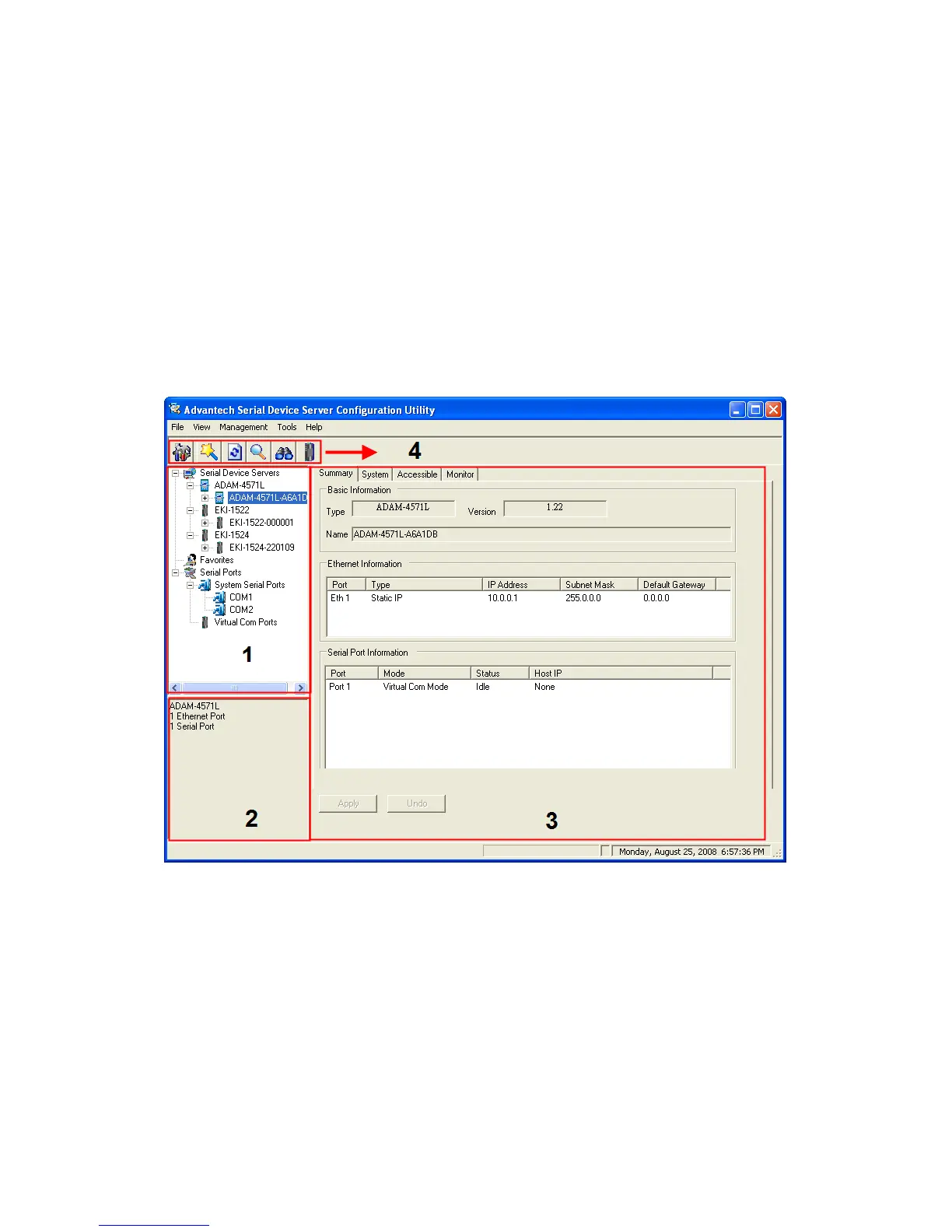
There are four major areas in the serial device server configuration utility.
1. Serial Device Server List Area: All devices will be searched and
listed in this area. You can arrange different favorite group and vir-
tual COM ports.
2. Serial Device Server Information Area: Click on the serial device
server or move cursor to the serial device server, the related infor-
mation will be shown on this area.
3. Configuration Area: Click on the item on the Device Server List
Area, the configuration page will display on the area.
4. Quick Tool Bar: Useful management functions shortcut.
Note: Please reserve TCP/UDP port 5048 and 5058 in your
Ethernet network, configuration utility will use these
ports to communicate with Advantech EKI-1000,
EDG-4500, and ADAM-4570 serial device servers.


 To Next Page