55 ARK-1124 User Manual
Chapter 3 BIOS Settings
Serial IRQ Mode
Configure Serial IRQ Mode.
SMBus Support
Enable/Disable SMBus Support.
OS Selection
Select the target OS.
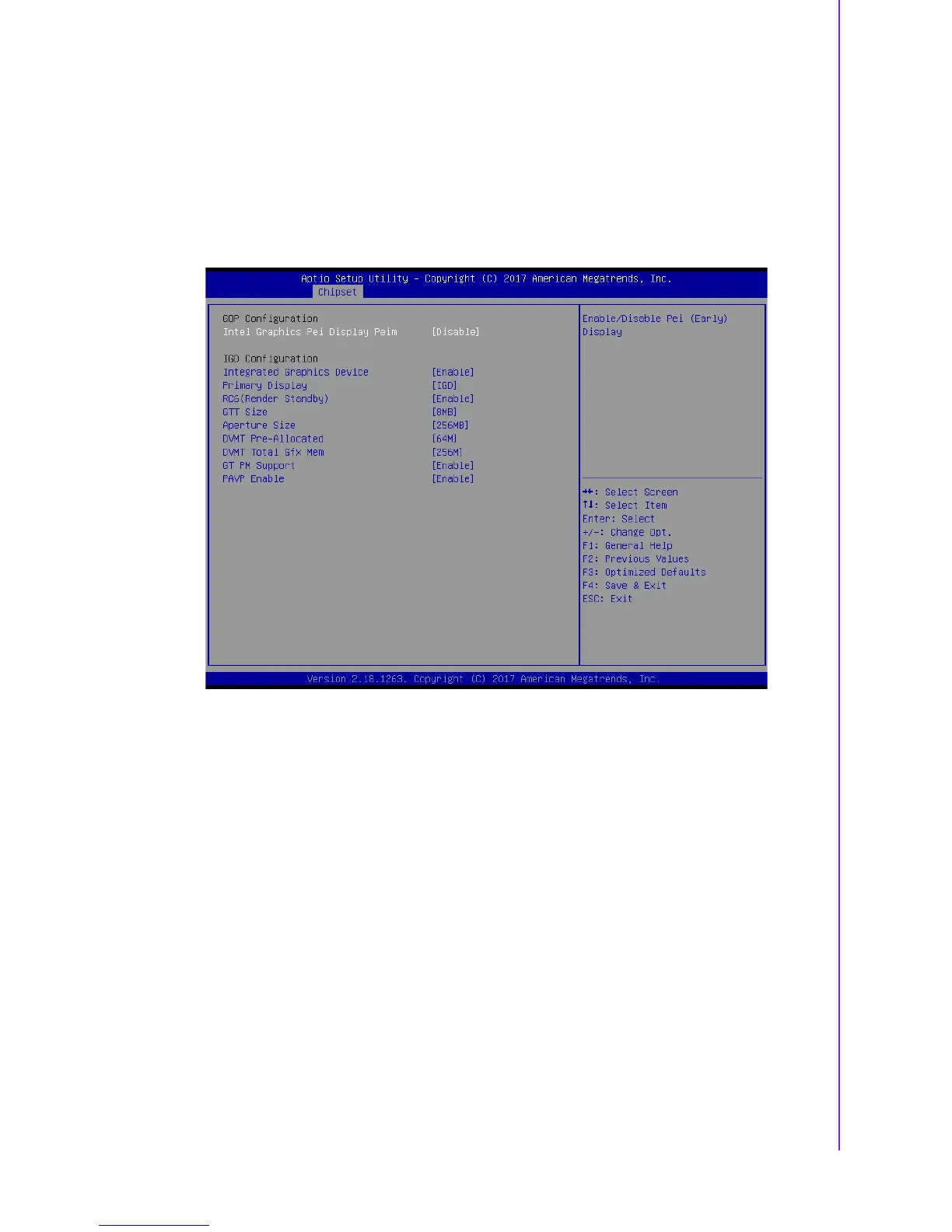
3.2.3.3 Uncore Configuration
Figure 3.18 Uncore Configuration
Integrated Graphics Device
Enable: Enable Integrated Graphics Device (IGD) when selected as the Primary
Video Adaptor. Disable: Always disable IGD.
Primary Display
Select which of IGD/PCI Graphics device should be Primary Display.
RC6(Render Standby)
Check to enable render standby support.
GTT Size
Select the GTT Size.
Aperture Size
Select the Aperture Size.
DVMT Pre-Allocated
Select DVMT 4.0 Pre-Allocated (UMA) Graphics Memory size used by the Inter-
nal Graphics Device.
DVMT Total Gfx Mem
Select DVMT5.0 Total Graphic Memory size used by the Internal Graphics
Device.
GT PM Support















 To Next Page