Figure 5-3
Time Zone Settings
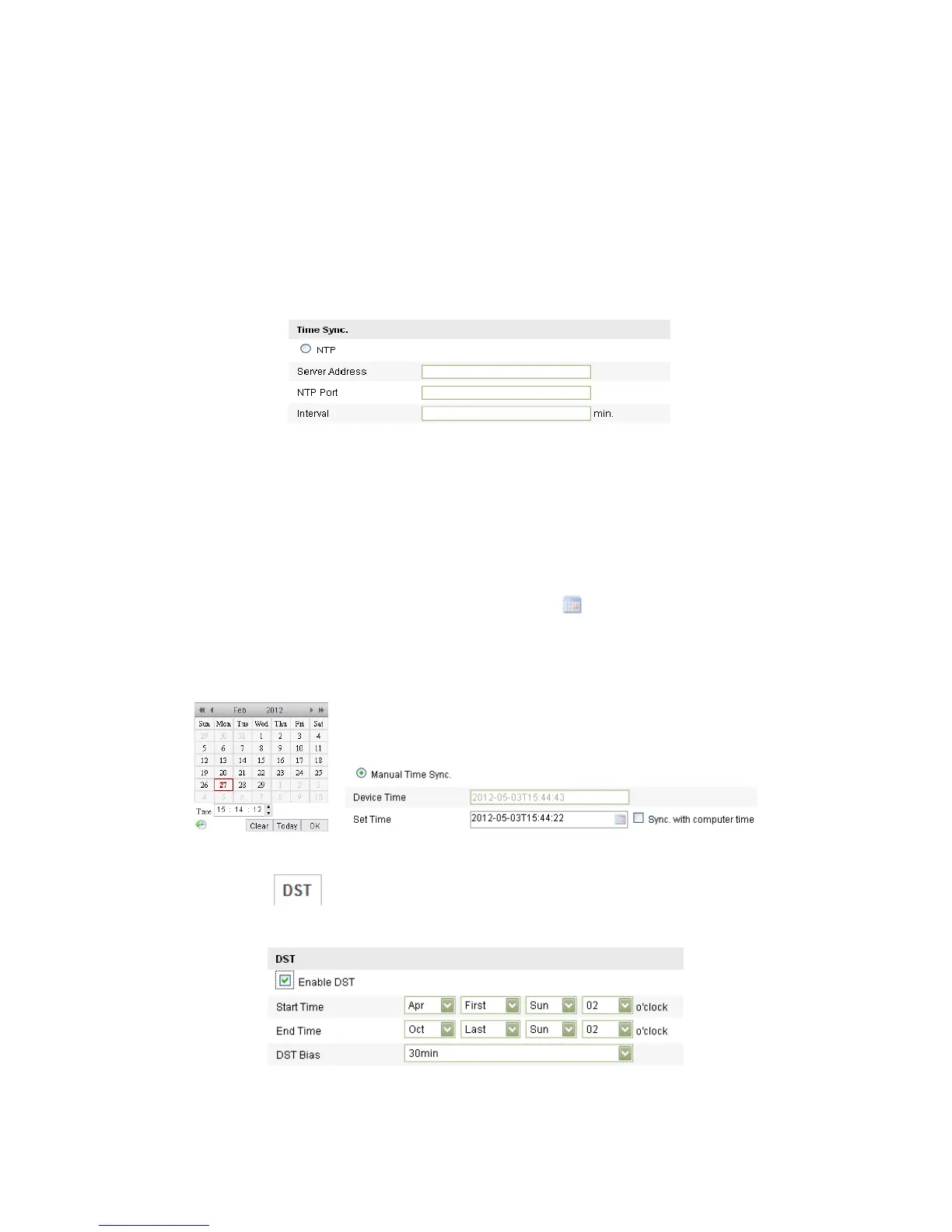
Synchronizing Time by NTP Server.
(1) Check the checkbox to enable the NTP function.
(2) Configure the following settings:
Server Address: IP address of NTP server.
NTP Port: Port of NTP server.
Interval: The time interval between the two synchronizing actions with NTP
server.
Figure 5-4
Time Sync by NTP Server
Note: If the camera is connected to a public network, you should use a NTP server
that has a time synchronization function, such as the server at the National Time
Center (IP Address: 210.72.145.44). If the camera is set in a customized network, NTP
software can be used to establish a NTP server for time synchronization.
Synchronizing Time Synchronization Manually
Enable the Manual Time Sync function and then click to set the system time
from the pop-up calendar.
Note: You can also check the Sync with computer time checkbox to synchronize the
time of the camera with that of your computer.
Figure 5-5
Time Sync Manually
Click the tab page to enable the DST function and Set the date of the
DST period.
Figure 5-6
DST Settings



 To Next Page