5.5 Configuring Image Parameters
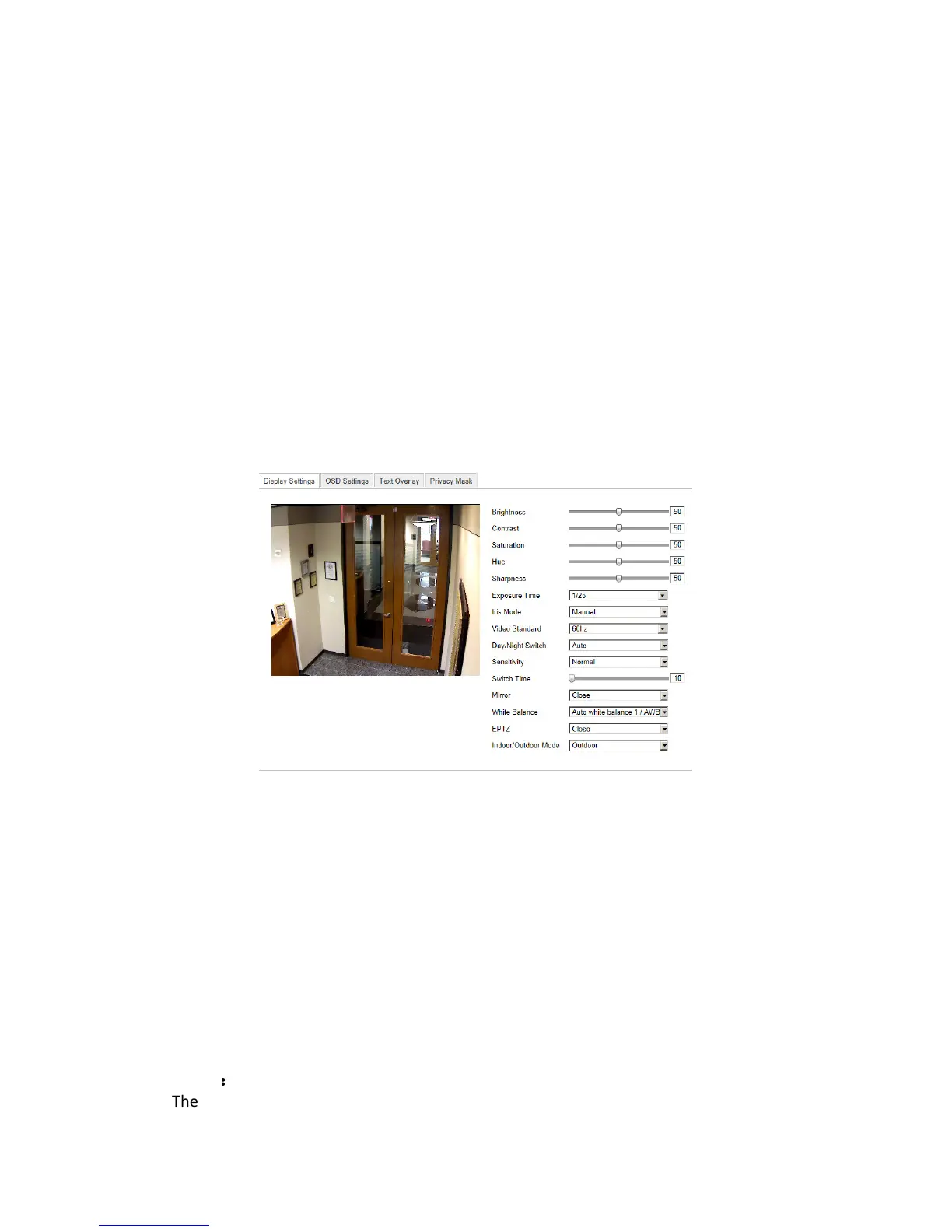
5.5.1 Configuring Display Settings
Purpose:
You can set the image quality of the camera, including brightness, contrast,
saturation, hue, sharpness, etc.
Note: The Display parameters vary depending on the camera model.
Steps:
1. Enter the Display Settings interface:
Configuration > Basic Configuration> Image> Display Settings
Or Configuration > Advanced Configuration> Image> Display Settings
2. Set the image parameters of the camera.
Figure 5-21
Display Settings
Descriptions of parameter configuration:
Overexposure Prevention: Enable or disable the function in this field.
Exposure Time:
Value ranges from 1/25 to 1/100,000s. Adjust it according to the lightening condition.
Iris Mode:
Auto and Manual are selectable.
Video Standard:
50 Hz and 60 Hz are selectable. Choose according to the different video standards;
normally 50Hz for PAL standard and 60Hz for NTSC standard.
Day/Night Switch:
Day, Night and Auto are selectable.
Mirror
:
::
:
The mirror function enables you to view another aspect of the image. You can flip the



 To Next Page