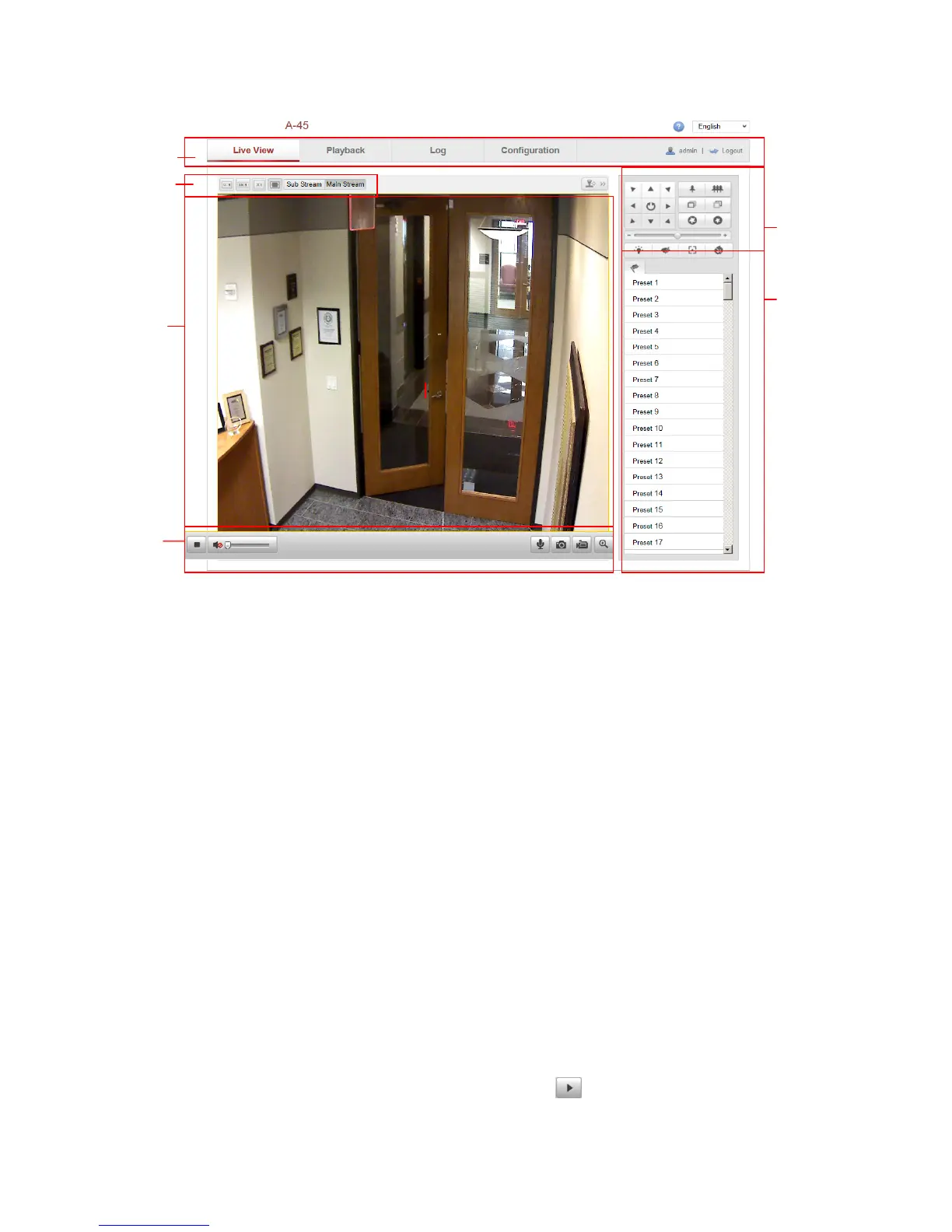
Figure 4-1
Live View Page
Menu Bar:
Click each tab to enter Live View, Playback, Log and Configuration page respectively.
Live View Window:
Display the live video.
Toolbar:
Operations on the live view page, e.g., live view, capture, record, audio on/off,
two-way audio, etc.
PTZ Control: for A-200 only
Panning, tilting and zooming actions of the camera and the lighter and wiper control
(if it supports PTZ function or an external pan/tilt unit has been installed).
Preset Setting/Calling:
Set and call the preset for the camera (if supports PTZ function or an external
pan/tilt unit has been installed).
Live View Parameters:
Configure the image size and stream type of the live video.
4.2 Starting Live View
In the live view window as shown in Figure 5-2, click on the toolbar to start the
Live view window
Toolbar
PTZ control for
A-200
Preset setting/calling



 To Next Page