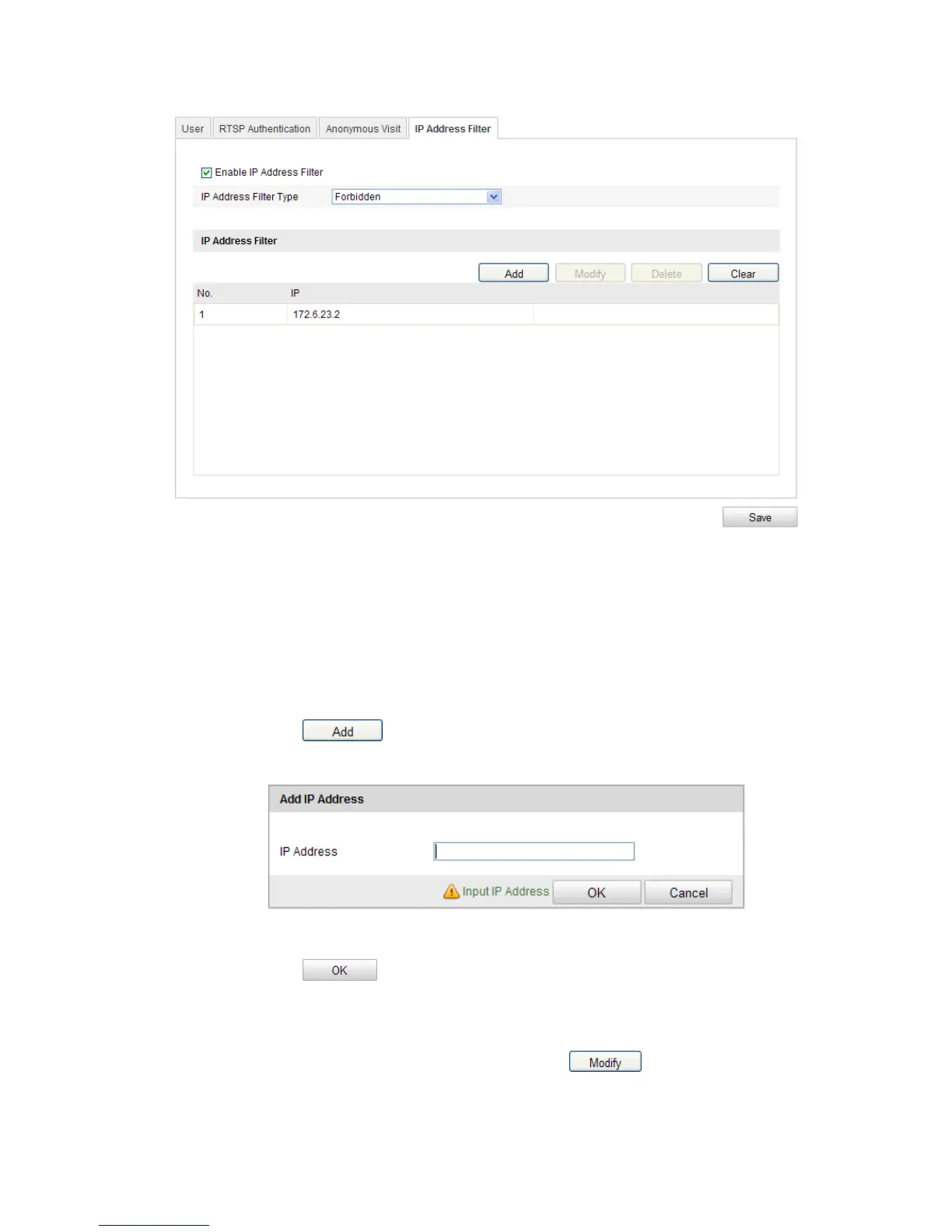
Figure 9-8
IP Address Filter Interface
2. Check the checkbox of Enable IP Address Filter.
3. Select the type of IP Address Filter in the drop-down list, Forbidden and Allowed
are selectable.
4. Set the IP Address Filter list.
Add an IP Address
Steps:
(1) Click the button to add an IP.
(2) Input the IP Adreess.
Figure 9-9
Add an IP
(3) Click the button to finish adding.
Modify an IP Address
Steps:
(1) Left-click an IP address from filter list and click button.
(2) Modigy the IP address in the text filed.



 To Next Page