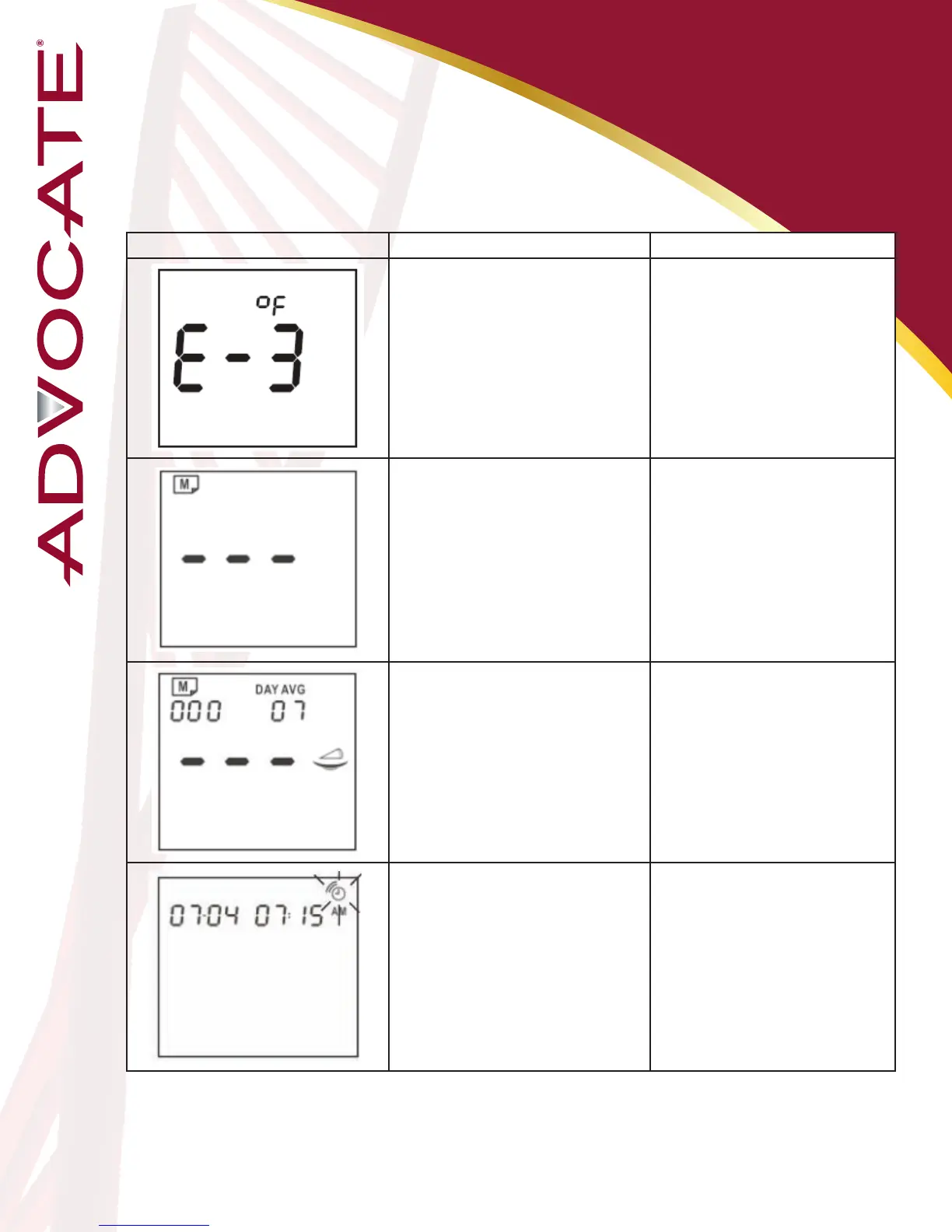
Message What it means What to do
Operating temperature is out of
range.
Move to an area between
50°F and 104°F, let the meter
adjust to this temperature for
20 minutes before performing
a test.
No results are stored in the
meter’s memory.
No action is required.
No average results are stored in
the meter’s memory.
No action is required.
The alarm sounds to remind you
of performing a test.
Insert a new test strip to
perform a test or press “M”
button to turn off the meter.
Messages and
Troubleshooting
Never try to disassemble the meter in any circumstances. If you encounter
any error messages not listed above or if you have followed the actions
recommended but the problem remains unsolved, please call your
Customer Support at 1 (866) 373-2824 for support.
40


 To Next Page