EasyManua.ls Logo

AEE Shot Box S71 - Trim Videos

AEE Shot Box S71
81 pages
Print Icon
To Next Page IconTo Next Page
To Previous Page IconTo Previous Page
Loading...
53
http://www.aee.camera/
Trim Videos
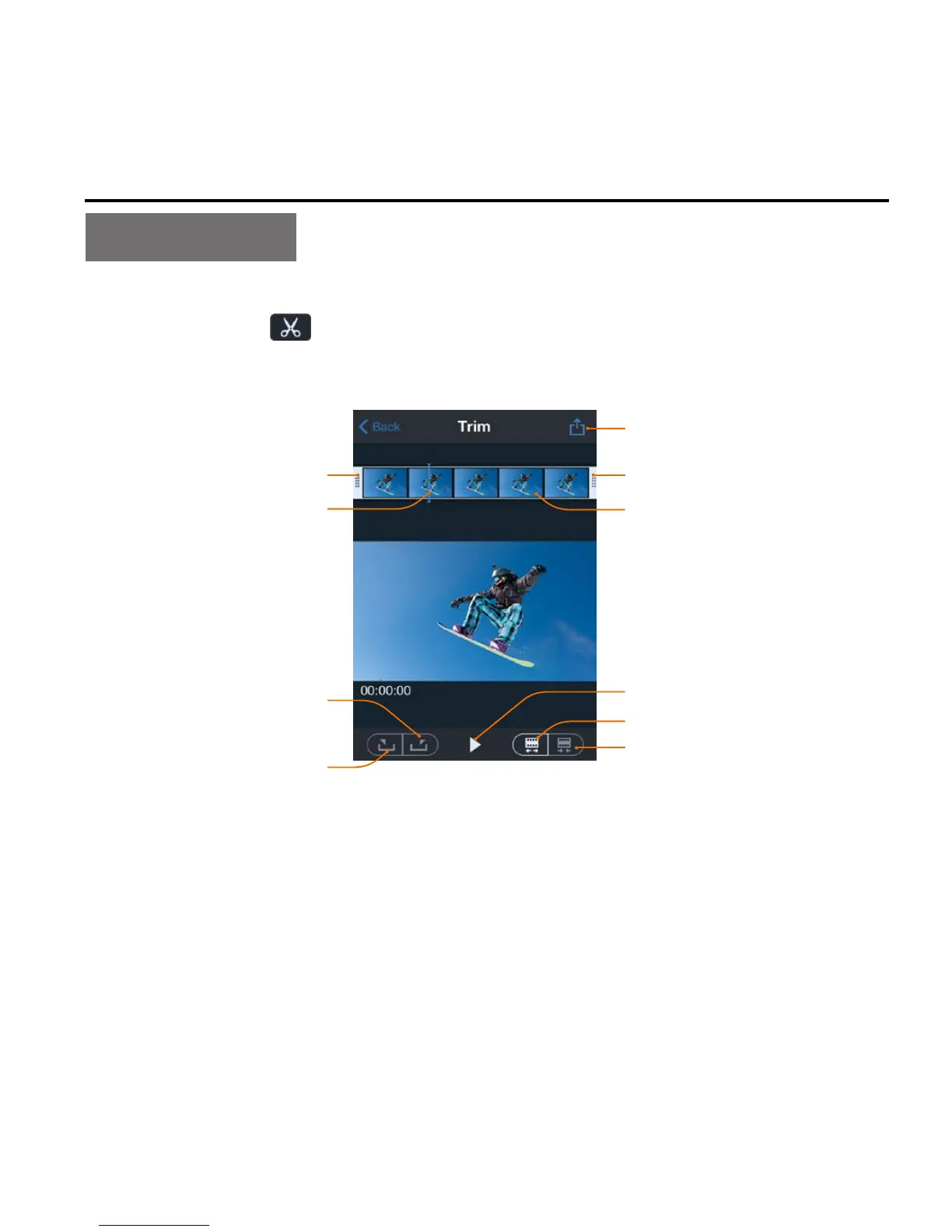
When viewing the downloaded files on the mobile device, you can
click the icon "
" at the bottom of the screen to enter the video
trimming interface shown in the figure below
End frame
Save and share the
edited video file
Start frame
Current frame Storyboard
Set the current frame
as the end frame
Set the current frame
as the start frame
Narrow the frame
Expand the frame
Play icon
This function allows you to take a clip out of the video to generate
another video by changing the starting frame and ending frame. The
following two methods can be used to change the starting frame
and ending frame:

Table of Contents

Related product manuals