EasyManua.ls Logo

AEE Shot Box S71 - Wi-Fi Based Remote; Guide for Components

AEE Shot Box S71
81 pages
Print Icon
To Next Page IconTo Next Page
To Previous Page IconTo Previous Page
Loading...
56
http://www.aee.camera/
Wi-Fi Based Remote
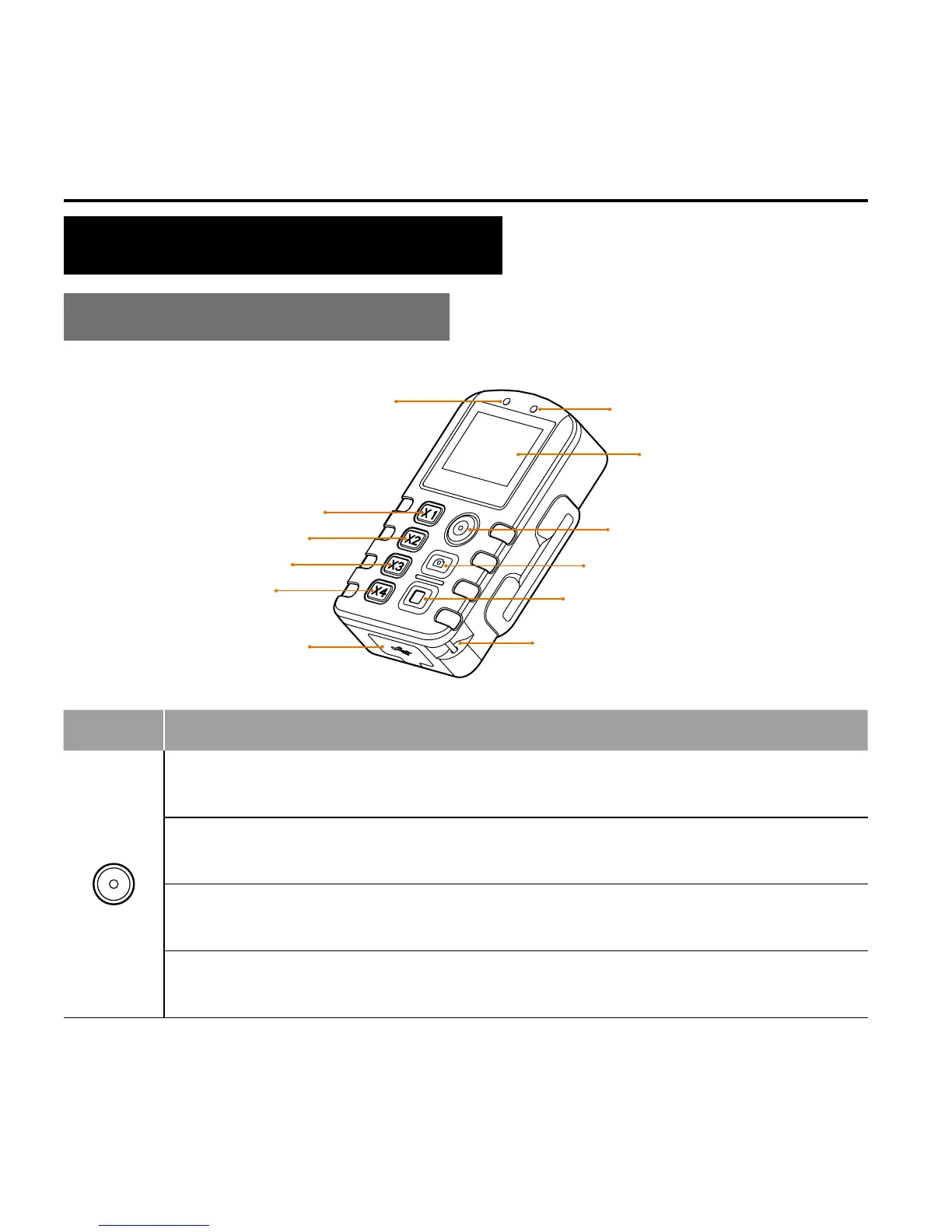
Guide for Components
Power/Record Button
Shutter Button
Stop Button
USB Port
Wide view Button
Medium view Button
Narrow view Button
Small view Button
Power Indicator (Red)
Wi-Fi Indicator (Blue)
Screen
Strap hole
Buttons
Functions
Hold down button for about 5 sec to turn the Wi-Fi based
remote control on/off .
Under photographing mode, press once to switch the current mode
to the video recording mode.
Under the video recording mode, press it once to start video
recording.
After entering the mode selection state, press it to select the option
upwards.


Table of Contents

Related product manuals