10
Setting a system time
F
A
N
T
U
R
B
O
ON/OFF
MODE
I FEEL
T-ON/T-OFF
TEMP
CLOCK
LIGHT
WiFi
SLEEP
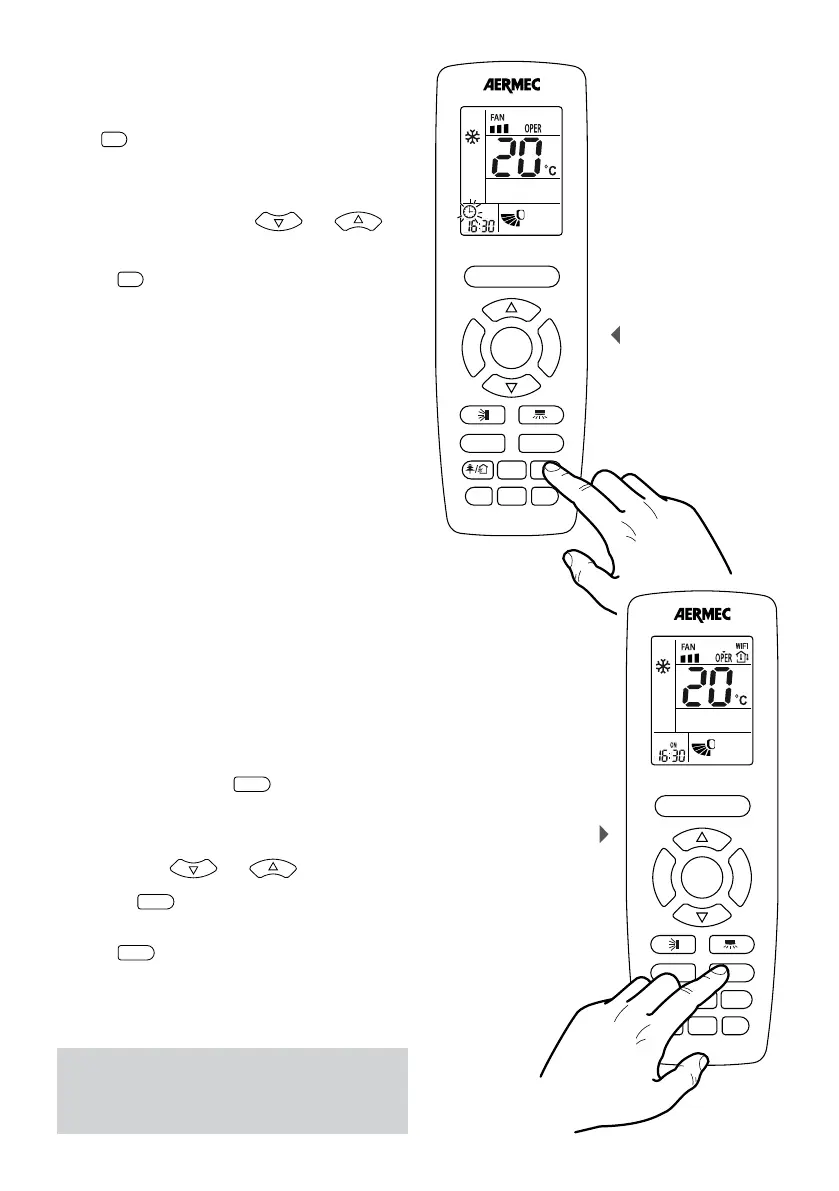
SETTING A SYSTEM TIME
These remote controller equipped with an internal
clock which can display the current time; by pressing
on the
F
A
N
T
U
R
B
O
ON/OFF
MODE
I FEEL
T-ON/T-OFF
TEMP
CLOCK
key the clock icon will start to flash (this
flashing will last 5 seconds, after this if no key is pressed
you automatically exit the time modification mode);
while the clock icon is flashing it is possible to change
the system time using the keys
F
A
N
T
U
R
B
O
ON/OFF
MODE
I FEEL
T-ON/T-OFF
TEMP
CLOCK
LIGHT
X-FAN
SLEEP
and
F
A
N
T
U
R
B
O
ON/OFF
MODE
I FEEL
T-ON/T-OFF
TEMP
CLOCK
LIGHT
X-FAN
SLEEP
to increase or decrease the displayed time; once the
desired value is set you need to wait 5 seconds or
press the
F
A
N
T
U
R
B
O
ON/OFF
MODE
I FEEL
T-ON/T-OFF
TEMP
CLOCK
key again to confirm the value (once
confirmed the clock icon will stop flashing).
SETTING OR CANCELLING A PROGRAMMED SWITCH
ON TIMER ON
The units possess a timer used to program switching
on by specifying the time that you want the unit
to start. By pressing the key
T-ON/T-OFF
, on the left side.
(Attention: this button has two different functions that
are activated by pressing the left and the right side),
you enter the time programming mode (in this mode
the ”ON” icon to the right of the time flashes) and by
pressing the keys
F
A
N
T
U
R
B
O
ON/OFF
MODE
I FEEL
T-ON/T-OFF
TEMP
CLOCK
LIGHT
X-FAN
SLEEP
and
F
A
N
T
U
R
B
O
ON/OFF
MODE
I FEEL
T-ON/T-OFF
TEMP
CLOCK
LIGHT
X-FAN
SLEEP
it is possible to
set the switch on time.
Pressing the
T-ON/T-OFF
button again on the left side,
confirms the time and activates the timer programme.
If you want to cancel a programmed switch on, just
press the
T-ON/T-OFF
, always on the left side key to cancel
the previous programming.
NOTE:
Once a programmed switch on is set, the operating
mode, the working setpoint and fan speed, will be
the same as those present when the unit stops.
Setting a programmed
switch on
F
A
N
T
U
R
B
O
ON/OFF
MODE
I FEEL
T-ON/T-OFF
TEMP
CLOCK
LIGHT
WiFi
SLEEP



 To Next Page