8
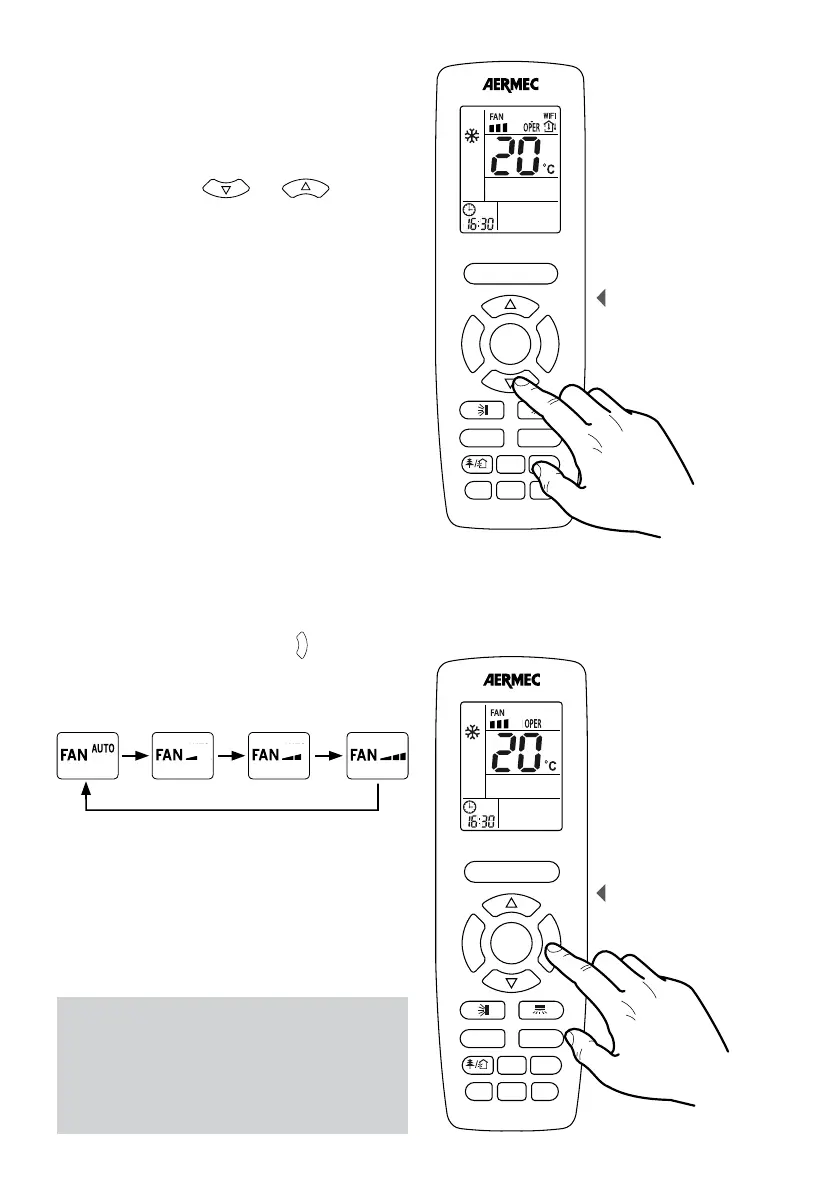
SETTING THE OPERATING SETPOINT
All the operating modes (except the automatic one)
require an room air temperature value to control to:
this is called the operating setpoint.
If the unit is on (and the automatic mode is not
selected), pressing the
F
A
N
T
U
R
B
O
ON/OFF
MODE
I FEEL
T-ON/T-OFF
TEMP
CLOCK
LIGHT
X-FAN
SLEEP
and
F
A
N
T
U
R
B
O
ON/OFF
MODE
I FEEL
T-ON/T-OFF
TEMP
CLOCK
LIGHT
X-FAN
SLEEP
buttons
allows decreasing or increasing the operating setpoint.
The setpoint value is displayed in the central part of the
remote control’s display.
F
A
N
T
U
R
B
O
ON/OFF
MODE
I FEEL
T-ON/T-OFF
TEMP
CLOCK
LIGHT
WiFi
SLEEP
Operating setpoint
SETTING THE FAN SPEED
If the unit is on (and the automatic or dehumidification
modes are not selected), pressing the
F
A
N
T
U
R
B
O
ON/OFF
MODE
I FEEL
T-ON/T-OFF
TEMP
CLOCK
LIGHT
X-FAN
SLEEP
button allows
the selection of the fan speed. Pressing the button
allows changing the fan speeds as shown in the icons
below, in the following sequence:
AUTO MINIMUM AVERAGE MAXIMUM
NOTE:
Besides the three speeds (AUTO automatically
selects the best speed based on the room
temperature), there is a function called TURBO
(explained earlier) which adds a further speed
above the maximum speed.
Setting the fan speed
F
A
N
T
U
R
B
O
ON/OFF
MODE
I FEEL
T-ON/T-OFF
TEMP
CLOCK
LIGHT
WiFi
SLEEP



 To Next Page