12
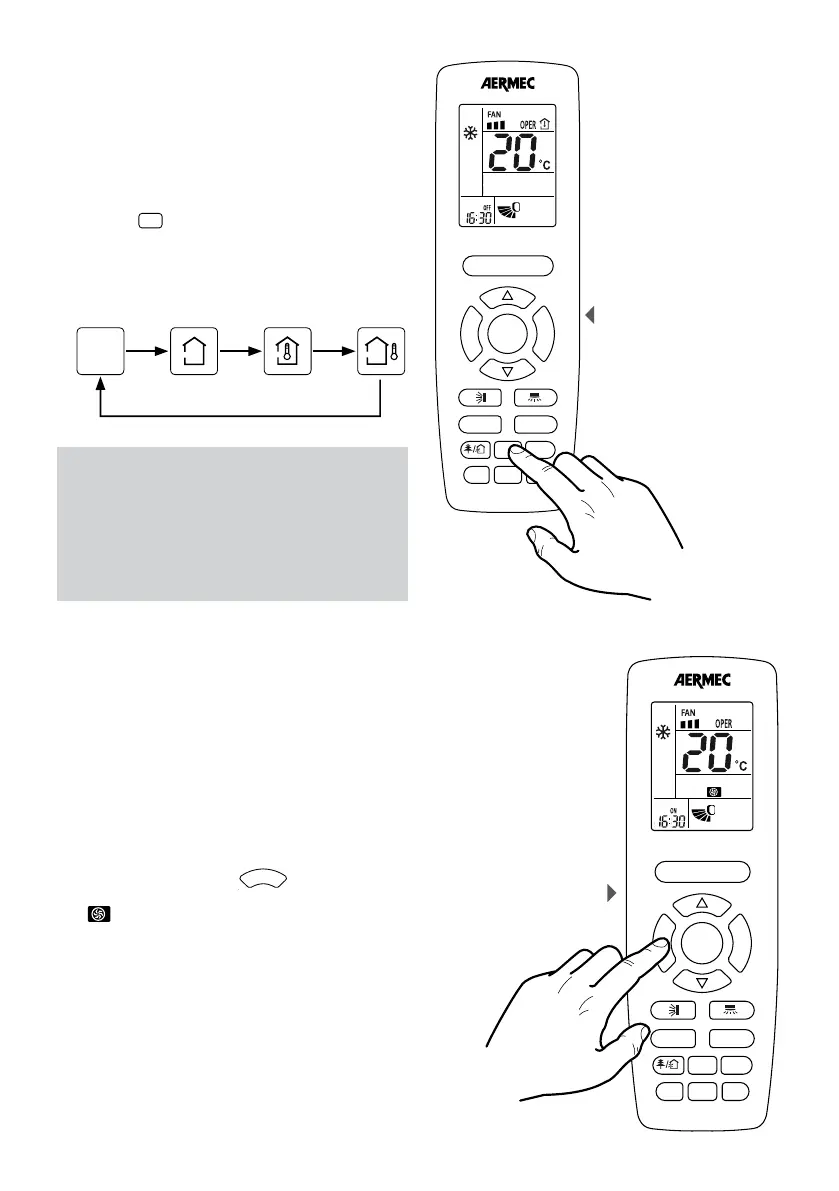
VIEW THE AMBIENT AIR, SET POINT OR OUTDOOR AIR
IN THE DISPLAY OF THE INDOOR UNIT
Through the use of the remote control it is possible to
display the room temperature value read by the indoor
unit, or display the current operating setpoint used
by the unit. This information is displayed on board the
indoor unit’s display.
If the unit is on and if the indoor unit display is enabled,
pressing the
F
A
N
T
U
R
B
O
ON/OFF
MODE
I FEEL
T-ON/T-OFF
TEMP
key allows the display of the following
values on the indoor unit’s display (successive pressing
passes from one to the next):
ACTIVATING / DEACTIVATING THE TURBO FUNCTION
The unit allows the setting of three fan speeds during
the various operating modes (except the automatic
mode and the dehumidification mode). There is an
additional speed called turbo.
If the unit is on, pressing the
T
U
R
B
O
ON/OFF
MODE
I FEEL
T-ON/T-OFF
TEMP
CLOCK
LIGHT
X-FAN
SLEEP
button activates
or deactivates this function. If the function is active the
icon
F
A
N
T
U
R
B
O
ON/OFF
MODE
I FEEL
T-ON/T-OFF
TEMP
CLOCK
LIGHT
X-FAN
SLEEP
is shown on the remote control’s display.
NOTE:
The default display on the indoor unit’s display
is the operating setpoint; the room temperature
value is displayed for 3 seconds after which
the display returns to the operating setpoint.
To display the room temperature again it is
necessary to select the corresponding symbol on
the remote control.
Display of room temperature
or operating setpoint of the
indoor unit
F
A
N
T
U
R
B
O
ON/OFF
MODE
I FEEL
T-ON/T-OFF
TEMP
CLOCK
LIGHT
WiFi
SLEEP
F
A
N
T
U
R
B
O
ON/OFF
MODE
I FEEL
T-ON/T-OFF
TEMP
CLOCK
LIGHT
WiFi
SLEEP
Setting the
TURBO function
None
visualisation
Set
point
Ambient
air
Outdoor
air



 To Next Page