11
NOTE:
If the unit is off, the icon related to this function
is still visible (if the function has been activated);
remember that if the function is active and the unit
is off, a further press of the “FAN”
key will disable
the function, but to be activated again the unit must
be switched on.
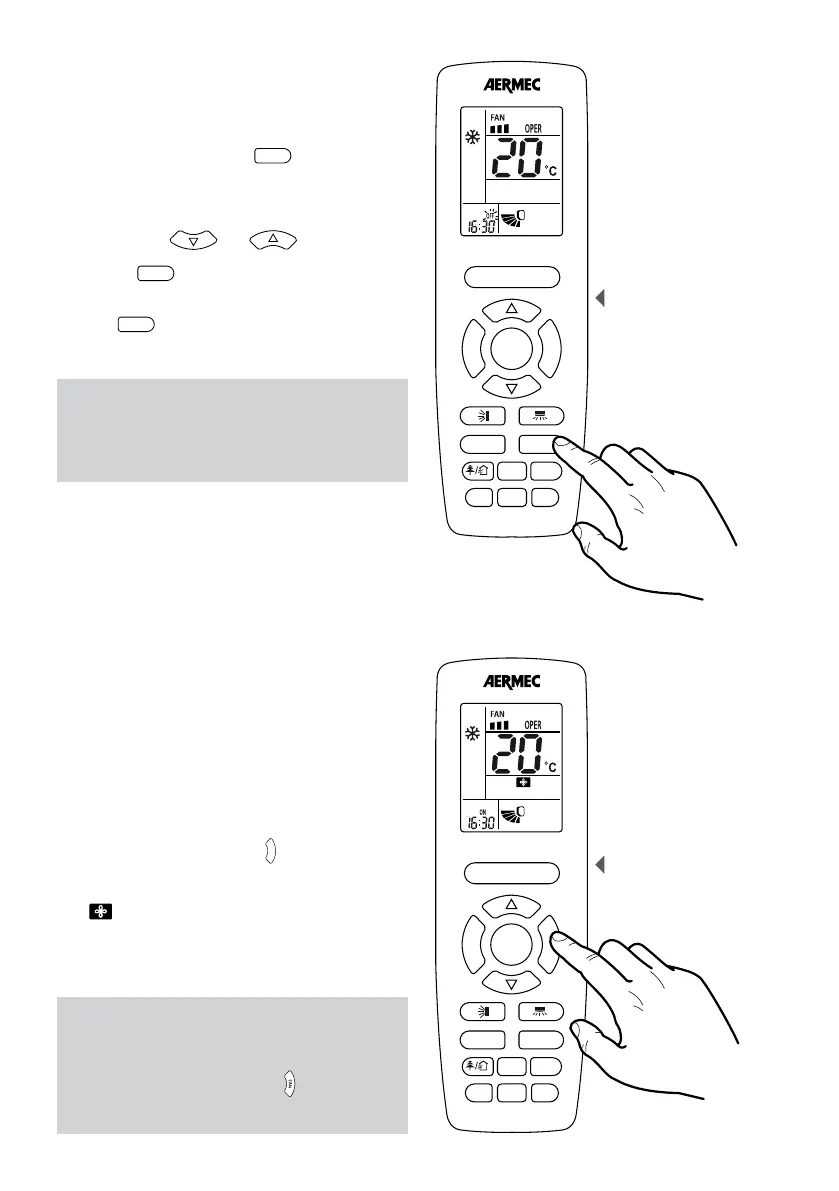
SETTING OR CANCELLING A PROGRAMMED SWITCH
OFF TIMER OFF
The units possess a timer used to program switching
OFF by specifying the time that you want the unit to
deactivate. By pressing the key
T-ON/T-OFF
, on the right side.
(Attention: this button has two different functions that
are activated by pressing the left and the right side)
you enter the time programming mode (in this mode
the ”OFF” icon to the right of the time flashes) and by
pressing the keys
F
A
N
T
U
R
B
O
ON/OFF
MODE
I FEEL
T-ON/T-OFF
TEMP
CLOCK
LIGHT
X-FAN
SLEEP
and
F
A
N
T
U
R
B
O
ON/OFF
MODE
I FEEL
T-ON/T-OFF
TEMP
CLOCK
LIGHT
X-FAN
SLEEP
it is possible to
set the switch off time.
Pressing the
T-ON/T-OFF
button again on the right side,
confirms the time and activates the timer programme.
If you want to cancel a programmed switch off, just
press the
T-ON/T-OFF
, always on the left side key to cancel
the previous programming.
ACTIVATING / DEACTIVATING THE EXTENDED
VENTILATION
During the operation in cooling or dehumidification
mode the condensate caused by the humidity in the
air is formed on the heat exchanger within the unit.
This function allows the ventilation to be extended
for two minutes after the unit is switched off,
thereby drying the heat exchanger.
If the unit is on (and the cooling or dehumidification
mode is selected), pressing the
F
A
N
T
U
R
B
O
ON/OFF
MODE
I FEEL
T-ON/T-OFF
TEMP
CLOCK
LIGHT
X-FAN
SLEEP
for at least 2
seconds, allows activating or deactivating of this
function. On the remote control the display the
icon
F
A
N
T
U
R
B
O
ON/OFF
MODE
I FEEL
T-ON/T-OFF
TEMP
CLOCK
LIGHT
X-FAN
SLEEP
will appear or disappear to indicate if the
function is activated or deactivated.
Setting a programmed switch
off
F
A
N
T
U
R
B
O
ON/OFF
MODE
I FEEL
T-ON/T-OFF
TEMP
CLOCK
LIGHT
WiFi
SLEEP
Setting the extended
ventilation function
F
A
N
T
U
R
B
O
ON/OFF
MODE
I FEEL
T-ON/T-OFF
TEMP
CLOCK
LIGHT
WiFi
SLEEP
ATTENTION:
The units can simultaneously manage an
ignition timer and one-off, so as to provide a
time slot within which allow operation of the
unit



 To Next Page