2-90 Subject to Export Control, see Cover Page for details.
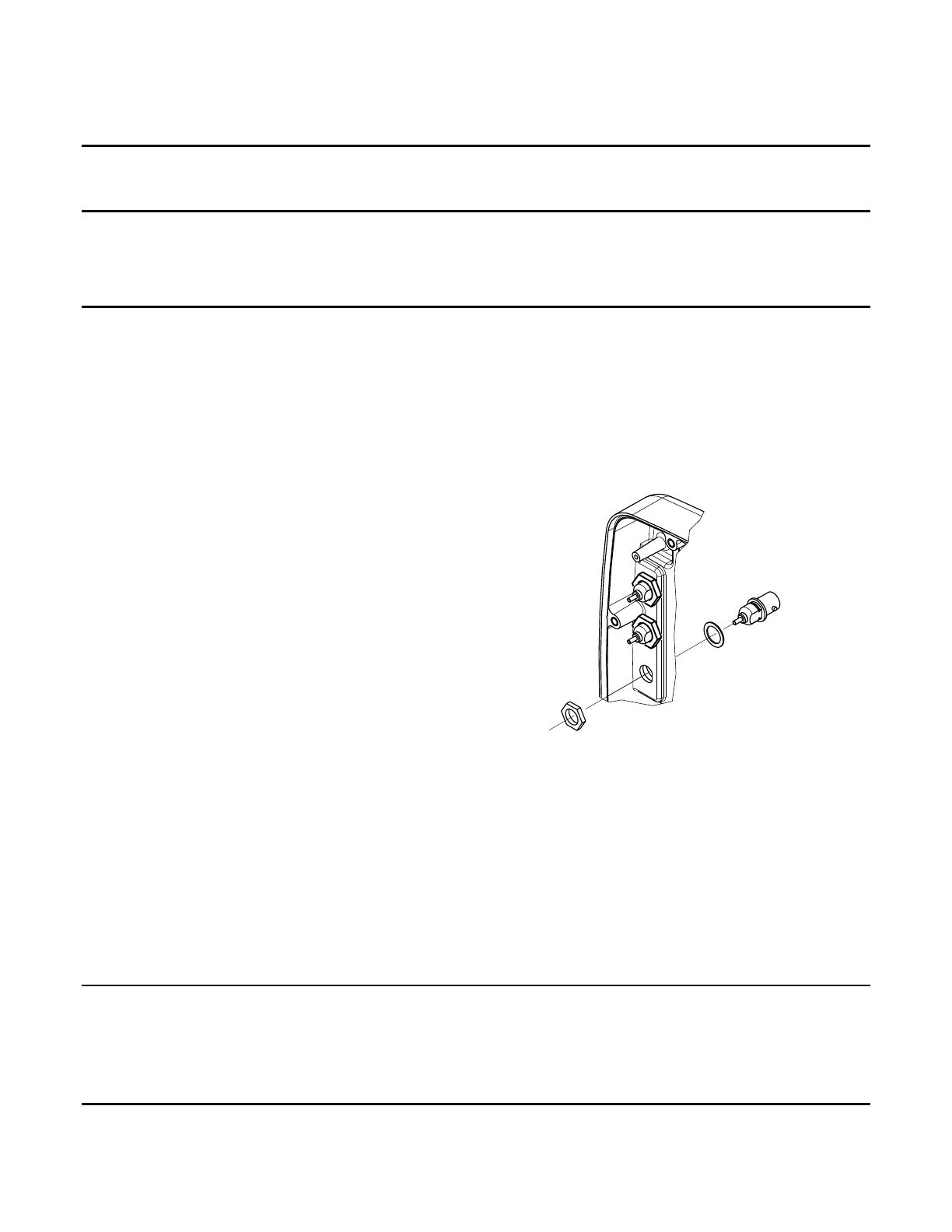
W. AUDIO OUT Connector (3500A Only)
DESCRIPTION
This procedure covers: Remove. Install.
PRELIMINARY PROCEDURES
Remove Battery (para 2-4A).
Open Case Assy (para 2-4C).
Remove Audio I/O PCB Assy (para 2-4M).
REMOVE
1. Remove nut.
2. Remove AUDIO OUT Connector and washer.
INSTALL
1. Install washer and AUDIO OUT Connector.
2. Install nut (25 in/lbs.).
FOLLOW-ON MAINTENANCE
Install Audio I/O PCB Assy (para 2-4M).
Close Case Assy (para 2-4C).
Install Battery (para 2-4A).
END OF TASK
062M-17C













 To Next Page