Subject to Export Control, see Cover Page for details. 2-77
M. Audio I/O PCB Assy (62A1A2A7) (3500A Only)
DESCRIPTION
This procedure covers: Remove. Install.
PRELIMINARY PROCEDURES
Remove Battery (para 2-4A).
Open Case Assy (para 2-4C).
REMOVE
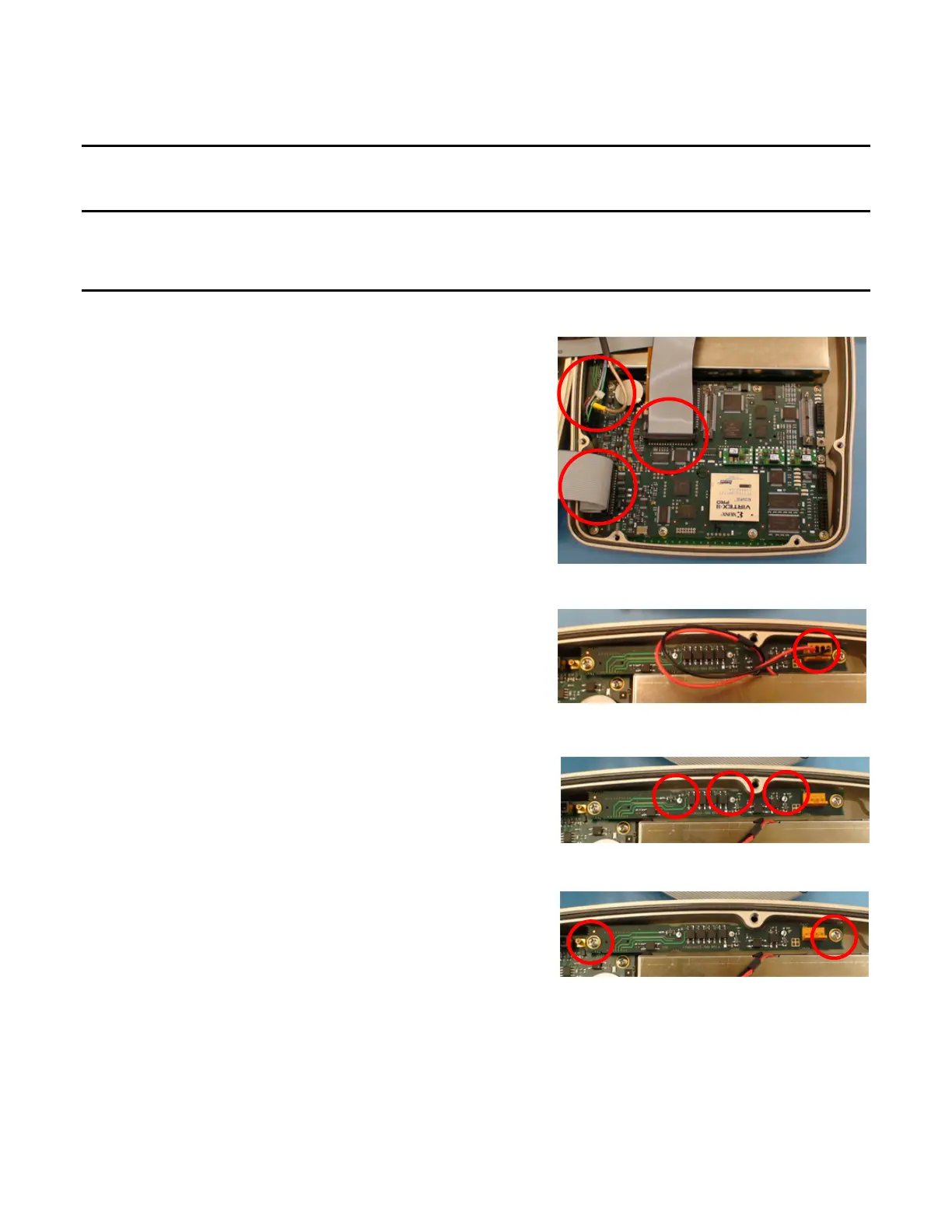
1. Disconnect wire/ribbon cable and three ribbon
cables.
2. Disconnect wire cable connector.
3. Unsolder three connectors.
4. Remove two screws and washers.
5. Remove Audio I/O PCB Assy.













 To Next Page