17 / 34
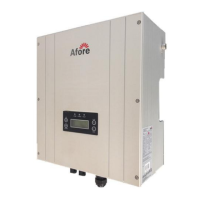
There are four function keys on the front panel (from left to right): Esc, Up, Down,
Enter.
The keypad is used for:
Scroll the displayed parameter(Up and Down keys);
Accessing and modifying the adjustable parameters (Esc and Enter keys).
7.2Commissioning
After completing the mechanical and electrical installation, the inverter is put into
operation.
1. Switch on the DC and AC breakers.
The inverter starts up automatically when the power from PV generator is sufficient.
2. Check whether the display and LEDs are indicating a normal operating state.
Flashing, contact installer
7.3LED Display
The inverters are equipped with two LEDs including “green” and “red” which provide
information about various operating states in the following ways. They are marked
with “Power” and “Fault”, respectively. When the inverter is power on from the
generator and operating correctly, the green LED is on. The red light is flashing during
the inverter is operating correctly indicates a fault in the system or inverter, and the
LCD display provides the exact information.
LED DC Power in (green):
The green LED is illuminated from a generator voltage of approx. 120V onward and
extinguishes as soon as the generator voltage falls below 100V. The DC Power in LED
signals that the inverter is in its active state and the inverter controls are enabled. If
this LED is not lit up which means the inverter will not be able to start grid feeding.
Under normal operating conditions the LED is illuminated in the morning when there
is enough daylight, and extinguishes again when it gets dark.
Under normal operating conditions the inverter starts grid feeding in the morning
and terminates this process as it becomes dark. This process might be repeated
several times throughout the day, especially in the morning and evening. This is not a




 To Next Page