11
Installation and Commissioning
SET-UP DEVICE USING AGD TOUCH-SETUP
STEP 2 – SET ZONES CONTINUED
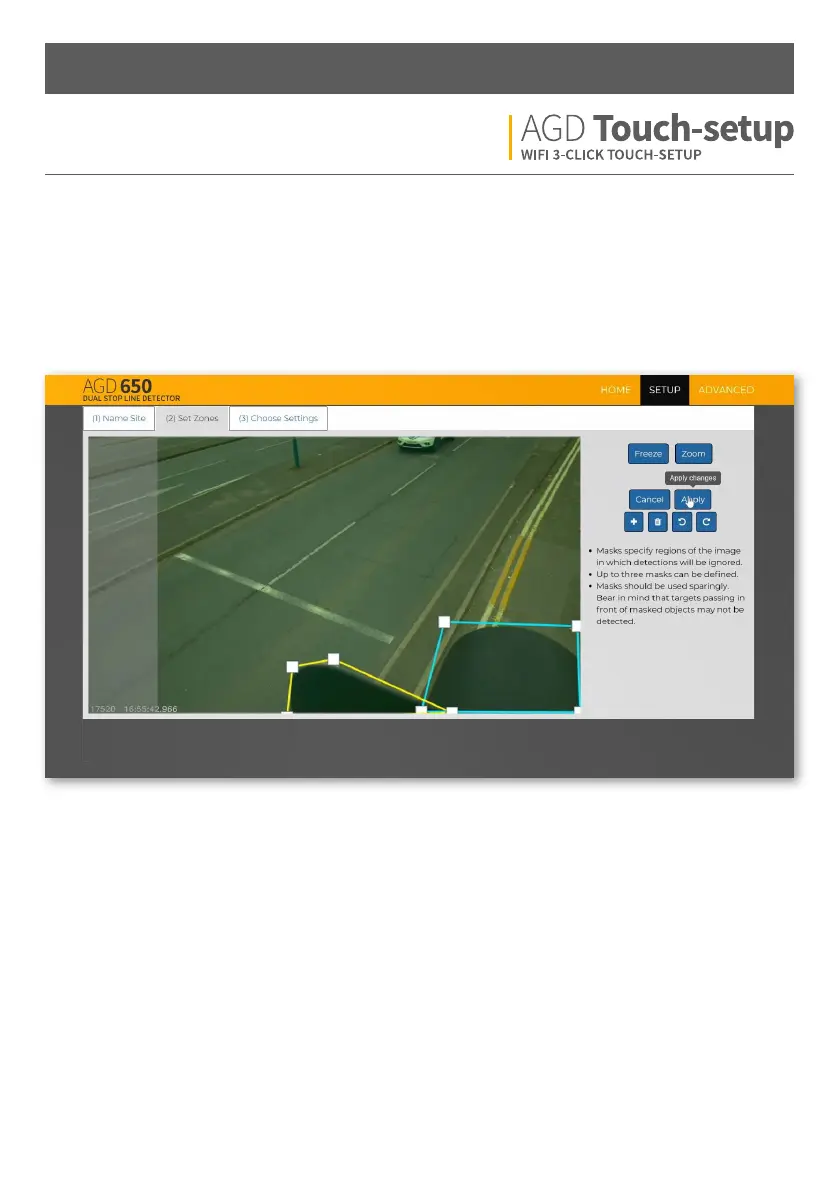
Change Masks
Add masks to specific regions of the image. Mask regions create areas where the detector will not report a target.
This can be used to remove false detections from street furniture in view. It’s important to note that vehicles
moving through the masked area might not be detected, so they should be used sparingly.
E.g. A mask will always be required on a traic head below the detector


 To Next Page