16
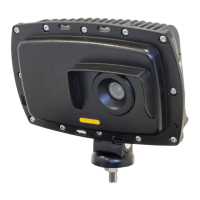
AGD 650
DUAL ZONE STOP-LINE DETECTOR
AGD 650
DUAL ZONE STOP-LINE DETECTOR
AGD 650
DUAL ZONE STOP-LINE DETECTOR
AGD 650
DUAL ZONE STOP-LINE DETECTOR
PHYSICAL INSTALLATION
If the unit is not operating correctly, please check that the unit has been:
1) Mounted within the recommended height of 3-6 metres?
2) Angled according to the installation guide to provide good coverage of the detection area?
3) Installed without any obstructions in the viewable area such as the traic signal head?
ELECTRICAL INSTALLATION
If the unit is not operating correctly, please check the following:
1) Is power present at the unit?
2) Is the red LED illuminated when power is first applied to the unit?
3) Is there suicient current to run the unit - identified by the red LED failing to flash or flashing only once
during power-up and the web page not starting correctly? Refer to technical specification table.
CONNECTING / COMMISSIONING
If the unit is not operating in the prescribed manner, please check the following:
1) Is the LED on the underside of the unit you wish to connect to illuminated blue to show that the WiFi
network is successfully connected?
2) Has the correct IP Address been entered into the browser address bar?
3) Have you followed the AGD Touch-setup stages correctly and verified correct operation?
If trouble with operation persists please contact AGD Technical Support.
AGD TECHNICAL SUPPORT
eMail: technical@agd-systems.com
Tel: +44-1452-557404
Troubleshooting


 To Next Page