32
4454C EN 2013-05-14The user interface
CR 35-X DIGITIZER
The display
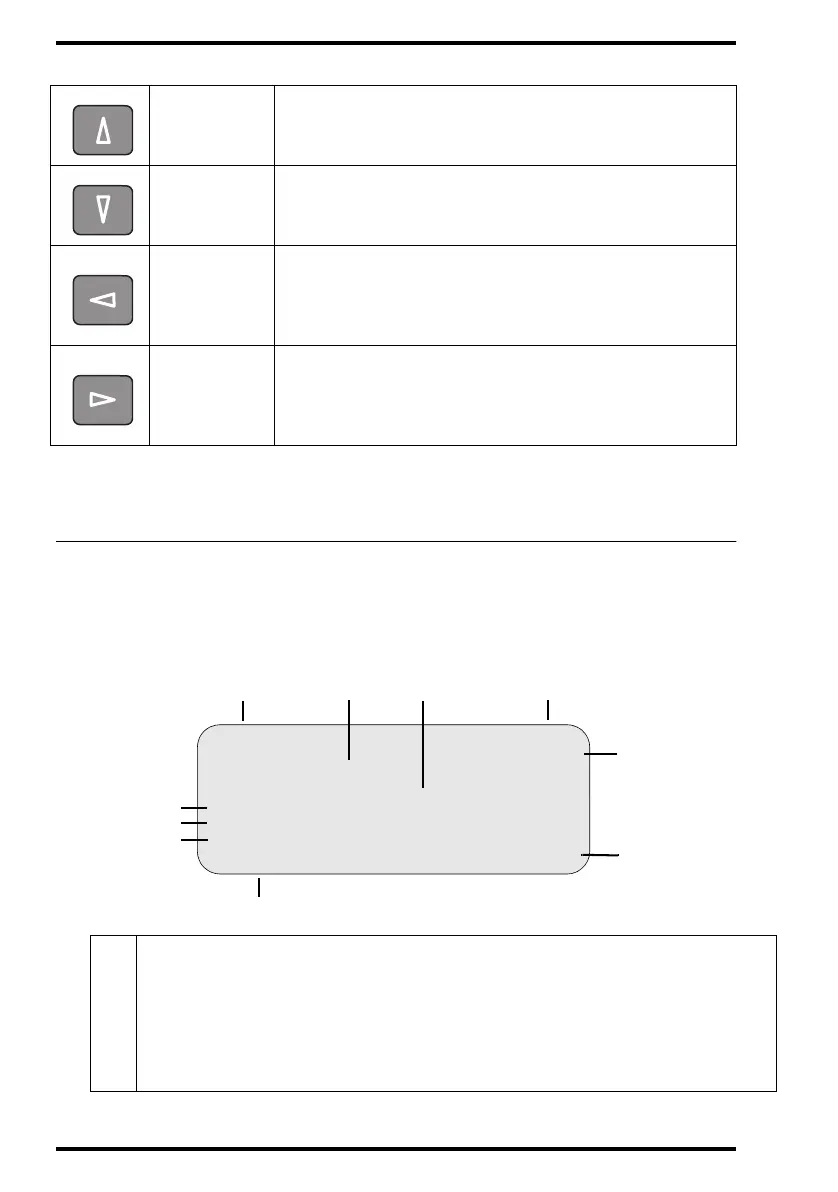
The CR 35-X control panel has a backlit LCD display with 8 lines of
40 characters each. Its lay-out depends on the operating mode.
In operator mode, the display has dedicated areas for specific information:
Up key
• To move the cursor to the previous entry field.
• To scroll upwards.
• To increment the number in a numeric entry field.
Down key
• To move the cursor to the next entry field.
• To scroll downwards.
• To decrement the number in a numeric entry field.
Left key
• To scroll backwards through multiple choices within a field.
• To move the entry position in a numerical entry field from
right to left.
• To toggle between values in a field.
Right key
• To scroll forwards through multiple choices within a field.
• To move the entry position in a numerical entry field from left
to right.
• To toggle between values in a field.
1
Set-up of image processing station:
• [blank]: Default image processing station selected.
• Off line: Transmission to all image processing stations disabled.
• [process.station] not ready: Image processing station not available.
• [process.station] rerouted: Images rerouted to other image processing station (ask the
Agfa service technician if your system supports this configuration).
3
Set-up STATUS
OPERATION MODE
1ST MESSAGE
2nd Message
Patient_Last_Name Sub_Exam
Patient_Last_Name Sub_Exam
Patient_Last_Name Sub_Exam
Station Name ERROR
5
6
8.1
8.2
8.3
1
24
7



 To Next Page