44
4454C EN 2013-05-14Reading an image plate
CR 35-X DIGITIZER
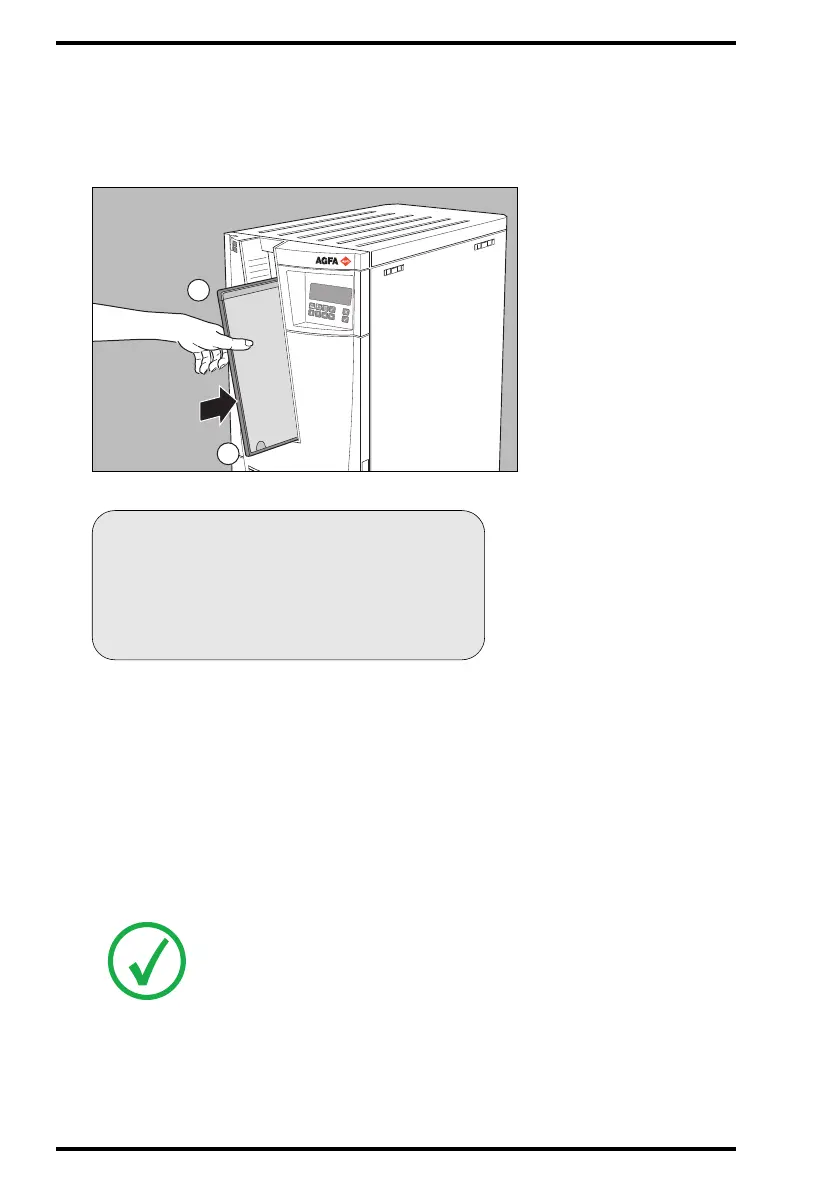
3 Insert the cassette containing the image plate into the cassette slot of the
CR 35-X as shown below.
Make sure to insert the cassette with the hinge [1] at the top and the locking
mechanism [2] at the bottom.
While treating the image plate, the CR 35-X will display the following screen:
The CR 35-X:
• reads the cassette identification data;
• converts the information of the latent image to digital data;
• erases the image plate and re-inserts it into the cassette;
• gives the cassette ID data the status ‘erased’;
• returns the cassette;
• transmits the digital image data to the image processing station (‘destination’).
When the CR 35-X has treated the cassette, it displays the operator main screen.
Note: If the CR 35-X displays an error message, refer to ‘Troubleshooting
checklist’ on page 65.



 To Next Page