54
4454C EN 2013-05-14Reading an emergency image plate
CR 35-X DIGITIZER
The button which you have pressed will be lit and the display will read:
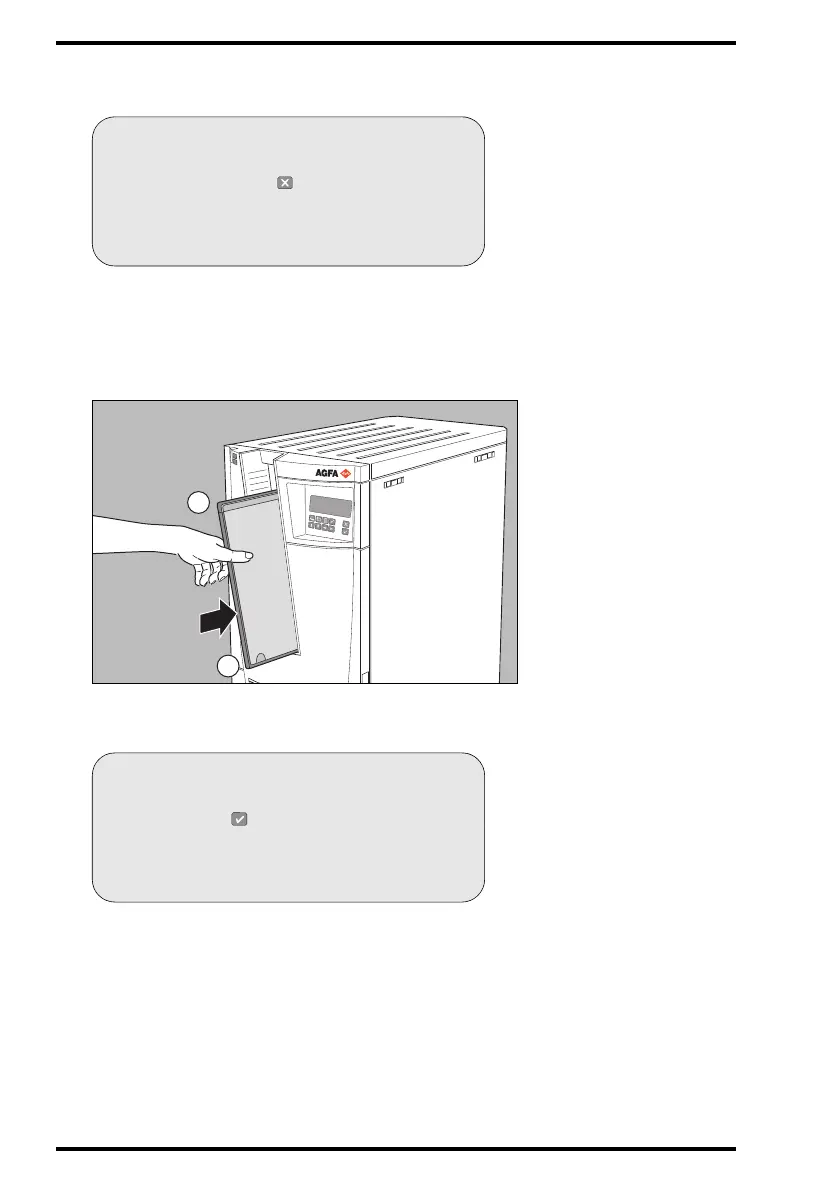
3 Insert the cassette containing the image plate into the cassette slot of the
CR 35-X as shown below.
Make sure to insert the cassette with the hinge [1] at the top and the locking
mechanism [2] at the bottom.
The CR 35-X starts digitizing the image plate.
While treating the image plate, the CR 35-X will display the following screen:
BUSY
DIRECT ID
Please enter unidentified cassette
or press to cancel
BUSY
DIRECT ID
IDENTIFY AT ID STATION
or press to use emergency data



 To Next Page