Stopping the DR Detector
To stop the DR Detector:
1. Turn off the detector.
Press and hold the power button until the orange status indicator starts
flashing (approx. 5 seconds).
During shutdown, the orange status indicator is flashing. After shutdown,
all the status indicator lights are off.
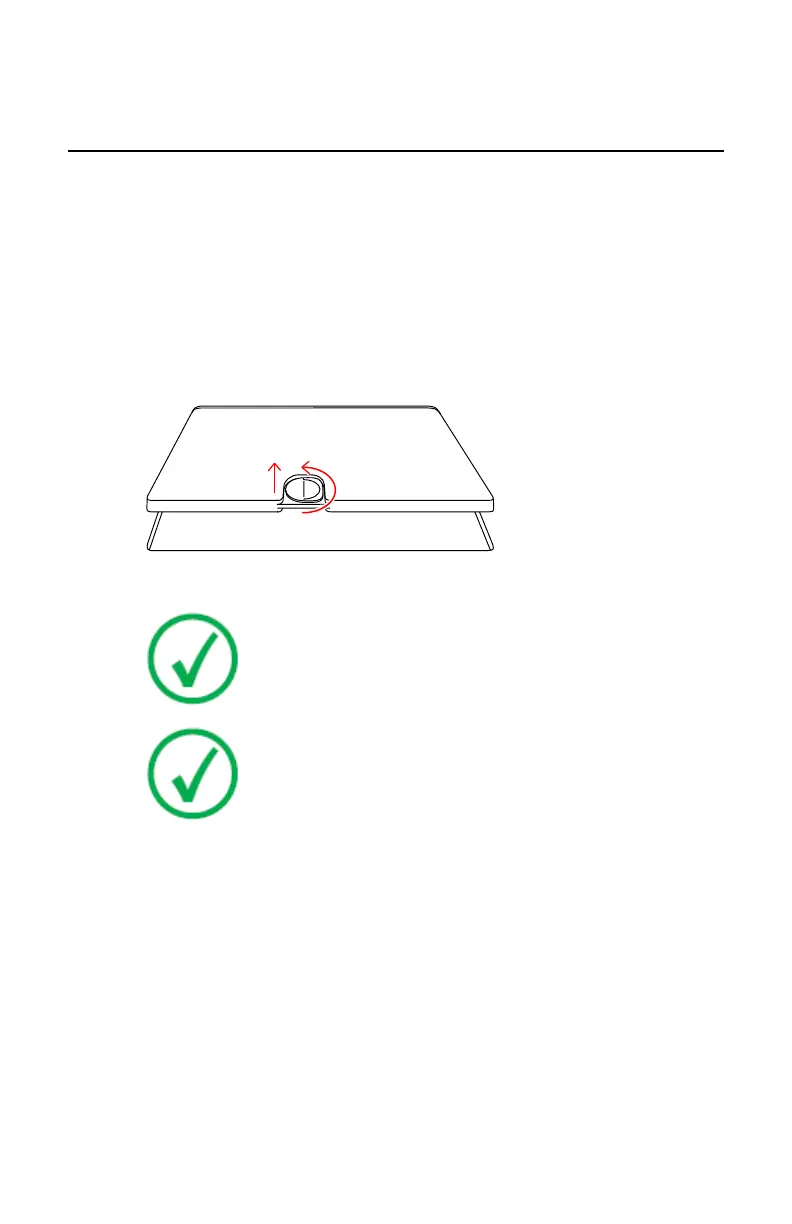
2. Turn the latch counterclockwise (unlock) (1) and lift the battery up (2),
and then remove the battery.
Figure 20: Remove the battery
Note: When the detector will not be used for some time, remove
the battery. Otherwise, overdischarge may occur, leading to a
shorter battery life.
Note: When not in use, keep the detector, handle unit with grid
in a designated location or in a location where they are safe
and cannot fall down.
Related Links
Charging a battery on page 86
Storing a battery on page 91
Topics:
• Automatically turning the DR Detector to sleep
• Automatically turning off DR Detector
DR 14s | Getting started | 79
0350B EN 20190319 1349 *



 To Next Page