Chapter 2 — Installing the scanner 17
3. Check if SCSI ID number 2 is free.
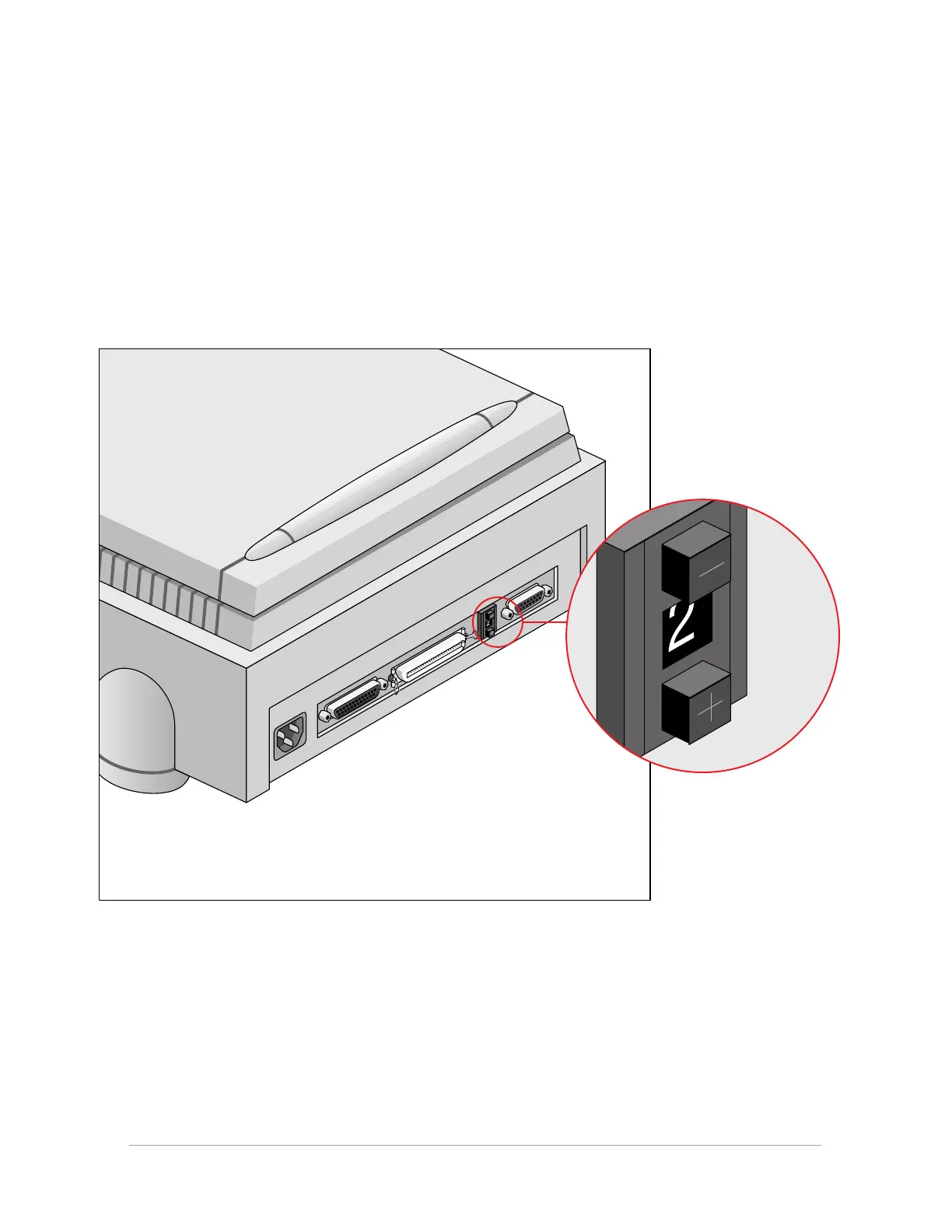
Your StudioStar is preset to ID 2.
■ If SCSI ID number 2 is free, click OK to close the SCSI ID Checker.
■ If SCSI ID number 2 is already assigned, you need to set the scanner to a free SCSI ID number.
1. Make sure your scanner is switched off and is disconnected from your computer.
2. Decide on an unassigned SCSI ID number.
3. Push above or underneath the SCSI ID number until you see the number you want.
Push above the SCSI ID number to decrease the number, push underneath the SCSI ID
number to increase the number.
4. Click OK to close the SCSI ID Checker.



 To Next Page