Chapter 2 — Installing the scanner 24
Choosing a SCSI ID number
Before you connect your StudioStar to your PC, you have to find out which SCSI ID numbers are
already assigned and which numbers are free. To do this, you can use the SCSI ID checker utility.
You will find this utility in the software of Windows 95 or in the software of your SCSI interface card
(SCSI Interrogator).
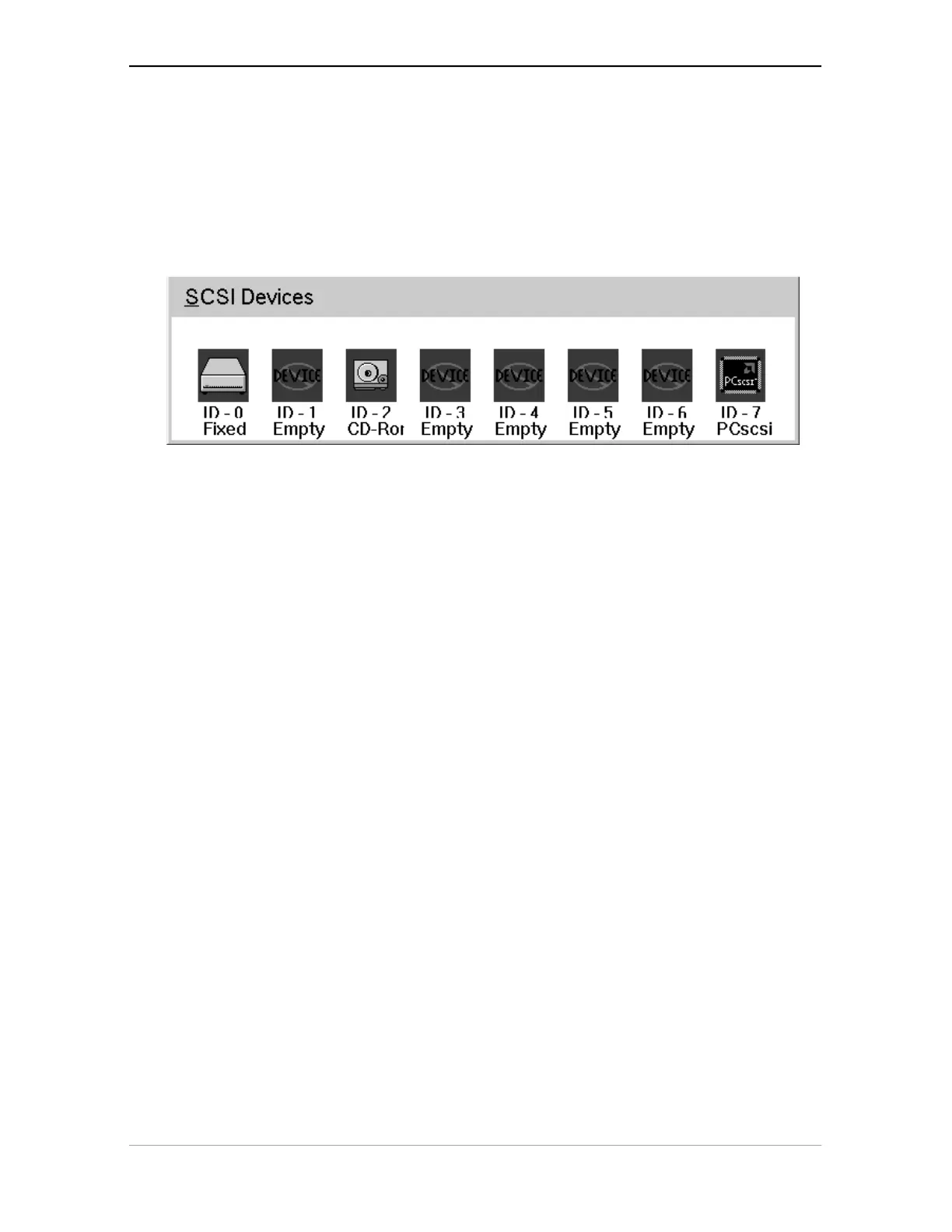
1. Open the SCSI ID checker utility.
A dialog box appears with a list of the SCSI ID numbers that are free in your PC.
Your PC always occupies ID 7. If your PC is equipped with 2 SCSI-busses, the button Next Bus
allows you to switch busses.
2. Check if SCSI ID number 2 is free.
Your StudioStar is preset to ID 2.
3. ■ If SCSI ID number 2 is free, close the SCSI ID checker utility.
■ If SCSI ID number 2 is already assigned, you need to set the scanner to a free SCSI ID
number.
1. Make sure your scanner is switched off and is disconnected from your computer.
2. Decide on an unassigned SCSI ID number.



 To Next Page