9
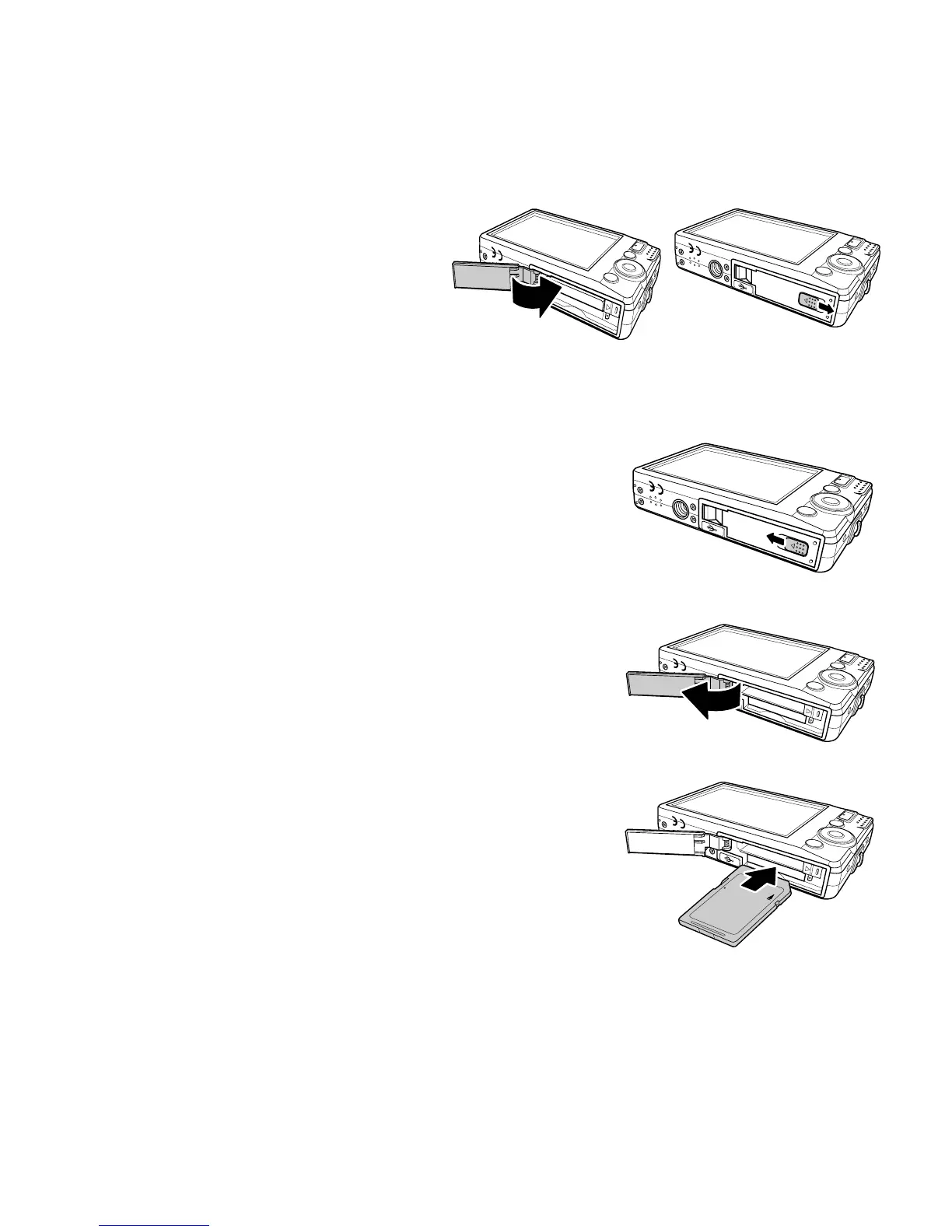
4. Close the battery compartment.
Inserting an SD/SDHC Memory Card
Expand your camera’s storage by using SD or SDHC
memory cards.
1. Open the SD card compartment at the bottom of
the camera.
2. Insert the SD/SDHC card into the memory card
slot with the metallic part facing the front side of
the camera.
3. Push the SD/SDHC card into the memory slot until
it clicks into place.
4. Close the SD card compartment.
To remove the SD/SDHC card
1. Open the battery compartment.
2. Gently push the card until it pops out.
3. Pull out the card carefully.
LOCK













 To Next Page