EasyManua.ls Logo

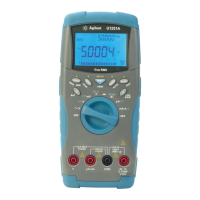
Agilent Technologies U1242A - User Manual

Agilent Technologies U1242A
85 pages
Print Icon
To Next Page IconTo Next Page
Loading...
Agilent Technologies
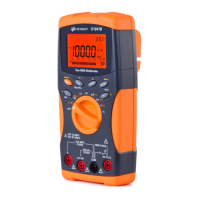
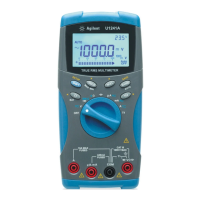
Agilent U1241A and
U1242A
Handheld Digital
Multimeters
User’s and Service Guide

Table of Contents

Other manuals for Agilent Technologies U1242A

Questions and Answers

  • J
    Jill MooreAug 9, 2025
    Why is there no beeper tone on my Agilent Technologies U1242A Multimeter?
    • B
      Briana WagnerAug 10, 2025
      If you are not hearing a beeper tone from your Agilent Technologies Multimeter, verify in the setup mode if the beeper is set to OFF. If it is, select the desired driving frequency.
  • M
    Mark PalmerAug 26, 2025
    How to fix no LCD display on Agilent Technologies U1242A after power ON?
    • L
      luceromalloryAug 26, 2025
      If there is no LCD display after you power on your Agilent Technologies Multimeter, check the battery polarity and replace the batteries if needed. When replacing, use new batteries and avoid mixing old and new ones.

Agilent Technologies U1242A Specifications

General IconGeneral
Display TypeLCD
Operating Temperature0 °C to 50 °C
Battery Life200 hours
Data LoggingYes
Measurement FunctionsDC Voltage, AC Voltage, DC Current, AC Current, Resistance, Capacitance, Frequency, Temperature, Diode Test, Continuity
Basic DC Voltage Accuracy0.5% + 2
Basic AC Current Accuracy1.0% + 3
Basic Resistance Accuracy0.5% + 2
Basic Capacitance Accuracy1.0% + 5
Storage Temperature-40 °C to 60 °C
Safety StandardsCAT III 600V
ConnectivityUSB
Temperature Range-200 °C to 1372 °C (-328.0 °F to 2502 °F)

Related product manuals