EasyManua.ls Logo

Agilent Technologies U1253B - User Manual

Agilent Technologies U1253B
225 pages
Print Icon
To Next Page IconTo Next Page
Loading...
Agilent Technologies
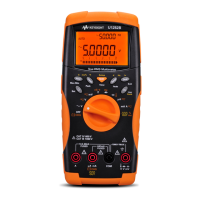
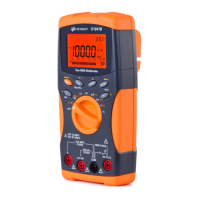
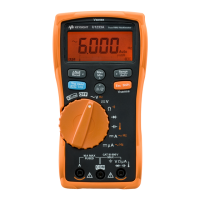
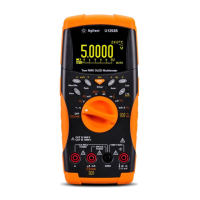
Agilent U1253B True
RMS OLED Multimeter
User’s and Service Guide

Table of Contents

Other manuals for Agilent Technologies U1253B

Questions and Answers

  • B
    bdaltonAug 16, 2025
    What to do if my Agilent Technologies U1253B Multimeter shows no charging indication?
    • C
      Carolyn BuckAug 16, 2025
      If your Agilent Technologies Multimeter isn't charging, first check the 440 mA fuse. Also, verify that the external DC adapter outputs DC 24 V and that the plugs are correctly inserted into the charging terminals.
  • D
    Donna HernandezAug 18, 2025
    Why is the remote control failing on my Agilent Technologies Multimeter?
    • C
      Christopher PrestonAug 18, 2025
      If you are experiencing a remote control failure with your Agilent Technologies Multimeter, make sure the Agilent logo on the IR-USB cable is facing up. Also, verify the baud rate, parity, data bit, and stop bit settings in the Setup mode (default is 9600, None, 8, and 1). Finally, ensure the required driver for IR-USB is installed.
  • J
    Jeffery TownsendAug 21, 2025
    Why is the battery life so short on my Agilent Technologies Multimeter?
    • P
      perezmichaelAug 21, 2025
      If the battery life of your Agilent Technologies Multimeter is very short after a full charge, or if the battery won't charge after a long storage period, first check that you're using the correct rechargeable battery. To maintain the battery's highest capacity, try charging and discharging it for 2 or 3 cycles. Keep in mind that rechargeable battery performance may degrade over time.
  • S
    Susan MaldonadoAug 25, 2025
    How to fix no OLED display on Agilent Technologies U1253B Multimeter?
    • M
      michelle98Aug 26, 2025
      If your Agilent Technologies Multimeter's OLED display is not working after you switch it on, check the battery. Charge or replace it as needed.
  • D
    Danielle HaleAug 27, 2025
    Why is there no beeper tone on my Agilent Technologies U1253B Multimeter?
    • S
      Shawn MckinneyAug 27, 2025
      If your Agilent Technologies Multimeter isn't beeping, check the Setup mode to see if the beeper function is turned off. If it is, select the desired driving frequency to turn it back on.
  • A
    Allen BarrettAug 30, 2025
    What to do if my Agilent Technologies Multimeter failed to measure current?
    • R
      Rachel NelsonAug 31, 2025
      If your Agilent Technologies Multimeter fails to measure current, a likely cause is a blown fuse. Inspect the fuse and replace it if necessary.
  • B
    Brian SanchezSep 2, 2025
    Why is my Agilent Technologies Multimeter not charging?
    • M
      Michael GrahamSep 2, 2025
      If your Agilent Technologies Multimeter is not charging, verify that the external DC adapter's output is DC 24 V. Also, ensure the adapter plugs are correctly inserted into the charging terminals.
  • M
    mbrooksSep 5, 2025
    How to fix no OLED display on Agilent Technologies Multimeter after switching ON?
    • D
      denise40Sep 6, 2025
      If there is no OLED display after switching on your Agilent Technologies Multimeter, check the battery. You may need to charge or replace it.
  • E
    Erin DavidsonSep 8, 2025
    What to do if the remote control fails on my Agilent Technologies Multimeter?
    • C
      Christopher GibsonSep 8, 2025
      If the remote control for your Agilent Technologies Multimeter is not working, here are a few things to check: 1. Ensure the Agilent logo on the IR-USB cable connected to the multimeter is facing up. 2. Verify the baud rate, parity, data bit, and stop bit settings in the Setup mode are correct (default is 9600, None, 8, and 1). 3. Confirm that the required driver for IR-USB has been installed.
  • T
    tylerhughesSep 12, 2025
    How to enable beeper tone on Agilent Technologies Multimeter?
    • A
      Amy RossSep 12, 2025
      If your Agilent Technologies Multimeter has no beeper tone, check the Setup mode to see if the beeper function has been set to OFF. If it is OFF, select the desired driving frequency to turn the beeper back ON.

Summary

Notices and Safety Information

Safety CAUTION Notice

Explanation of CAUTION notices for hazard awareness.

Safety WARNING Notice

Explanation of WARNING notices for hazard awareness.

Safety Symbols Explained

Caution Risk of Electric Shock

Symbol and text warning of electric shock hazard.

Caution Risk of Danger

Symbol and text warning of general danger.

Caution Hot Surface

Symbol and text warning of hot surface.

Category III 1000 V Protection

Symbol for Category III 1000 V overvoltage protection.

Category IV 600 V Protection

Symbol for Category IV 600 V overvoltage protection.

General Safety Information

CAUTION for General Safety

General safety precautions and CAUTION notes.

General WARNING Information

Document Overview

1 Getting Started

Introduction to the multimeter's front panel, controls, and features.

2 Making Measurements

Instructions on how to perform various measurements with the multimeter.

3 Functions and Features

Detailed explanation of the multimeter's functions and capabilities.

4 Changing the Default Settings

Guide to customizing the multimeter's default settings.

5 Maintenance Procedures

Information on maintaining and troubleshooting the multimeter.

6 Performance Tests and Calibration

Procedures for verifying and calibrating instrument performance.

7 Specifications

Technical specifications and characteristics of the multimeter.

1 Getting Started

Introducing the Agilent U1253 B True RMS OLED Multimeter

Overview of the multimeter's key features and capabilities.

2 Making Measurements

Measuring Voltage

Instructions for measuring voltage (AC, DC, AC+DC).

Measuring AC Voltage

Procedure for measuring AC voltage.

Measuring DC Voltage

Procedure for measuring DC voltage.

Measuring Current

Instructions for measuring current (µA, mA, A).

µA and mA Measurement

Procedure for measuring microampere and milliampere.

A (Ampere) Measurement

Procedure for measuring amperes.

Frequency Counter

Instructions for using the frequency counter.

Measuring Resistance, Conductance, and Continuity

Procedures for resistance, conductance, and continuity tests.

Measuring Capacitance

Procedure for measuring capacitance.

Measuring Temperature

Procedure for measuring temperature using thermocouple.

Overload Alert

Input Warning

Charge Terminal Alert

3 Functions and Features

Dynamic Recording

Mode for recording measurements over time.

Data Hold (Trigger Hold)

Function to freeze the displayed measurement value.

Data Logging

Function for recording test data for review.

Manual Logging

Method for manually saving measurement data.

4 Changing the Default Settings

5 Maintenance

Battery Replacement

Instructions for replacing the multimeter's battery.

Charging the Battery

Instructions for charging the rechargeable battery.

Troubleshooting Common Issues

Guidance for diagnosing and resolving multimeter problems.

Basic Operating Tests

Current Terminals Test

Charge Terminals Alert Test

6 Performance Tests and Calibration

Calibration Overview

Introduction to instrument performance verification and adjustments.

Closed-Case Electronic Calibration

Explanation of the multimeter's electronic calibration method.

Performance Verification Tests

Tests to verify instrument measurement performance.

Calibration Security

Information on the calibration security code feature.

Unsecuring Instrument for Calibration

Procedure to unsecure the instrument for adjustments.

Changing Calibration Security Code

Procedure to change the calibration security code.

Resetting Security Code to Factory Default

Procedure to reset the security code to default.

Adjustment Considerations

Factors to consider before performing adjustments.

Calibration From Front Panel

Procedure for performing calibration using the front panel.

Calibration Process Steps

General steps for completing the calibration process.

Calibration Procedures

Detailed steps for calibrating specific functions.

7 Specifications

Electrical Specifications

Detailed electrical performance specifications.

Agilent Technologies U1253B Specifications

General IconGeneral
BrandAgilent Technologies
ModelU1253B
CategoryMultimeter
LanguageEnglish

Related product manuals