EasyManua.ls Logo

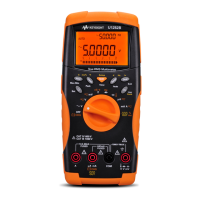
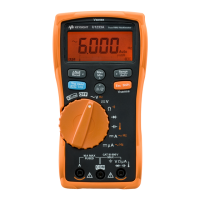
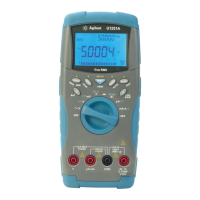
Agilent Technologies U1251A - User Manual

Agilent Technologies U1251A
169 pages
Print Icon
To Next Page IconTo Next Page
Loading...
Agilent Technologies
Agilent U1251A and
U1252A
Handheld Digital
Multimeter
User’s and Service Guide

Table of Contents

Other manuals for Agilent Technologies U1251A

Questions and Answers

  • J
    Jonathan SimpsonAug 10, 2025
    Why is there no charging indication on my Agilent Technologies Multimeter?
    • E
      Erica PattersonAug 10, 2025
      If your Agilent Technologies Multimeter shows no charging indication, verify that the external adapter's output is DC 24 V and that the adapter is fully plugged into the charging terminals. Also, ensure the line power voltage is within the range of 100V~240V AC 50Hz/60Hz.
  • J
    James LewisAug 15, 2025
    What to do if there is no beeper tone on Agilent Technologies U1251A?
    • L
      Latasha GarrisonAug 15, 2025
      If your Agilent Technologies Multimeter has no beeper tone, check the setup mode to see if the beeper is set to OFF. If it is, select the desired driving frequency.
  • A
    Adrian KingAug 20, 2025
    What to do if Agilent Technologies U1251A Multimeter fails on remote control?
    • J
      Jeanette NewmanAug 21, 2025
      If your Agilent Technologies Multimeter fails on remote control, check that the optical side of the cable is connected to the meter and the text side of the cover is up. Also, check the baud rate, parity, Data bit, and Stop bit settings (the default is 9600, n, 8, 1).
  • S
    Sherry WalkerAug 25, 2025
    What to do if remote control fails on Agilent Technologies Multimeter?
    • S
      Samuel FlynnAug 26, 2025
      If remote control fails on your Agilent Technologies Multimeter, ensure the optical side of the cable is connected to the meter with the text side of the cover facing up. Check the baud rate, parity, data bit, and stop bit settings (the default is 9600, n, 8, 1). Also, verify that the driver is installed for USB-RS232.
  • M
    Mr. Raymond AndersonAug 30, 2025
    How to fix no LCD display on Agilent Technologies U1251A after power ON?
    • E
      Elizabeth HopkinsAug 30, 2025
      If there is no LCD display after powering on your Agilent Technologies Multimeter, check the battery. Charge or replace the battery.
  • R
    rachaelduranSep 4, 2025
    Why is there no beeper tone on my Agilent Technologies Multimeter?
    • K
      Kellie HernandezSep 4, 2025
      If there is no beeper tone on your Agilent Technologies Multimeter, check the setup mode and verify if the beeper is set to OFF. If it is, select the desired driving frequency.

Agilent Technologies U1251A Specifications

General IconGeneral
BrandAgilent Technologies
ModelU1251A
CategoryMultimeter
LanguageEnglish

Related product manuals