EasyManua.ls Logo

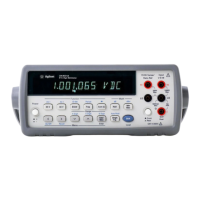
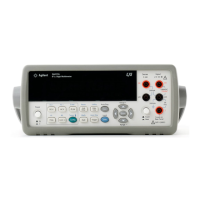
Agilent Technologies U1252B - User Manual

Agilent Technologies U1252B
191 pages
Print Icon
To Next Page IconTo Next Page
Loading...
Agilent Technologies
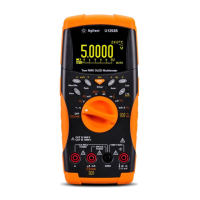
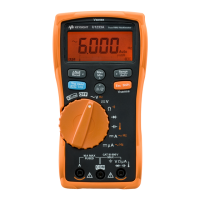
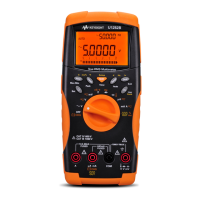
Agilent U1251B and
U1252B Handheld Digital
Multimeter
User’s and Service Guide

Table of Contents

Questions and Answers

  • J
    James CollinsJul 30, 2025
    What to do if the Agilent Technologies U1252B Multimeter battery life is very short after a full charge?
    • C
      Courtney AlvarezJul 30, 2025
      If the battery life of your Agilent Technologies Multimeter is shorter than expected after a full charge, or if the battery won't charge after being stored for a long time: * Ensure the correct rechargeable battery is being used. * Try charging and discharging the battery for 2 or 3 cycles to help maintain its maximum capacity. Keep in mind that rechargeable batteries may degrade over time.
  • W
    wsmithAug 3, 2025
    What to do if my Agilent Technologies U1252B is not charging?
    • R
      Rachel BrownAug 4, 2025
      If your Agilent Technologies Multimeter isn't indicating that it's charging: * First, check the 440 mA fuse. * Verify that the external adapter's output is DC 24 V and that it's fully plugged into the charging terminals. * Confirm that the line power voltage is within the range of 100V~240V AC 50 Hz/ 60 Hz.
  • P
    peter98Aug 9, 2025
    How to fix fail on remote control of Agilent Technologies U1252B?
    • B
      brian37Aug 9, 2025
      To resolve remote control issues with your Agilent Technologies Multimeter: * Ensure the optical side of the cable is connected to the meter and the text side of the cover is facing up. * Check the baud rate, parity, Data bit, and Stop bit settings (the default is 9600, n, 8, 1). * Make sure the driver is installed for IR-USB.
  • G
    Gabriella BryanAug 14, 2025
    What to do if Agilent Technologies Multimeter fails on current measurement?
    • P
      Pamela MiddletonAug 14, 2025
      If your Agilent Technologies Multimeter is failing during current measurements, check the fuse.
  • M
    Melanie RamirezAug 18, 2025
    Why is there no beeper tone on my Agilent Technologies Multimeter?
    • R
      Robert JordanAug 19, 2025
      If you're not hearing a beeper tone from your Agilent Technologies Multimeter, check the setup mode to see if the beeper is turned off. If it is, select the desired driving frequency to turn it back on.
  • A
    Alejandra White MDAug 25, 2025
    How to fix no LCD display on Agilent Technologies U1252B?
    • S
      Samantha RayAug 25, 2025
      If there is no LCD display after turning on your Agilent Technologies Multimeter, check the battery. Charge or replace it.

Summary

Getting Started

Introducing the U1251 B;U1252 B Handheld Digital Multimeter

Overview of the multimeter's key features and capabilities.

Check the shipment

Verifying that all items are received with the multimeter.

Making Measurements

Measuring AC voltage

Setup and procedure for measuring AC voltage.

Measuring DC voltage

Setup and procedure for measuring DC voltage.

Measuring Current

How to measure current in µA, mA, and A ranges.

µA & mA measurement

How to set up and measure µA and mA.

Percentage scale of 4 mA to 20 mA

Measuring current as a percentage.

A (ampere) measurement

Procedure for measuring current in Amperes.

Frequency Counter

Instructions for using the frequency counter function.

Measuring Resistance, Conductance and Testing Continuity

Steps for resistance, conductance, and continuity tests.

Testing Diodes

Procedure for testing diodes and interpreting results.

Measuring Capacitance

Steps and tips for measuring capacitance.

Measuring Temperature

Instructions for using the multimeter for temperature measurements.

Functions and Features

Dynamic Recording

How to use dynamic recording for min/max/avg readings.

Data Hold (Trigger Hold)

How to freeze and hold measured values.

Refresh Hold

How to hold values that update automatically.

Null (Relative)

How to subtract a stored value to zero the display.

Decibel Display

How to display measurements in dBm or dBV.

1 ms Peak Hold

How to measure peak voltage/current.

Data Logging

How to record data manually or at intervals.

Manual logging

Procedure for manual data logging.

Maintenance

Battery replacement

Steps for replacing the multimeter's battery.

Charging the battery

Instructions for charging the rechargeable battery.

Troubleshooting

Common problems and their solutions.

Performance Tests and Calibration

Performance Verification Tests

Procedures to verify measurement performance.

Calibration Process

Step-by-step guide for full instrument calibration.

Specifications

Electrical Specifications

Detailed electrical performance specifications.

DC Specifications

Accuracy specifications for DC measurements.

AC Specifications

Accuracy specifications for AC measurements.

AC+DC Specifications for U1252 B

Accuracy for AC+DC measurements on U1252B.

Agilent Technologies U1252B Specifications

General IconGeneral
Max Voltage Measurement1000 V
Max Current Measurement10 A
Resistance MeasurementYes
Capacitance MeasurementYes
Frequency MeasurementYes
Temperature MeasurementYes
Data LoggingYes
Operating Temperature0 °C to 50 °C
Safety CategoryCAT III 1000 V, CAT IV 600 V
Diode TestYes
Continuity TestYes
DC Voltage Range100.00 mV to 1000.0 V
AC Voltage Accuracy0.5%
DC Current Range100 µA to 10 A
AC Current Range100 µA to 10 A
Resistance Range100 Ω to 100 MΩ
Temperature Range-40°C to 1000°C
ConnectivityUSB
WeightApprox. 500 g

Related product manuals