DocNo.FM5505issueDPage21
16.BEDTOBECLEANEDCALL
BedStatusisanoptionwhichmustbeenabledineachCallPointthatrequiresthefeature.IftheBedStatus
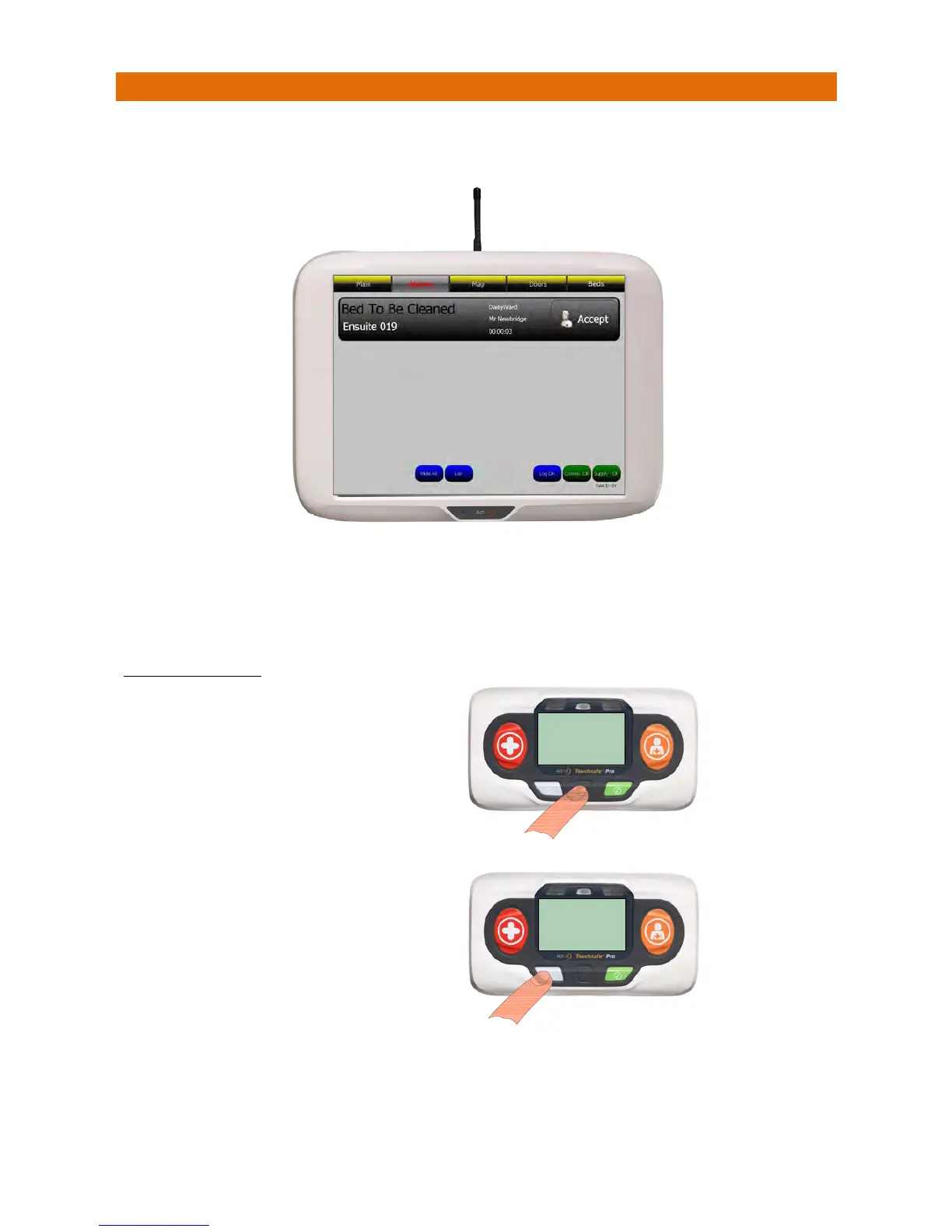
ischangedto“ToBeCleaned”onaCallPointthiswillbedisplayedonthepane lasshownbelow;
Thescreenbannerisgrey
foraBedToBeCleanedcall
.
TouchthebannertodisplayClientNotesifrequired.
PresstheAcceptbuttononthebannertosilencethealarmandnotifyallotherpanelsthecallisbeingdealt
with.Thescreenbannerchangestopurplewhenacallisaccepted.
TOCANCELTHECALL
When“Occupied”or“Available”isselectedthenewBedStatuswillsimplybeupdatedontheNurse call
panelBedlist.Ifthebedisnotcleanedwithinapresettimeperiodthenthe“BedToBeCleaned”callwill
re‐report–thisintervalcanbeset
to10
,20or30minutes.
CURRENTBED
STATUS
Oncethebedhasbeencleaned,
presstheDARKGREYbuttonon
theCallPointtoshowthecurrent
BedStatus…
CURRENTBED
STATUS
PresstheGREENorLIGHTGREY
buttonstochangetheBedStatus
to“Occupied”or“Available”…
ThenpresstheDARKGREYbutton
againtoselectthenewBedStatus.



 To Next Page