DocNo.FM5505issueDPage29
24.TELECARECALL
ArangeofTelecareDevicesareavailableforpersonalwellbeingandenvironmentalmonitoring.Alistof
devicescurrentlyavailableisgivenbelow;pleasecontactAidcallcustomerservicesformoredetails.
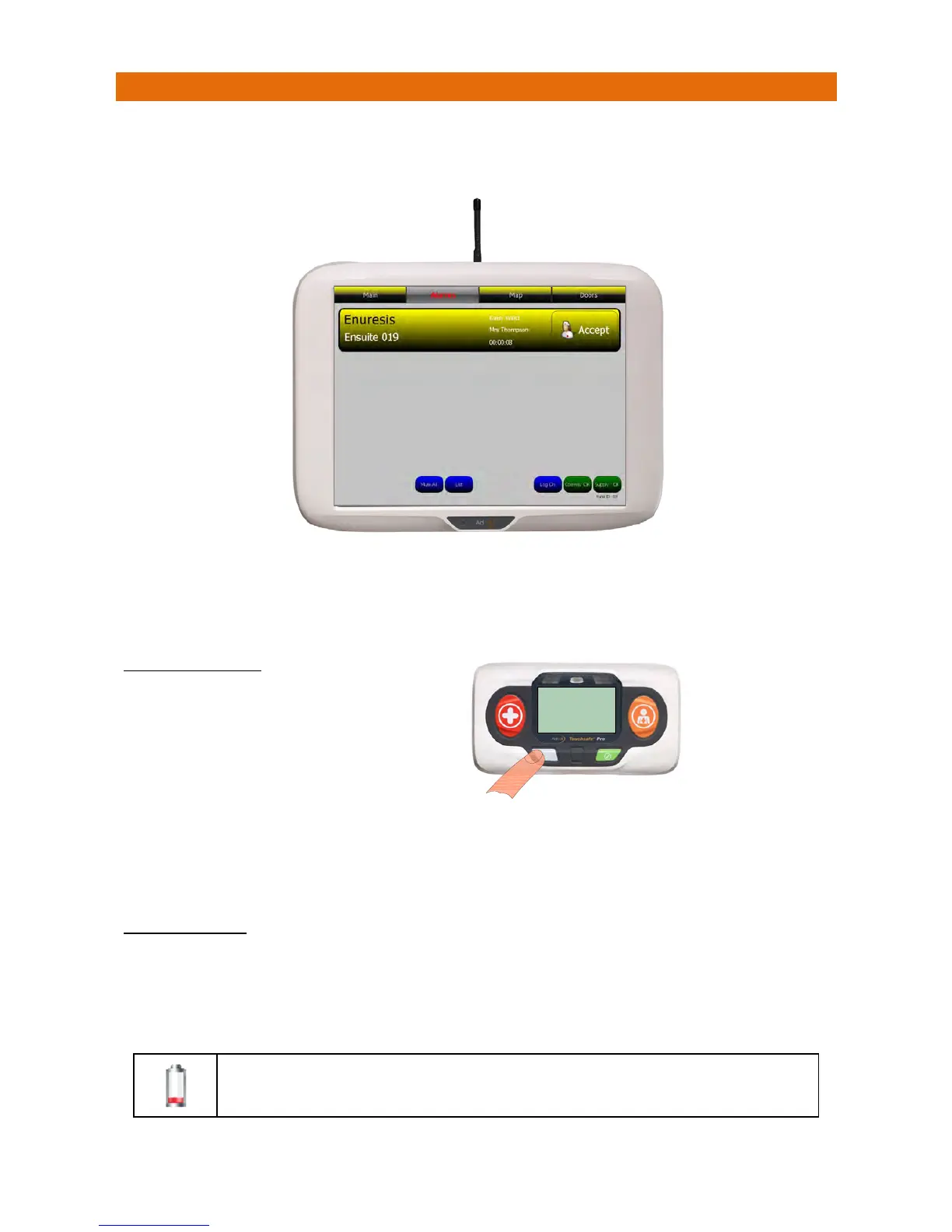
IfanEnuresisSensorisactivatedthiswillbedisplayedonthepanelasshownbelow;
ThescreenbannerisyellowforanEnuresisalarm.
TouchthebannertodisplayClientNotes.
PresstheAcceptbuttononthebannertosilencethealarmandnotifyallotherpanelsthecallisbeingdealt
with.Thescreenbannerchangestopurplewhenacallisaccepted.
TOCANCELTHECALL
Iftheunithasadisplayitwillfirstshow“CALLING‐CANCEL”then“ACKNOWLEDGED”whenthecallhas
beenreceivedandcancelledofftheNursecallpanel.
Ifthereisanothercallwaiting(withinthesameZone)thedetailswillbedisplayed,ifmorethanonecallis
waitingtheonewithhighestprioritywillbedisplayed.
TELECAREDEVICES
PersonalWellbeing:falldetectors,attackpendants,pilldispensers,enuresissensors,bedoccupancy
sensors,chairoccupancysensorsandepilepsymonitors.
EnvironmentalMonitoring:high/lowtemperaturesensors,smokealarms,heatalarms,gasdetectors,
carbonmonoxidedetectorsandflooddetectors.
AlwaysreplacetheTelecaredevicebatterieswithin7dayswhenthelow
batterysymbol(shownhere)isdisplayedinthealarmbanner.
YoumustvisittheCallPointassociated
withtheEnuresisalarmandpressthe
LIGHTGREYbuttontocancelthecall
CALLING
CANCEL
HC.345ID.001



 To Next Page