DocNo.FM5505issueDPage32
27.FIXEDREMINDERS
FixedRemindersforMedicationcanbeenabledperclientandwillrepeatatthesametimeeveryday
(unlessdisabled). Theseremindersaresettostartataspecifictimeeachdayandrepeatatasetintervalfor
asetduration.Forexample;startat08:00withanintervalof4ho
ursforadurationof12hourswouldgive
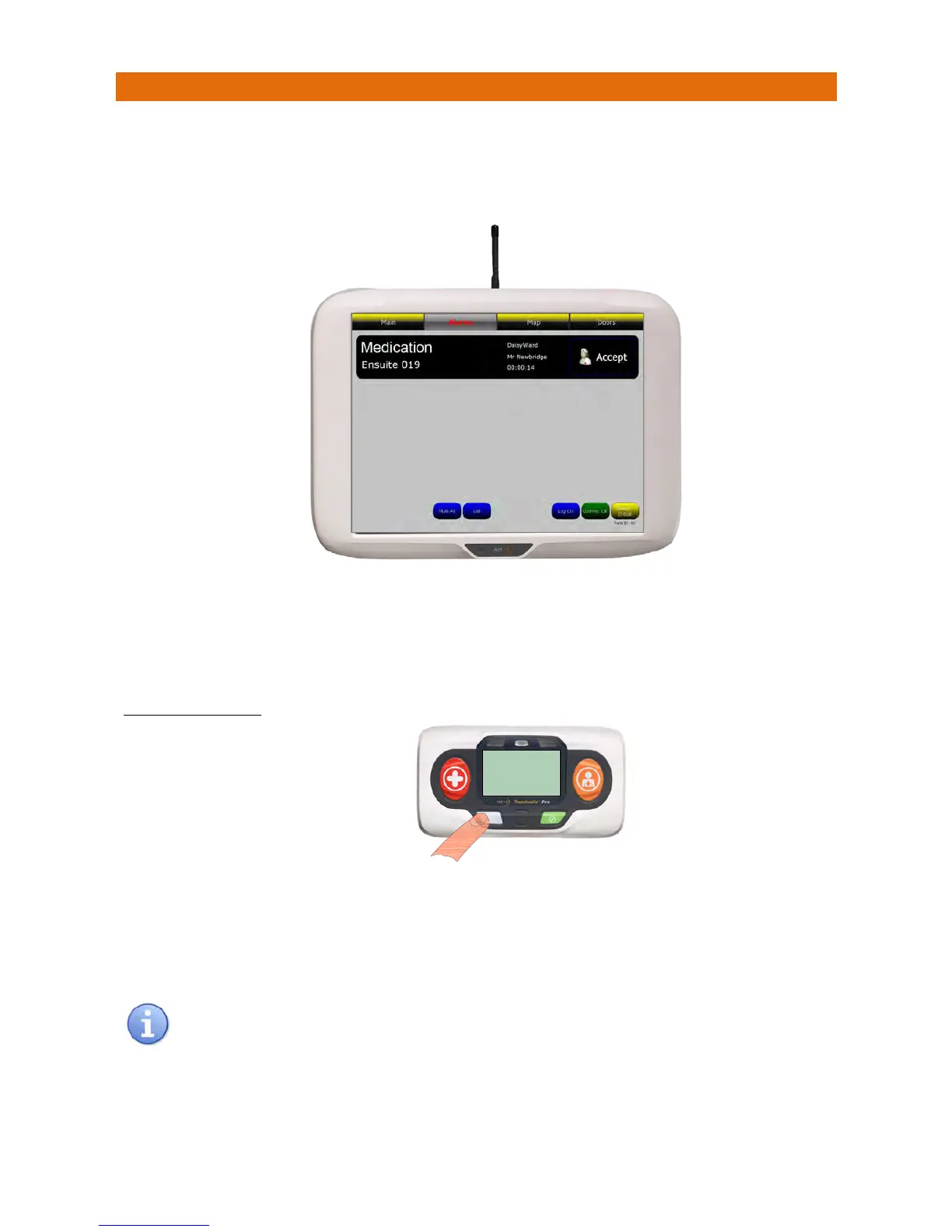
remindersat08:00,12:00,16:00&20:00.FixedReminderswillbedisplayedonthepanelsimilartobelow;
ThescreenbannerisblackforaMedicationReminder.
TouchthebannertodisplayClientNotes(whichcan
bese
ttoincludedetailsofthemedication).
PresstheAcceptbuttononthebannertosilencethealarmandnotifyallotherpanelsthecallisbeingdealt
with.Thescreenbannerchangestopurplewhenacallisaccepted.
TOCANCELTHECALL
Iftheunithasadisplayitwillfirstshow“CALLING‐CANCEL”then“ACKNOWLEDGED”whenthecallhas
beenreceivedandcancelledofftheNursecallpanel.
Ifthereisanothercallwaiting(withinthesameZone)thedetailswillbedisplayed,ifmorethanonecallis
waitingtheonewithhighestprioritywillbedisplayed.
MedicationRemindersrepeatatfixedtimeseveryday,theywillappearonthescreenatthestarttime
andintervalsetupinthesystemconfiguration.SeetheEditDetailsfunctiononpage9ofthismanual.
YoumustvisittheCallPoint
associatedwiththe
MedicationReminderand
presstheLIGHTGREY
buttontocancelthecall
CALLING
CANCEL
HC.345ID.001



 To Next Page