DocNo.FM5505issueDPage30
25.DOOROPENALARM
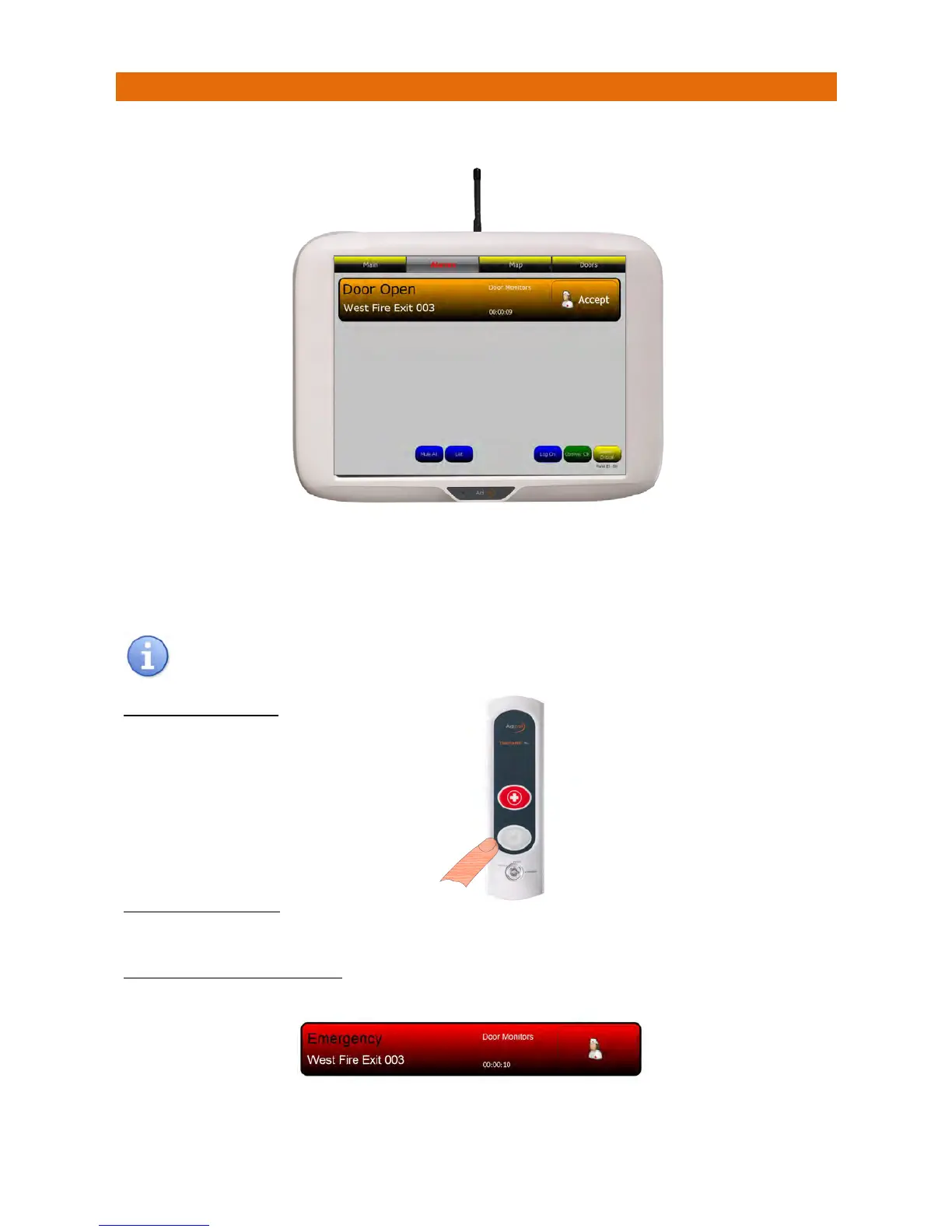
Ifamonitoreddoorisopened(withthekeyswitchintheACTIVEposition)thiswillbedisplayedonthe
panelasshownbelow;
ThescreenbannerisorangeforDoorOpenalarms.
Touchthebannertodisplaynotes.
PresstheAcceptbuttononthebannerto
sil
encethealarmandnotifyallotherpanelsthecallisbeingdealt
with.Thescreenbannerchangestopurplewhenacallisaccepted.
ThescreenbannerwillbeyellowforanAssistanceCallorredforanEmergencyCall
AnEmergencyCallcannotbeacceptedandsilencedfromthescreen
TOCANCELTHEALARM
TORE‐ARMTHEALARM
ClosethedoorandturnthekeybacktotheACTIVEposition.
EMERGENCYCALLFROMADOOR
IftheRedEmergencybuttonispressedonaDoorMonitor,thiswillbedisplayedonthepanelwithared
bannerlikethis;
Emergencycallsarecancelledbyvisitingthedoor,turningthekeytotheRESETpositionandpressingthe
LIGHTGREYbutton.ReturnthekeytotheACTIVEpo
sition.
YoumustvisittheDoor
Monitorthen;
TurnthekeytotheRESET
position,then…
PresstheLIGHTGREY
buttontocancelthecall



 To Next Page