DocNo.FM5505issueDPage7
7. MAINSCREEN
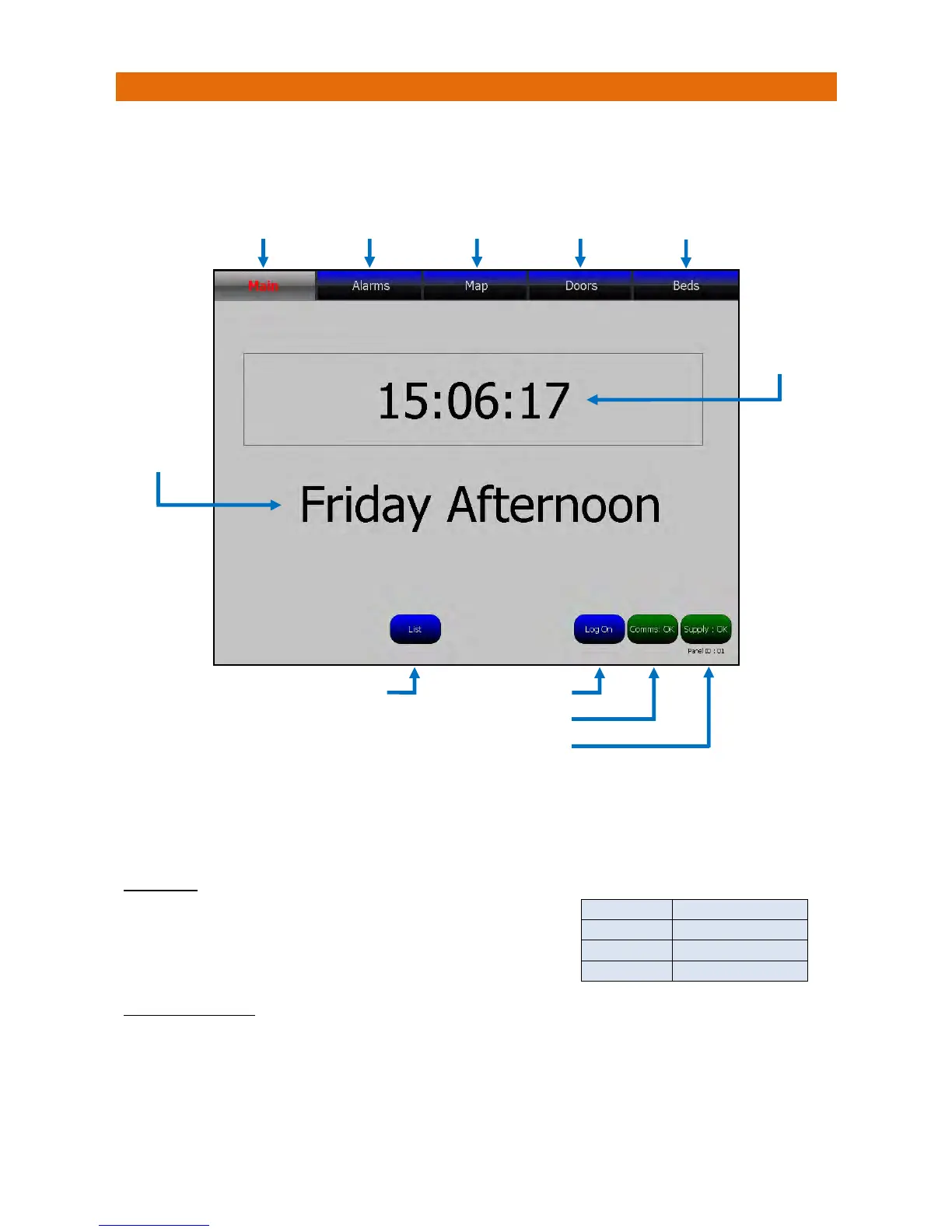
Whennocallsexistthemainscreenwilldisplaythetimesimilartobelow.Thebuttonsalongthetopofthe
screenarecolouredBLUEontheMasterpanel,anyadditionalpanelsonthesamesystemwillhave
YELLOWcolouredbuttons.
TouchtherelevantbuttonsalongthetopofthescreentochangethemainscreenviewtoshowAlarms,
BuildingMapsorDoors.*Note:theBedsbuttonwillonlybedisplayedwhentheBedStatusfeatureis
enabledintheCallPointsandtheDementiaClockcanbeturnedon/offduri
ngsetupbyanEngineer.
Alistofthelast500eventscanbeviewedbytouchingtheListbutton.
DAYCLOCK
Allpanelscanshowadayclocktohelpresidentswhohavetrouble
tellingwhetheritisdayornight,morningorafternoon,orsimply
needreassuranceaboutwhatdayitis.Theinformationis
displayedasshowninthetablealongside.
COMMSINDICATOR
ThisshouldnormallybeSTEADYGREENwithtextstating“Comms:OK”.
IfitchangestoFLASHINGRED/GREENandstates“Comms:OK”thenthereisaPanelmissingoffthe
network–callyourServiceEngineerimmediately.
IfitchangestoSTEADYREDandstates“Comms:Fail”thenthereisaproblemwiththeradionetworkand
nocallswillbedisplayed–callyourServiceEngineerimmediately.
Touchtosee
MainScreen
Touchtosee
AlarmsScreen
Touchtosee
Map Screen
Touchtosee
DoorsScreen
TouchtoListLast500Events TouchtoLo



 To Next Page