DocNo.FM5505issueDPage35
30.DOORSSCREEN
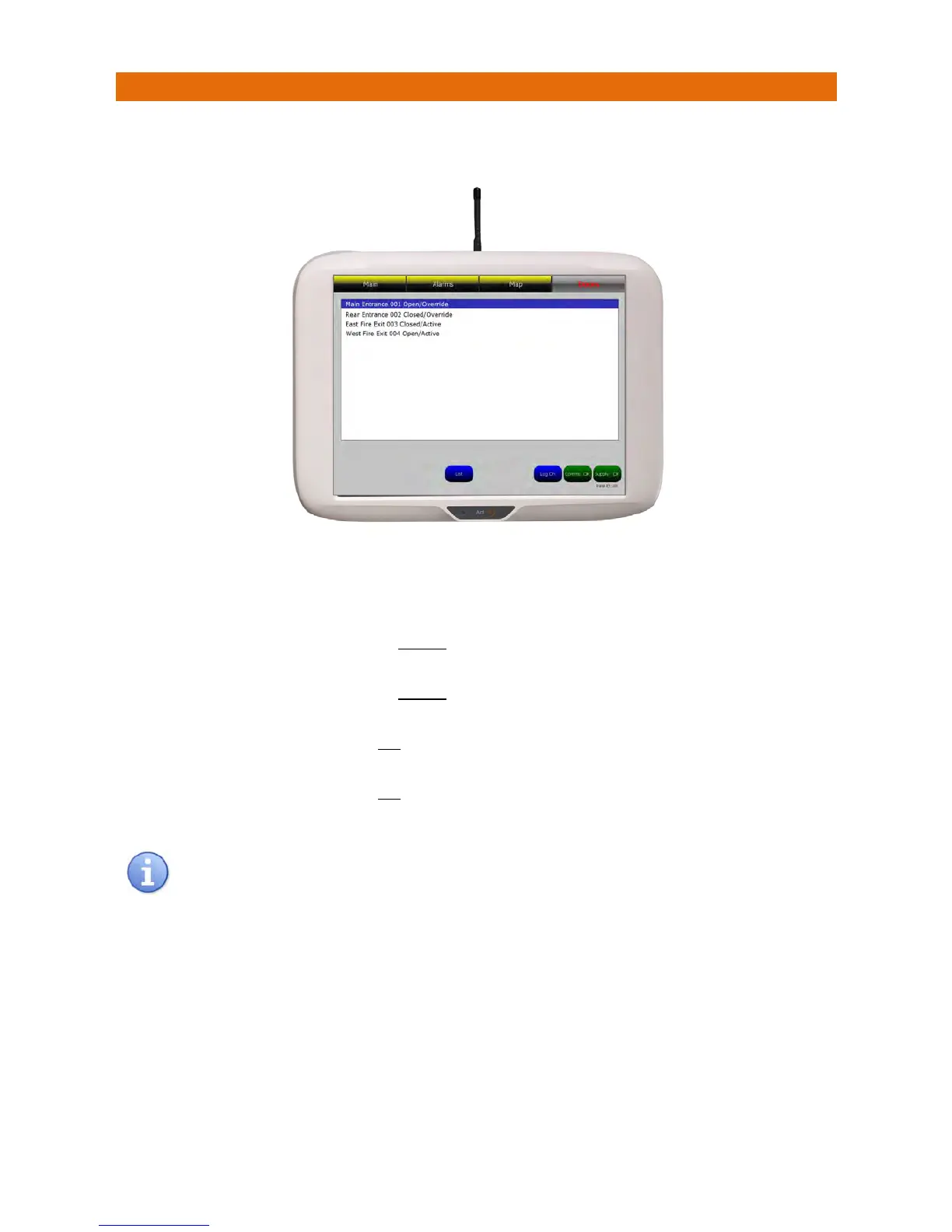
ThestatusofDoorMonitorscanbeviewedontheTouchsafeProNursecallpanelbytouchingtheDoors
buttononthetopofthes creen;thiswillbedisplayedonthepanelsimilartobelow;
AlistwillshowthelocationandunitIDofeach
DoorMo
nitoronthesystemalongwiththestatusofthe
door(open/closed)andthestatusoftheDoorMonitor(active/ov erride),thereare4possiblestates;
1.Open/OverrideindicatesthedooriscurrentlyOPENandthekeyswitchontheDoorMonitorisinthe
OVERRIDEposition–thismeansanalarmwillnot
bereportedonthepanel.
2.Closed/OverrideindicatesthedooriscurrentlyCLOSEDandthekeyswitchontheDoorMonitorisinthe
OVERRIDEposition–thismeansanalarmwillnot
bereportedonthepanelshouldthedoorbeopened.
3.Closed/ActiveindicatesthedooriscurrentlyCLOSEDandthekeyswitchontheDoorMonitorisinthe
ACTIVEposition–thismeansanalarmwill
bereportedonthepanelshouldthedoorbeopened.
4.Open/ActiveindicatesthedooriscurrentlyOPENandthekeyswitchontheDoorMonitorisinthe
ACTIVEposition–thismeansanalarmwill
beonthepanelnow.
TheListbuttonwillopenthesystemlogshowingthelast500events.ThiswillonlyshowDoor
Monitoractivityiftheyhavebeensetupduringinstallationtooperateinthe“Monitored”mode.



 To Next Page