DocNo.FM5505issueDPage8
7. MAINSCREEN
SUPPLYINDICATOR
ThisshouldnormallybeSTEADYGREENstating“Supply:OK”.
IfitchangestoORANGEandstates“MainsFail”thenthemainspowerisoffandthepanelisoperating
fromitsstandbybattery.Thepanelwillcontinuetooperateasnormalforseveralhours.Ifthewhole
buildingspowerisoffreportthisthroughthenormalchannels,ifonlythepan
elmainspowerhasfailedcall
yourServiceEngineerimmediately.
IfitchangestoREDandstates“Mains/BatteryLow”thenthemainspowerisstilloffandthestandby
batterypowerisgettinglow–thepanelislikelytoturnitselfoffsoon.
IfitchangestoYELLOWandstates“BatteryCritical”thenthestandbybatterypowerisverylow(orthe
mainspowerisonbutthebatteryis disconnected)–callyourServiceEngineerimmediately.
IfitchangestoPURPLEandstates“BatteryLow”thenthepanel’sdailyself‐testhasdetectedthatthe
batteryisnotholdingitschargeanditneedsreplacing–call yourServiceEngineerimmediately.
LOGONOPTIONS
Ifyouneedtomakeanychangestothesystemsetup,changeclient
names,addnotesetc.thenyou’llneedtobegivenapassword.
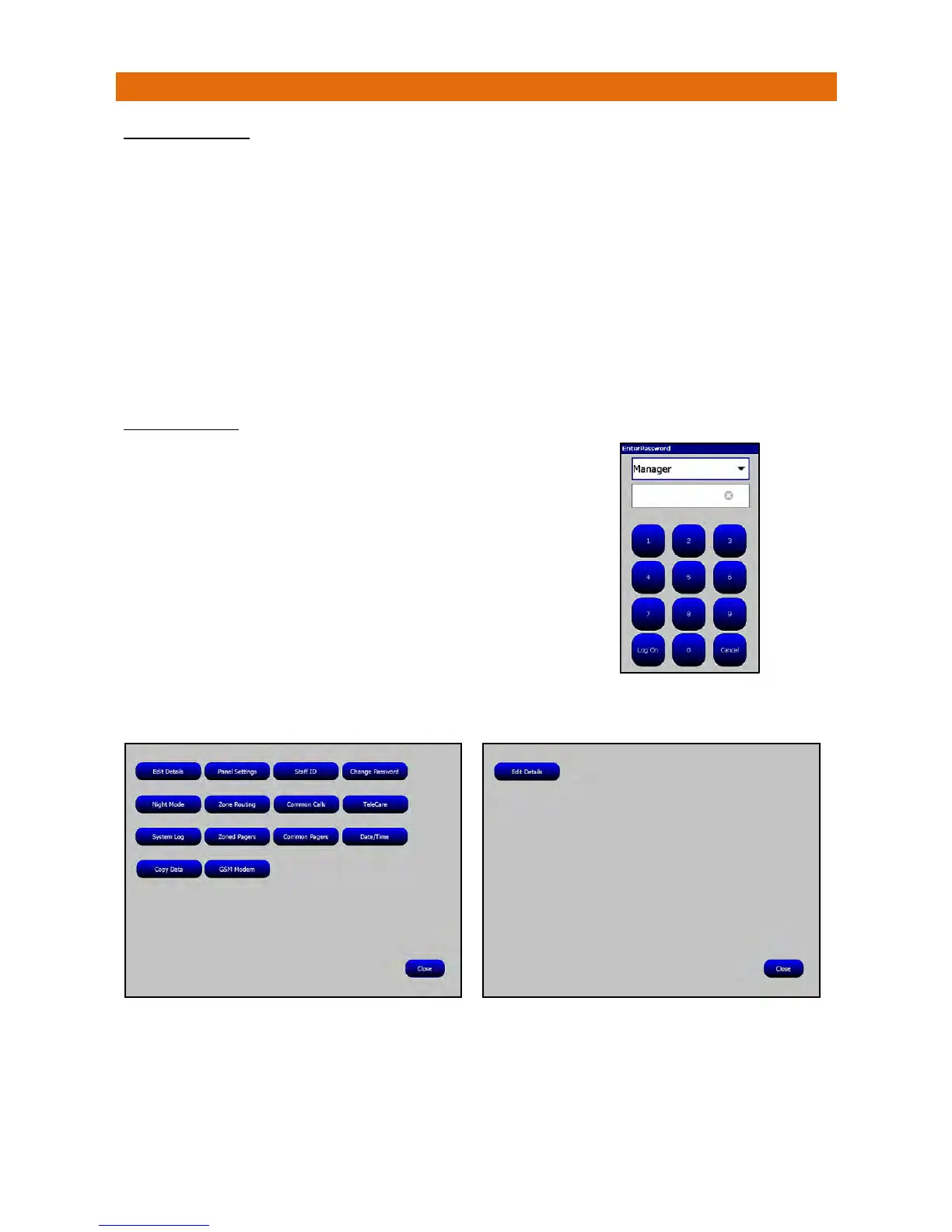
TouchtheLogOnbuttonandan“EnterPassword”box
willappearonthescreenasshownalongside…
Thereare3LogOnoptions;Engineer,ManagerorMatron.
TouchthesymbolandchoosetherequiredLogOnoption
fromthepulldownbox.
Entertherequiredpassword(4digits)usingthekeypadandtouch
theLogOnbuttoninthebottomlefthandcornerofthekeypad.
Thescreenwillchangetoshowtheparametersavailablefor
eachLogOn–seebelow;
ManagersLogOnMatronsLogOn
ThefunctionofeachbuttonontheManagersLogOnscreenisdescribedinSection8onthefollowing
pages…



 To Next Page