MyChron4 660
User Manual
Release 1.03
www.aim-sportline.com
40
4.3 – QMAn installation
4.3.1 – Installation under Microsoft Windows XP™
Before starting any AIM software installation please:
Ensure that your instrument is NOT connected to the PC USB port. If it is, please
unplug it.
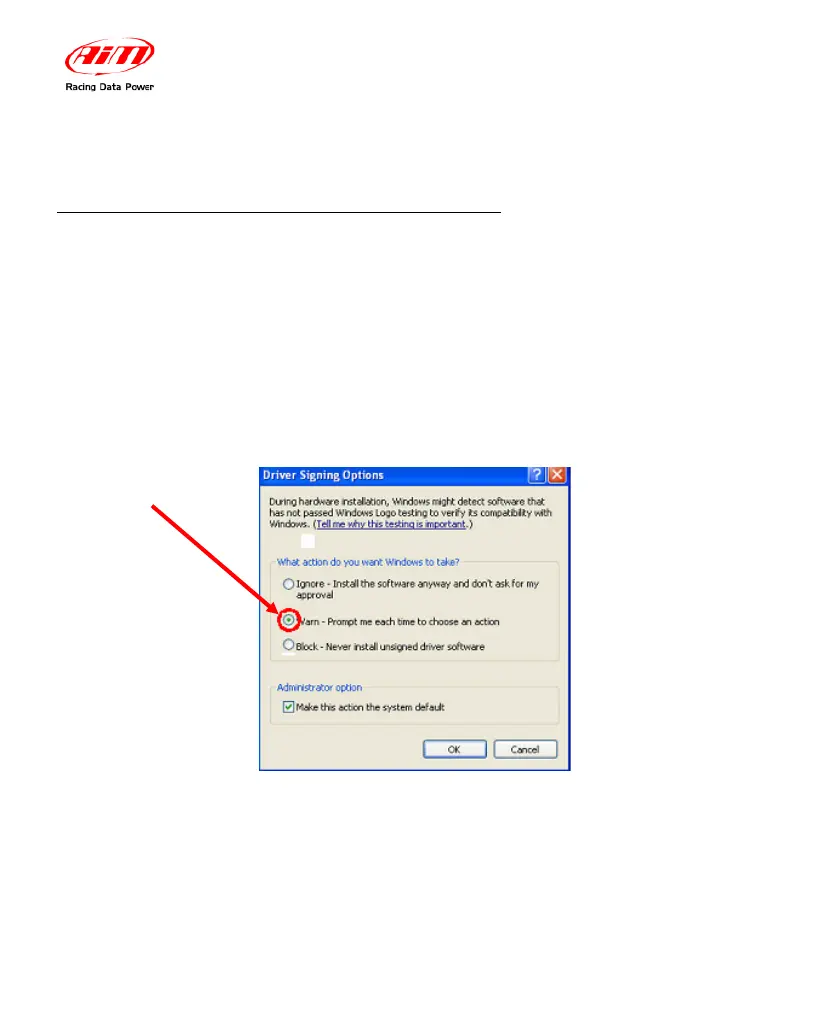
Check the Window
TM
“Driver signing option” default setting; click on: Start
Settings Control Panel System and select “Hardware” layer; click on “Driver
Signing” option and select
“Warn – Prompt me each time to choose an action” option.
Once this is done, please follow carefully these instructions.
Close all running applications. Insert AIM software installation CD in your
CD/DVD drive and, if “auto play” function is enabled installation will start
automatically, otherwise double click on “SETUP” icon.


 To Next Page