MyChron4 660
User Manual
Release 1.03
www.aim-sportline.com
54
4.3.5 – Troubleshooting
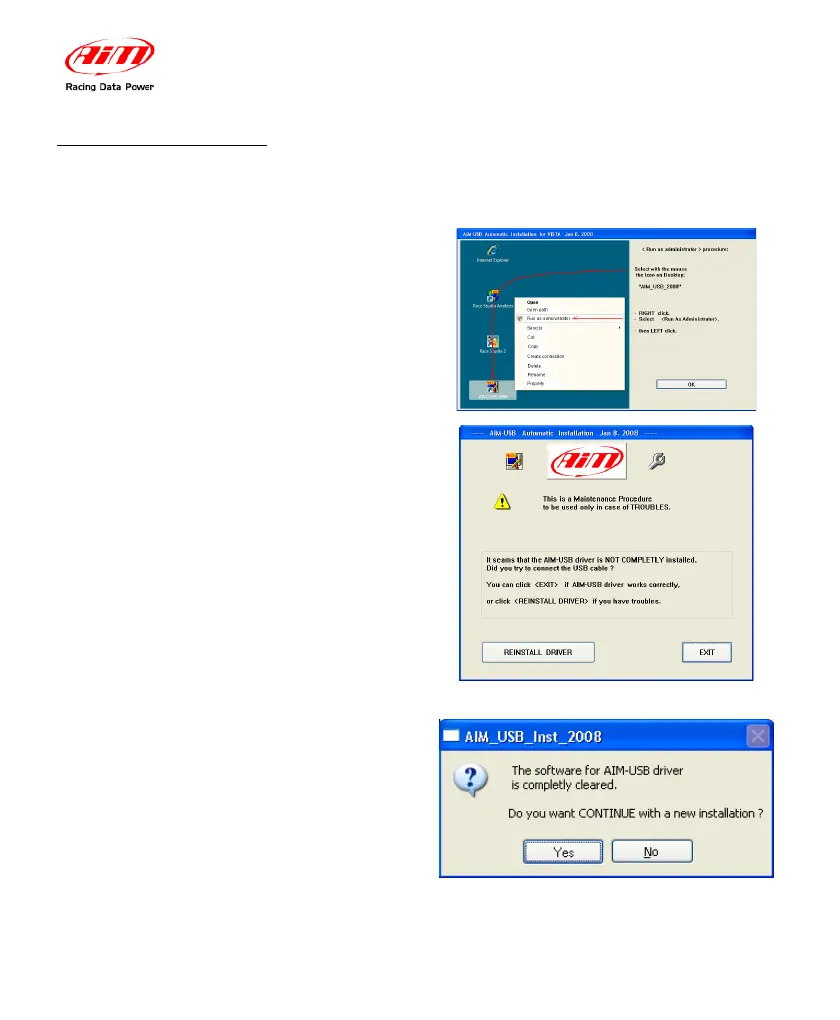
If the procedure ended incorrectly for any reason, you can start the “Maintenance”
Procedure repeating the “Run as Administrator” procedure.
Click on the “OK” button.
The panel on the right appears. Click
on “Reinstall Driver.”
The step completely clears the first
installation.
After this you are requested to
“Continue” or to “Stop.”
Click on the “Yes” button to complete
the new installation.
Click on “No” button if you wish to quit
and restart the first installation later.


 To Next Page