
 Need help?
Do you have a question about the Aim MYCHRON4 660 and is the answer not in the manual?
Instructions for battery replacement and indicators for the MyChron4 660.
Guide for mounting the MyChron4 660 in a Junior Dragster.
Connecting the RPM signal wire to the engine's kill switch.
Proper installation of the Exhaust Gas Temperature sensor in the exhaust pipe.
Correctly installing the Cylinder Head Temperature sensor.
Installing the speed sensor and magnetic phonic wheel for speed measurement.
Connecting sensors and power cables to the MyChron4 660 display unit.
Overview and functions of the MyChron4 660's push-buttons.
Steps for powering the MyChron4 660 device on and off.
Setting up the gauge for accurate data acquisition and operation.
Step-by-step guide for initial gauge configuration setup.
Configuring wheel circumference and gear ratios for speed measurement.
Managing run counter and erasing test data from the gauge.
Accessing and configuring various system parameters and settings.
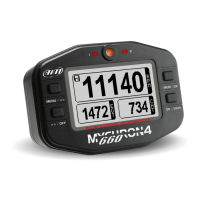
Understanding the information shown on the MyChron4 660 display.
Recalling and analyzing recorded data after a run.
Connecting the GPS module to the MyChron4 660 system.
Optimal placement for the GPS antenna for better reception.
GPS module self-configuration process upon startup.
Displaying GPS module recognition and speed data.
Procedure for downloading recorded data using the DataKey.
Additional channels available when using GPS data with QMAN software.
Step-by-step guide to transfer data from the gauge to a PC.
Introduction to the QMAn software for data analysis.
Installing the QMAn software and necessary drivers on a PC.
Specific installation steps for Windows XP operating systems.
Solutions for common issues during AIM software installation.
Specific installation steps for Windows Vista operating systems.
Troubleshooting steps for the driver installation procedure.
Analyzing racing data using the QMAn software features.
Managing and organizing downloaded test and run files.
Exploring loaded runs with various plot types and data views.
Plotting logged channels against time for detailed analysis.
Visualizing data distribution within specific bands using histograms.
Plotting one channel against another using XY or scatter plots.
Modifying parameters and settings for individual data channels.
Inputting time slip data for enhanced analysis.
Entering weather conditions to correlate with test performance.
Reviewing detailed information for each loaded run.
Entering and managing general information about a specific run.
Storing time slip data that impacts the time plot analysis.
Recording key tachometer readings and launch parameters.
Recording important information from a weather station.
Sending test files via email for support or sharing.
Routine care and firmware updates for the MyChron4 660.
Steps to download and install the latest firmware version.
Pinout and function for temperature sensor connectors.
Pinout and function for speed sensor connectors.
Pinout and function for expansion and PC communication connectors.
Overview of key technical specifications and features.
Details on physical dimensions, environmental ratings, and weight.
 General
| Brand | Aim |
|---|---|
| Model | MYCHRON4 660 |
| Category | Accessories |
| Language | English |

 To Next Page