MyChron4 660
User Manual
Release 1.03
www.aim-sportline.com
81
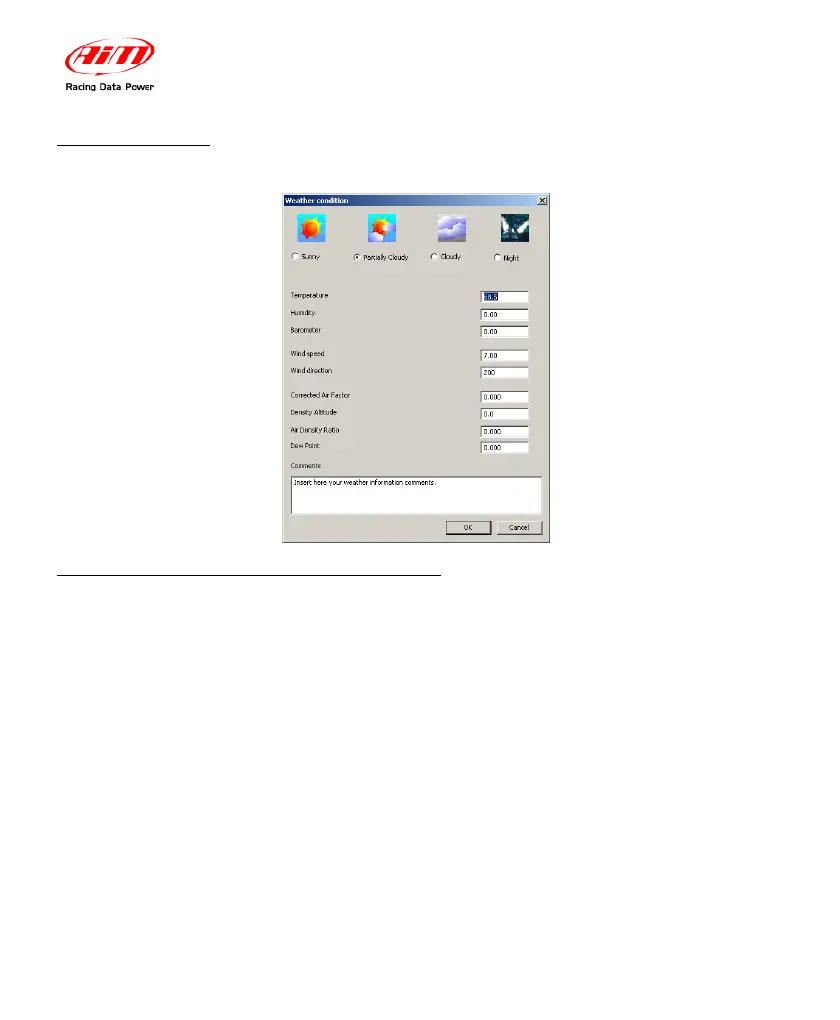
4.3.13 – Weather
You can record all the important information coming from a weather station.
4.3.14 – How to send the test file via E-mail
If you have a problem with a test file (i.e. you can’t open it, the recorded data do
not seem to be correct or you simply need help) you may send us the file via e-
mail with the simple click of a button.
Go to “Test/Run Manager” layer and select the test you wish to send us.
The selected file will become highlighted in red. Now, before sending the DRK
file, please ensure that your PC is connected to Internet and, then, click the “E-
mail” button located inside the button toolbar.
NOTE: You may not send a file if it is loaded. In this case, please unload it and,
then, e-mail it.


 To Next Page