MyChron4 660
User Manual
Release 1.03
www.aim-sportline.com
42
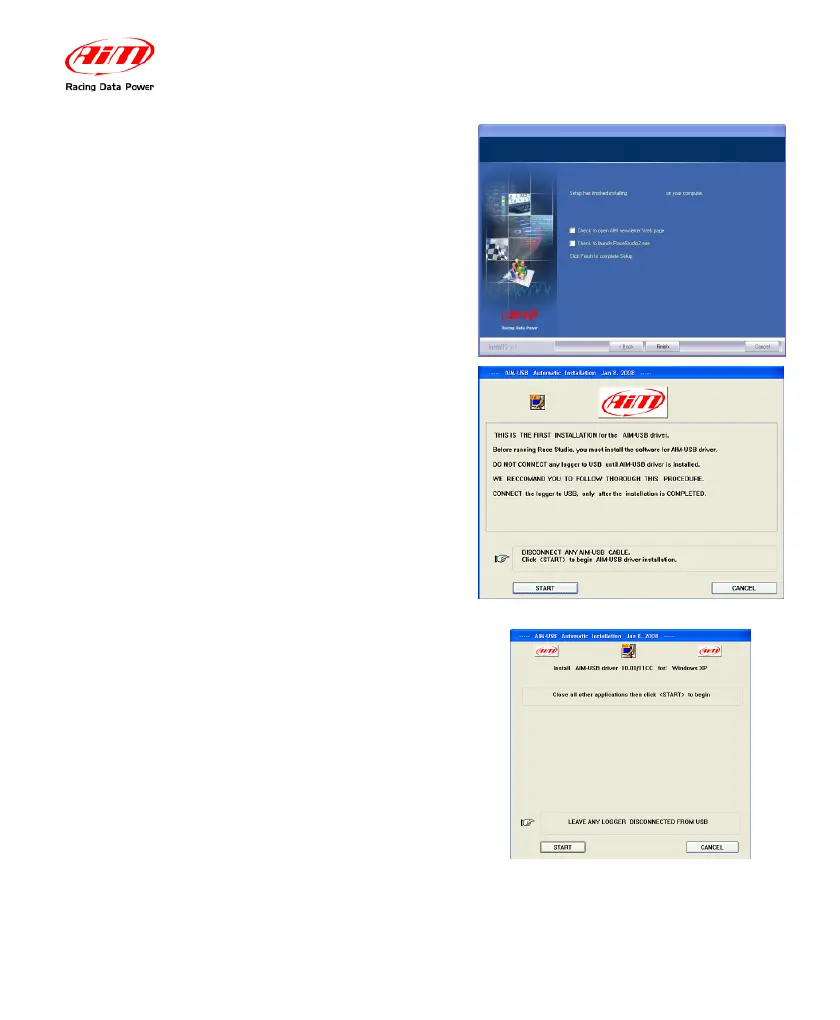
After the installation if you were
upgrading AIM software, the window on the
right appears. Click on “Finish” button. Your
installation is complete.
If you are installing AIM software for the
first time, USB driver installation starts and
the window on the right appears.
Please disconnect any USB cable from your
PC and click on the “Start” button.
Please close all running applications and
click on the “Start” button.


 To Next Page