14 1800223 E
Description of the Generator Controls and
Indicators
Front Panel Connectors and Indicators
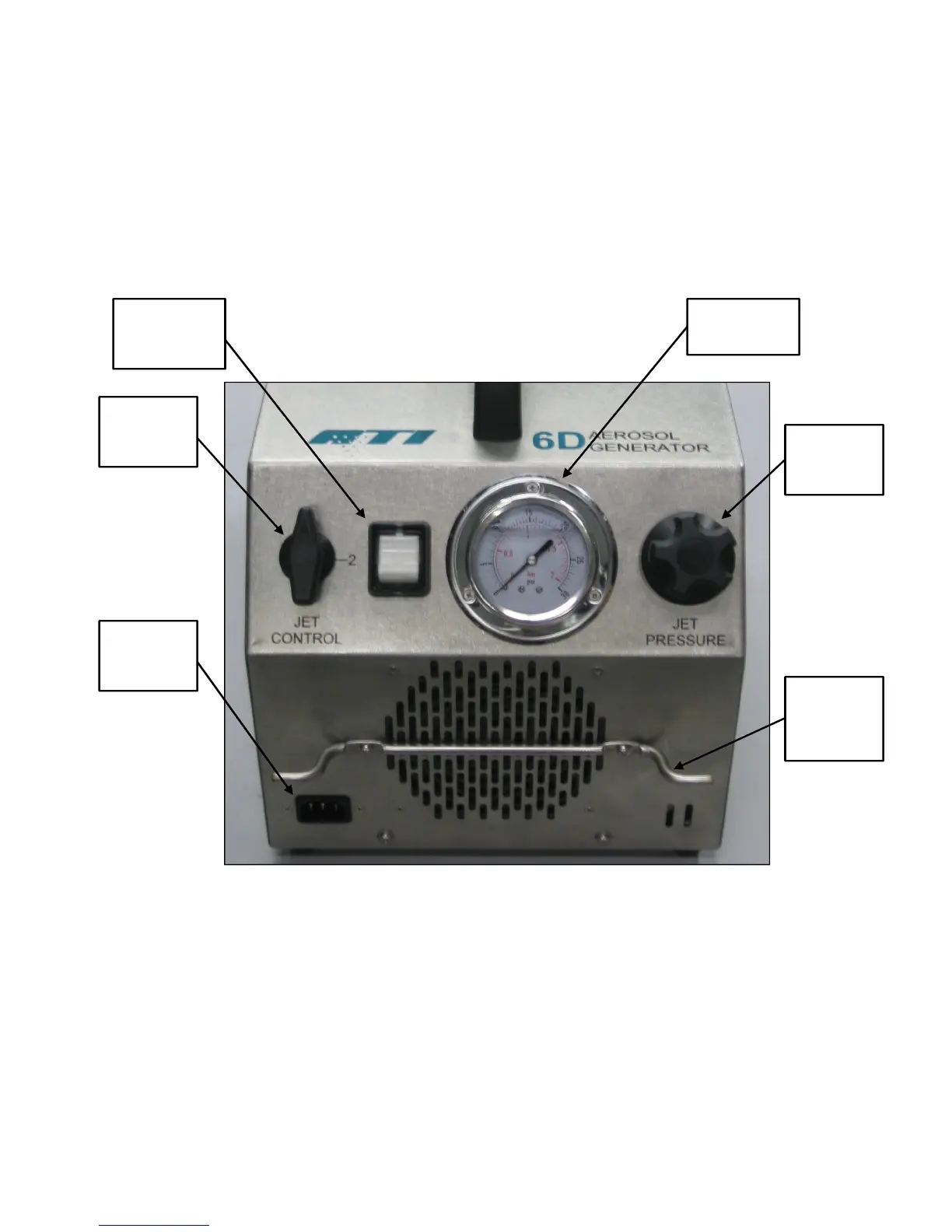
Figure 1 Front Panel Features
1. Power ON / OFF switch – Turns main power ON
and OFF and contains a 20A circuit breaker.
2. Jet Control Valve Knob – Switches the unit
operation between 2 or 6 Laskin Nozzle jets.
3. Main Power Input – Recessed 3-prong, IEC320-
C13 power inlet connector. Use only the power
cord provided with the unit.
4. Pressure Gauge – Indicates the gauge pressure of
the compressed air being supplied to the Laskin
Nozzles.
3. Main
Power
Input
2. Jet
Control
Knob
1. ON/OFF
Power
Switch
4. Pressure
Gauge
5. Jet
Pressure
Knob
6. Cord
Wrap
Storage



 To Next Page