Page
11Air Techniques, Inc.
PRODUCT DESCRIPTION
The use of equipment and components not complying with the
equivalent safety requirements of thosespecicallylistedunder
accessories may lead to a reduced level of safety of the system.
Phosphor Storage Plates IDX Size 2
Phosphor Storage Plates IDX Size 0
Size #2 Barrier Envelopes (Box of 300)
Size #0 Barrier Envelopes (Box of 100)
Touch Screen Stylus (magnetized for storage on unit)
User Information Folder containing:
CD containing drivers, utilities & manual
DVD Tutorial Video
DBSWIN Imaging Software
ScanX PSP IP Ethanol Wipe
ScanX Touch basic unit J1100 or J1200
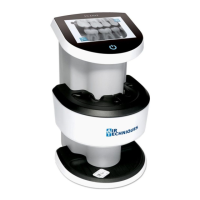
ScanX Touch Image Plate Scanner, PN J1100
ScanX Duo Touch Image Plate Scanner, PN J1200
ScanX Quick Start Guide
Accessory Kit depending on variant
containing:
External 24 VDC Power Supply Adapter/Cable
Ethernet Cable
HDSD Memory Card (≥ 8GB)
Size #0, #2, #3 and #4 Inlet Guides
(1 each for Touch unit or 2 each for Duo unit)
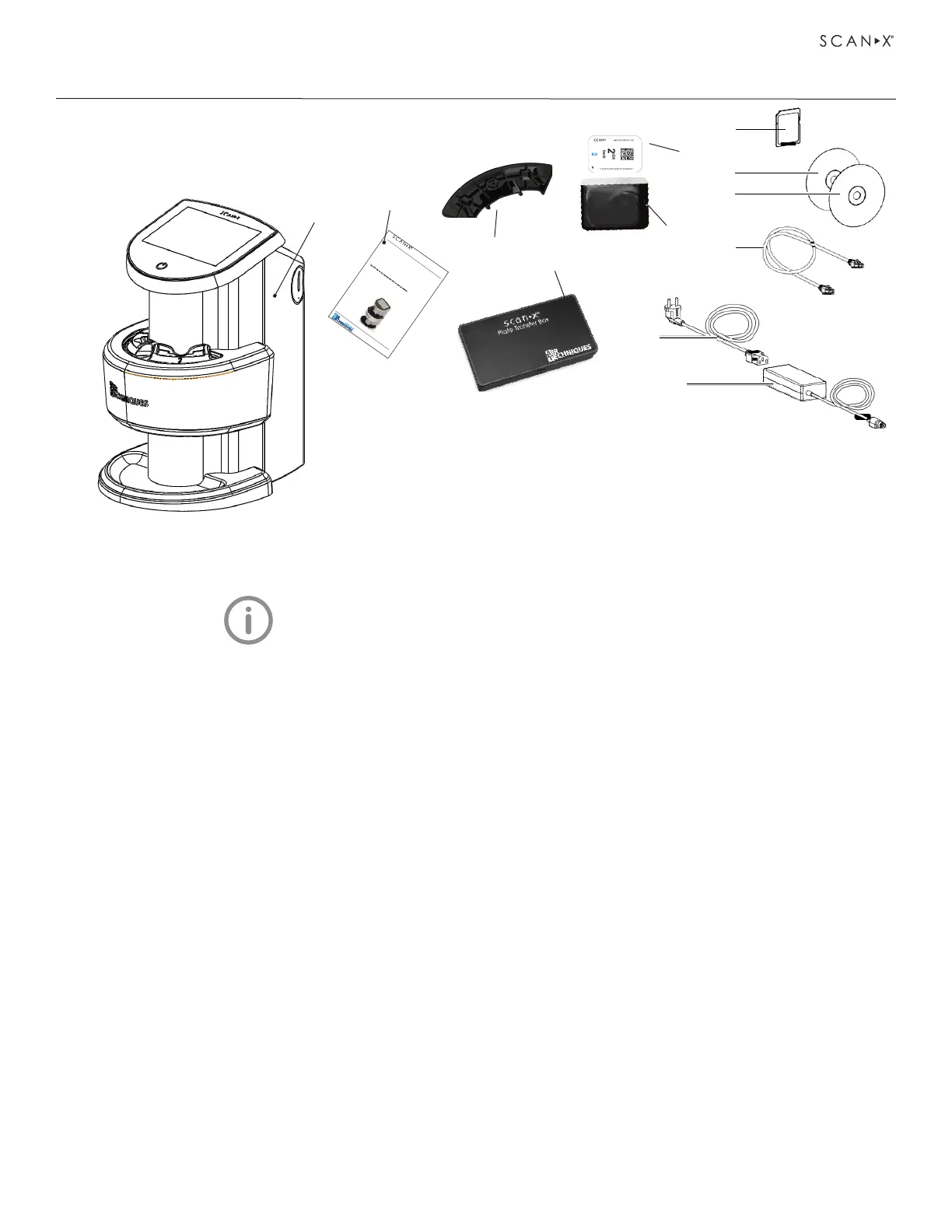
3.1 Scope of delivery.
Unpack each component of ScanX and inspect for physical damage such as scratched panels,
damaged connectors, etc. If there is any damage, notify your Air Techniques authorized dealer
immediately so corrective action can be taken. Save all cartons and packing materials to protect ScanX
in the event that it is to be transported or shipped in the future. ScanX consists of either the Touch or
Duo Touch main assembly and accessory kit as listed below. Verify that all listed items were received. If
any item is missing, notify your dealer.
3. Overview
1
1 ScanX Touch Image Plate Scanner 7 HDSD memory card
2 ScanX Quick Start Guide 8 DBSWIN Imaging Software DVD
3 Inlet guide, intraoral 9 Manuals CD
4 Transfer box 10 RJ45 Ethernet cable
5 Barrier envelope 11 Mains power cable
6 Phosphor storage plate (PSP) 12 Power supply unit
11
2
3
7
8
9
10
Quick Start
Instructions
Part Numbers: J1100 and J1200
Thank You and Congratulations
on your purchase of the ScanX Touch or
ScanX DUO Touch the latest imaging products from Air Techniques, Inc. The
devices are hereafter referred to as ScanX throughout this document.
This document provides brief information to help you get started using your
ScanX for the first time. Refer to the associated manual included on the Drivers
and Utilities Disk provided with each unit for detailed information. Review and
follow the guidelines provided in the manual to ensure your ScanX gives the
highest level of service.
On-line Registration.
Quickly and easily register your new ScanX on-line.
Just have the product model and serial numbers available. Then go to the Air
Techniques web site, www.airtechniques.com, click the SUPPORT link and
select the WARRANTY REGISTRATION drop down link. Then complete the
registration form. This on-line registration ensures a record for the warranty
period and helps us keep you informed of product updates and other valuable
information.
Manual On Disk. Access the manual by inserting the supplied ScanX Drivers
and Utilities Disk into the computer and observing that the ScanX Drivers and
Manuals window opens. Select View the ScanX Instruction Manual, open
Corporate Headquarters
1295 Walt Whitman Road
|
Melville, New York 11747
Phone: 1-800-247-8324
|
Fax: 1-888-247-8481
Image P late Scanners
ScanX DUO Touch, J1200
4
5
6
12


 To Next Page