16
Figur
e 3.0
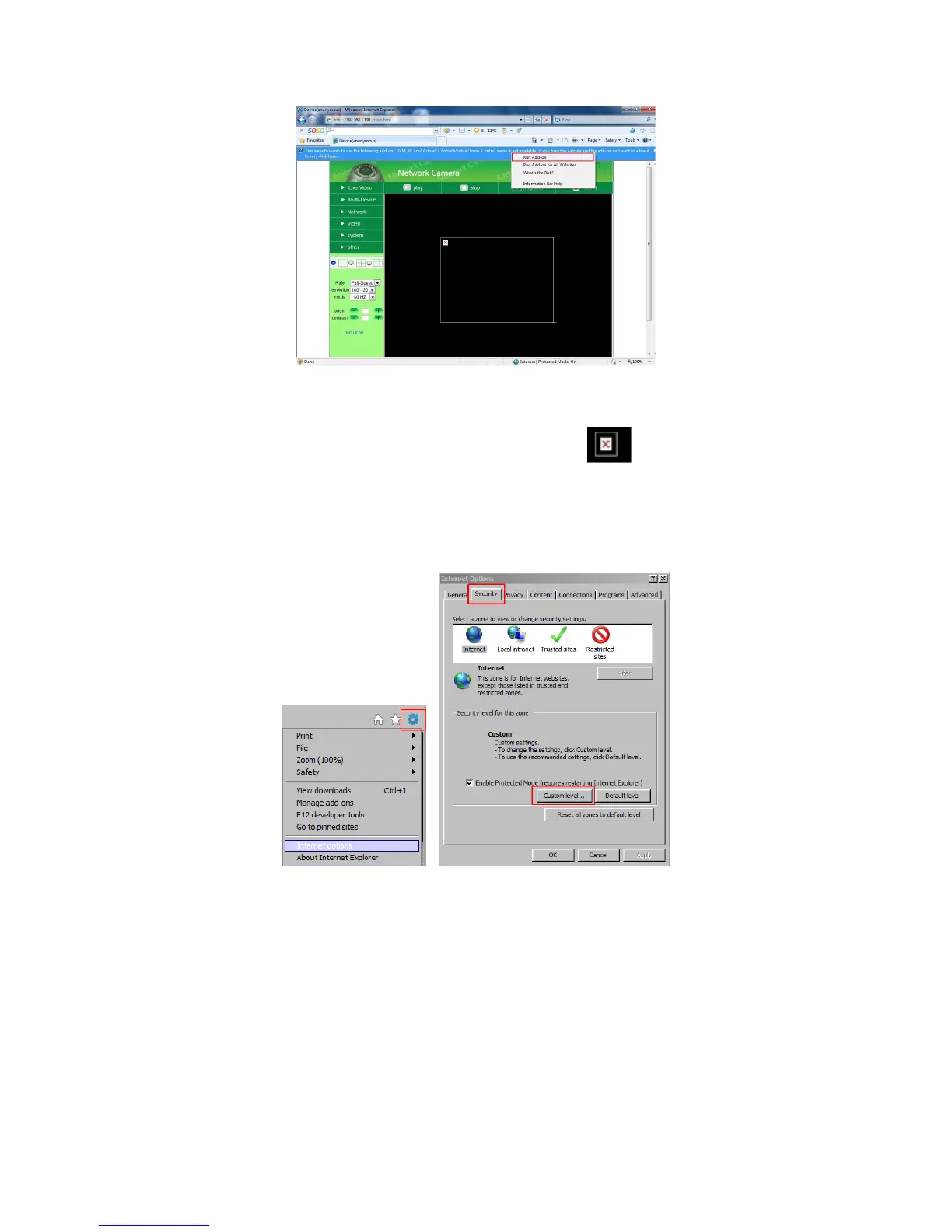
Note: If there is still no live video after you run ActiveX, and a red cross shows in the center of the
screen, or even just a black screen, please try to enable the ActiveX options of IE security settings.
Please do the following steps:
1. C
lose the firewall of your computer
.
2. Cha
nge the ActiveX settings, open your IE browser, select Tools then Internet Options then Security
then
C
ustom Level (See Figure 1.3).
Figure 1.3
Then set the ActiveX controls and plug-ins. Set the ActiveX options to Enable or Prompt as indicated in
Figure 1.4.
Note especially:
Prompt: Download unsigned ActiveX controls
Prompt: Initialize and script ActiveX controls not marked as safe
Enable: Run ActiveX controls and plug-ins



 To Next Page