7
1.4 PC System Requirements
System configuration requirements:
CPU: 2.06 GHZ or above.
Memory: 256M or above.
Network Card: 10M or above.
Display Card: 64M or above memory.
Recommendable Operating system: Windows XP, Windows Vista, Windows 7.
1.5 Hardware Installation
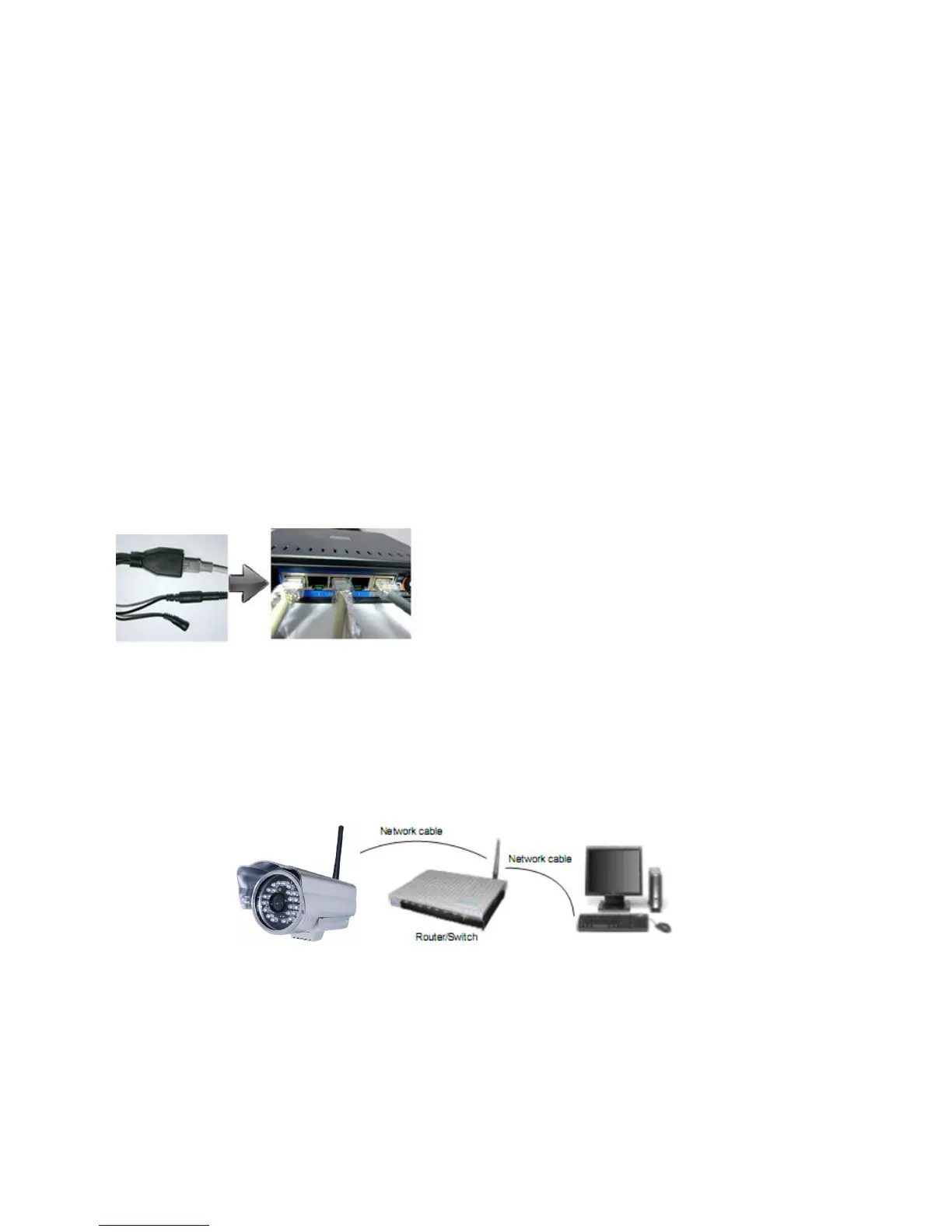
You need to set up your camera using a network cable (wired) first before you attempt to use it wirelessly. It is
recommended that you set the camera up indoors first, before routing the cables through an external wall to
mount it outdoors.
1.
Install the Wi-Fi anten
na.
2.
Plug the power adaptor into the camera.
3.
Plug the network cable into camera and router/switch.
4.
It takes approx 30 seconds to boot up the camera, then you will find the IP address from “IP Camera Tool
”
(F
igure: 1.9).
5.
When the power is on and the network cable is connected, the green LED on the rear panel will stay on.
The yellow LED will keep flashing, and the Indicator LED on the front of the camera will flash. (The
indicator LED can be controlled by software).
Fig
ure 1.4



 To Next Page