42
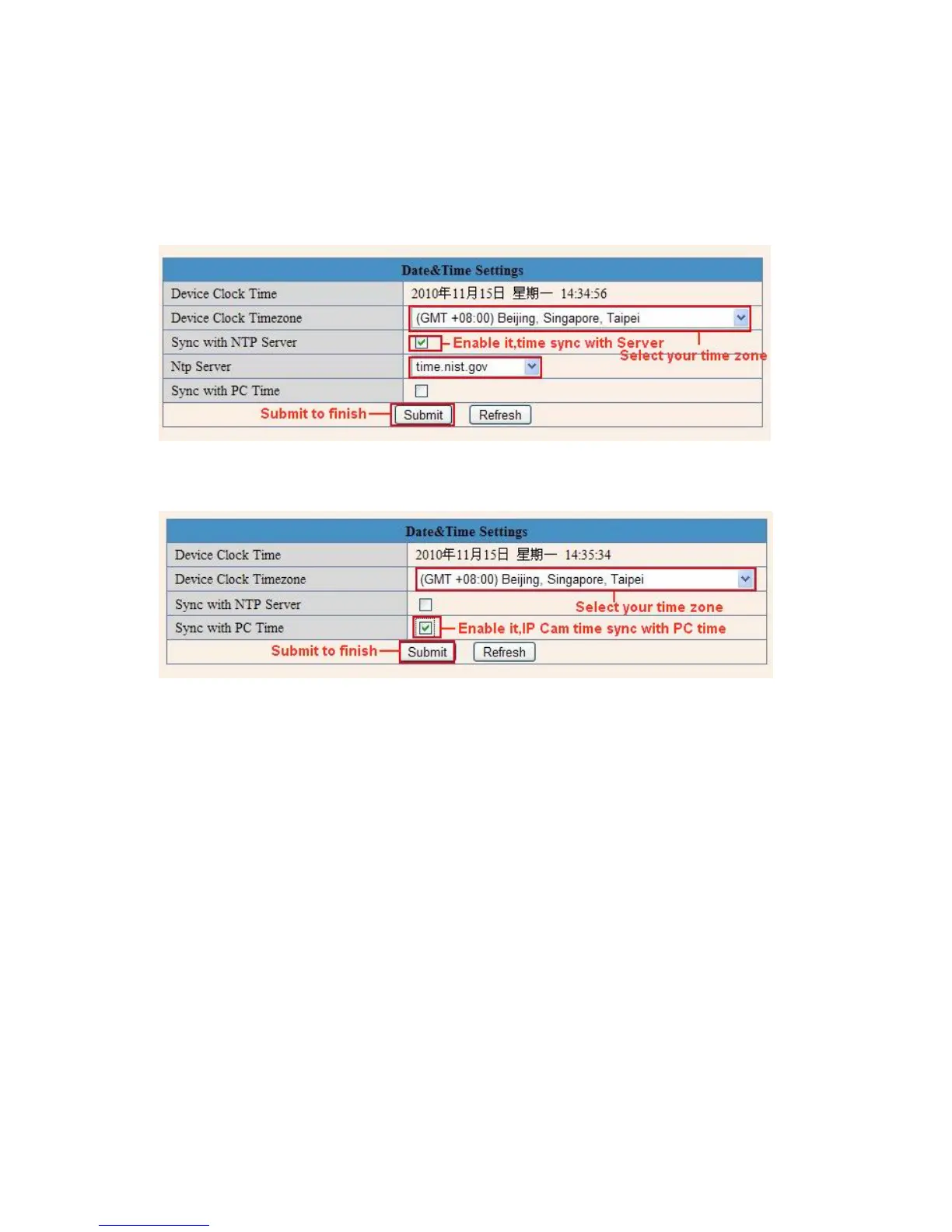
3.11 Date &Time Settings
Set the date and time for your camera.
Choose the Clock Time zone of your country.
You can choose Sync with NTP Server (Figure 8.3) or Sync with PC Time (Figure 8.4).
Fig
ure 8.3
Fig
ure 8.4
3.12 Users Settings
E
ight accounts are acceptable for this system. Here you can set the user names and password as
Administrator, Operator or Visitor, the permission for them as below:
Visitor: In this mode, you can only view. (Details 2.
7)
Operator:
You can control the direction of IP Camera and set some parameter. (Details 2.8)
.
Adminis
trator: You can setup the advanced configurations of the IP Camera. (Details 3.1-3.20).



 To Next Page