37
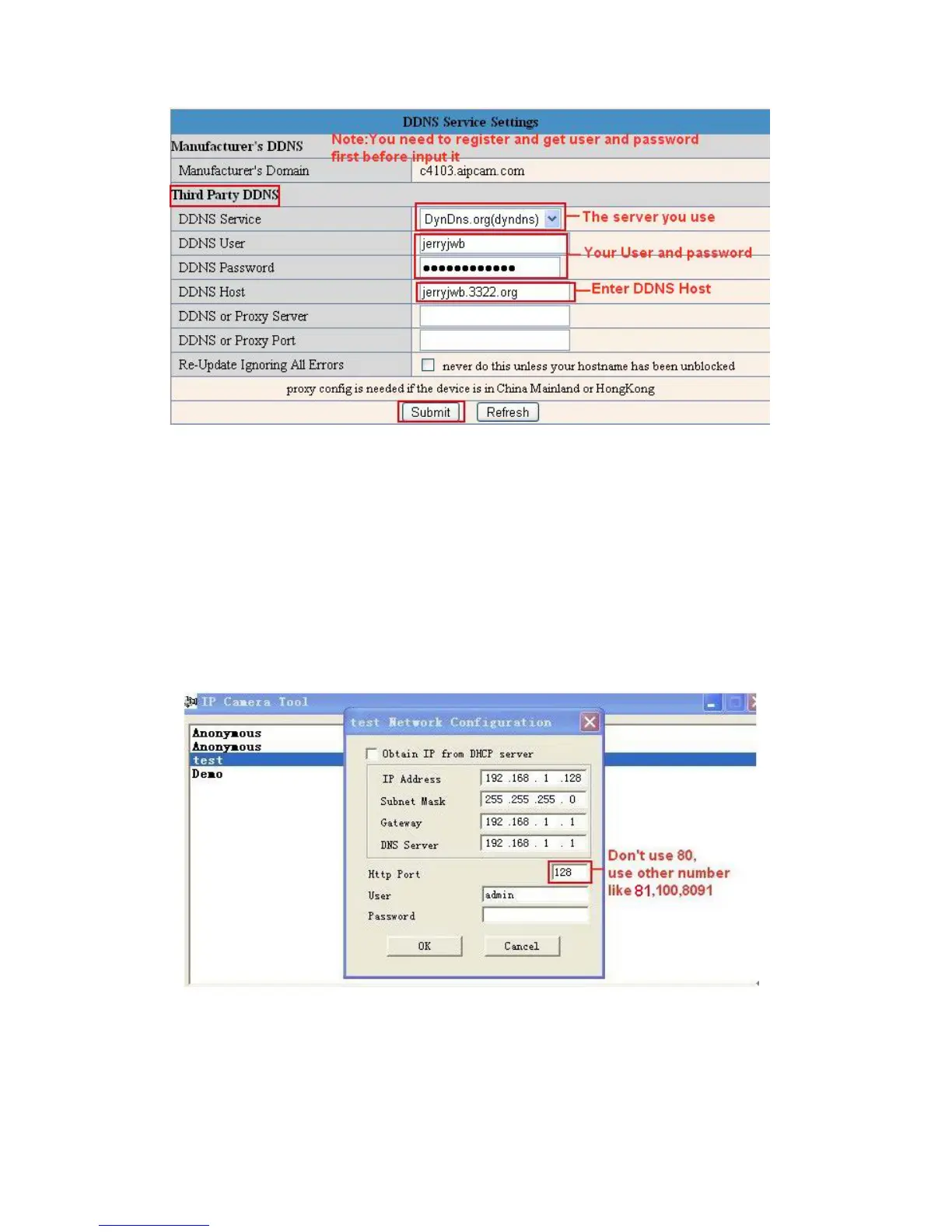
Fig
ure 7.3
You have to register an account first, enter the user, password, and host.
NOTE: Only one DDNS can be chosen, for example, if you use the manufacturer’s DDNS, the third
party one won’t work, if you use the third party DDNS, the manufacturer’s one won’t work.
To change the camera’s port.
The default port of camera is “80”, please change “80” to any other one you like, such as “81”, “100”, “8091”
etc. (It’s best to use high numbers, like 8091 for example). Click “OK”, the camera will reboot, wait about 30
seconds
.
Fig
ure 7.4
Make sure the “Subnet Mask”, “Gateway”, “DNS Server” is the same as your router.
Set Port Forwarding in the router.



 To Next Page