39
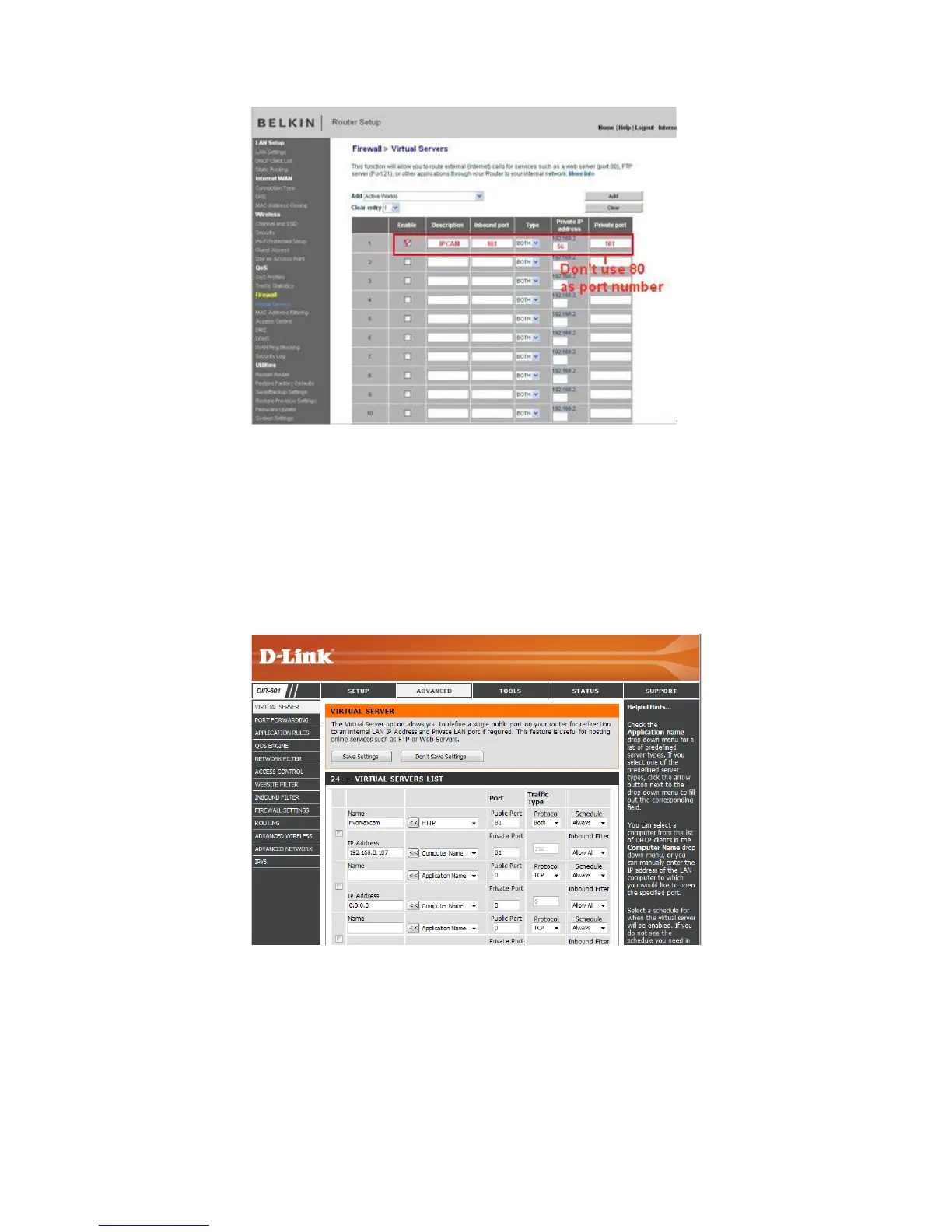
Figure 7.6
DLINK:
1. Login to the router.
2. Choose “Advanced”, select “Virtual Servers”
3. Input the port, IP address, Protocol, then click save.
NOTE: The “public port” & “private port” should be the same as camera’s port, choose the protocol to be
“both”.
Figure 7.7
After all these 4 steps are done, you can use DDNS, check the DDNS status from the camera as below, and
get the link of DDNS for internet viewing.
Step: “Login”>”System”>”Device Info”:



 To Next Page