26
There are two options for stream, Main-Stream and Sub-Stream, you can set the stream based on the actual
operation environment, for example, if the bandwidth is good enough, set Main-Stream as Initial-Stream, or choose
Sub-Stream if better.
Set the parameters of Main-Stream and Sub-Stream as below:
Resolution: 1280 x 720, 640 x 368, 320 x 208 optional.
Frame Rate: Set the frame rate according to the bandwidth. Frame rate could be Auto or from 1 fps to 30 fps
(Real time). If the network situation is not ideal, you can reduce the frame rate to control the coding rate, make the
moving pictures smoother.
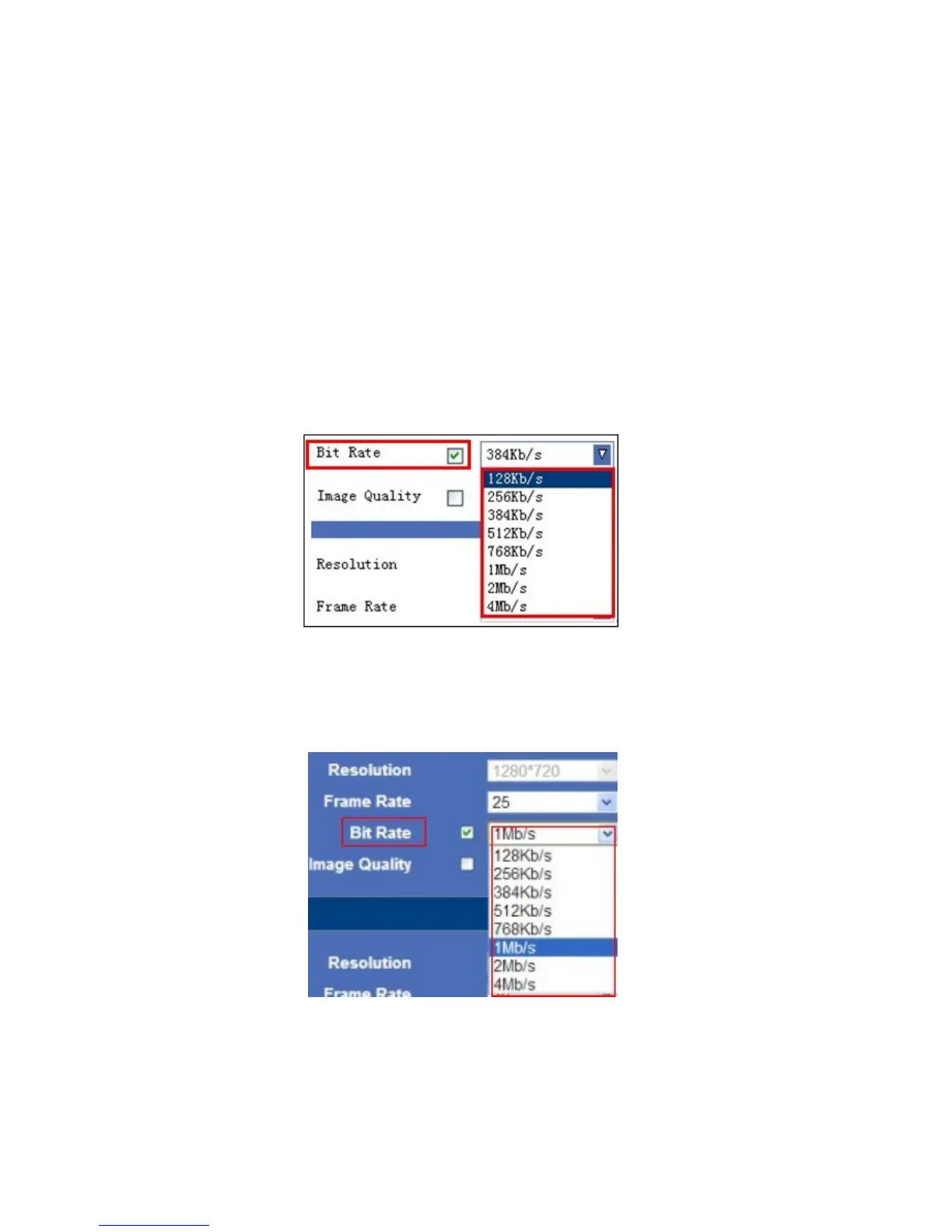
Bit Rate: Higher bite rate means better quality images, but takes more bandwidth, so adjust the settings according
to the actual bandwidth available. The range of bit rate from 128 Kbps ~ 4 Mbps.
For IE, the display will look as below:
Figure 5.1
For Safari, Chrome, Firefox, the display will look as below:
Figure 5.2
Image Quality: Better image quality, higher bit rate value, but it will take more bandwidth, the image quality
parameters could be set as below:



 To Next Page