55
4.14.2 For Safari, Chrome, Firefox, the display will look as below:
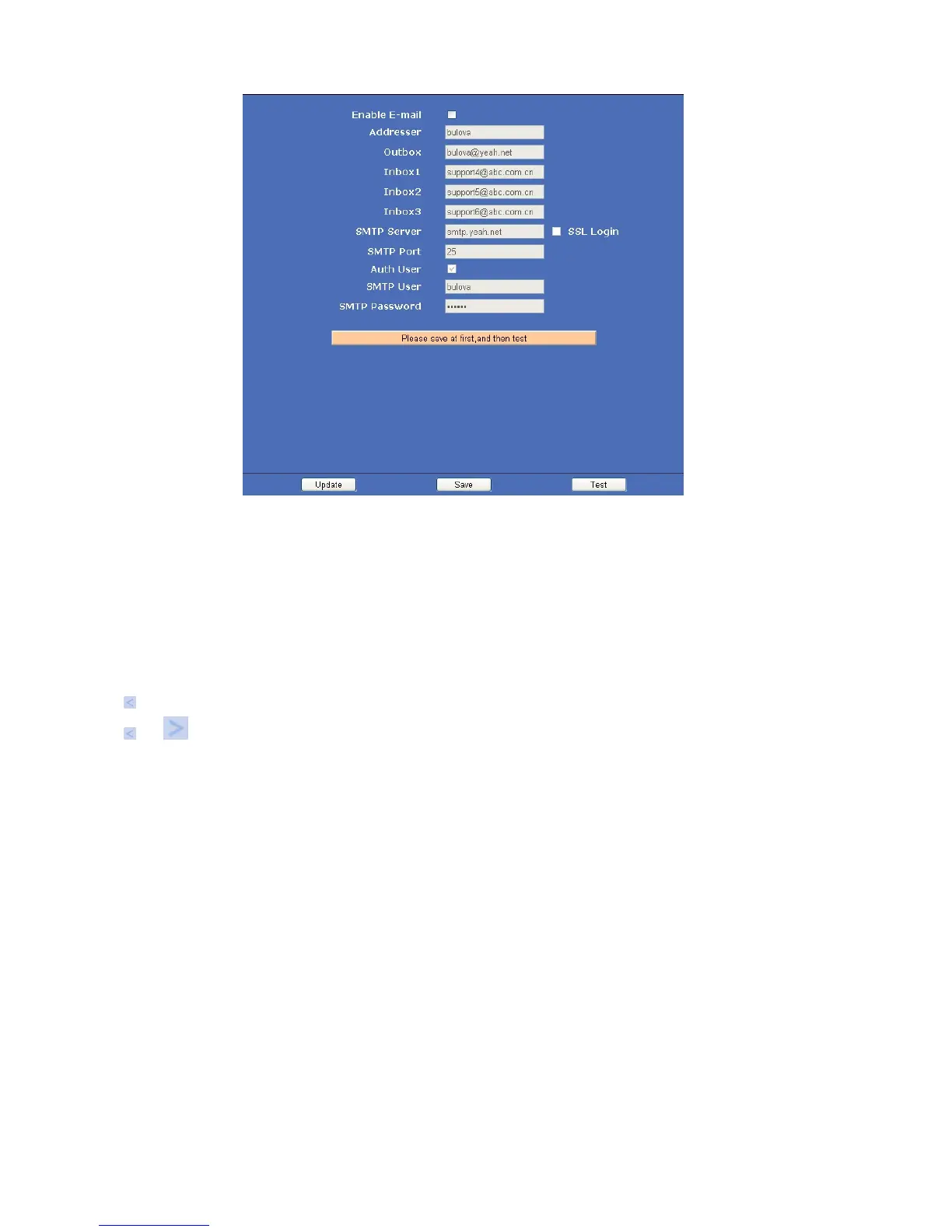
Figure 12.6
Enable Smtp: Set e-mail function ON/OFF.
Addresser: Set sender’s name.
Outbox: Set sender’s email address.
Inbox: Set receiver’s email box. (Supports 3 emails simultaneously)
Add email address
Delete email address which selected.
SMTP Server: The sender’s SMTP server.
SMTP Port: The sender’s SMTP Port, usually is 25, some SMTP servers have their own port, e.g., the smtp port
for Gmail is 465.
Auth User: Verify the user settings.
SMTP User: Set sender’s user name.
SMTP password: Set sender’s password.
4.15 FTP Service Settings
Set FTP service, Snapshots will be delivered to appointed FTP server when alarmed.
Click FTP Service Settings to enter the interface:



 To Next Page